
Want to change your PUBG New State name? If your answer is YES then look no further as we have got you covered. Ever since the game launch, a lot of players want to change their name in PUBG New State but they don’t know how it is done and if that’s you then look no further as we have a guide explaining the entire process in the simplest way possible.
The only reason why players are quite sensitive towards their name is it is their name that depicts their gaming style. Unlike PUBG Mobile and Battlegrounds Mobile India, the developers of the game have not added a feature allowing players to change their character’s name in PUBG New State. However, we have discovered a method that could help you keep your desired name as your PUBG New State username or IGN.
Without any further ado, let’s get started:
How to Change Character’s Name in PUBG: New State?
There are tons of players who play PUBG New State on a daily basis but what differentiate them from others is their username and that’s the reason everyone should have a unique and stylish name that depicts their gaming persona. If you are having trouble finding stylish and unique names for your PUBG New State then don’t worry, we have a huge list of names that could suit your gaming stylish.
To change your name in PUBG New State, follow the given steps:
- Launch the game and tap on the three dots located on the extreme right corner of the screen.
- Go to Settings and tap on the ‘Sign Out button.
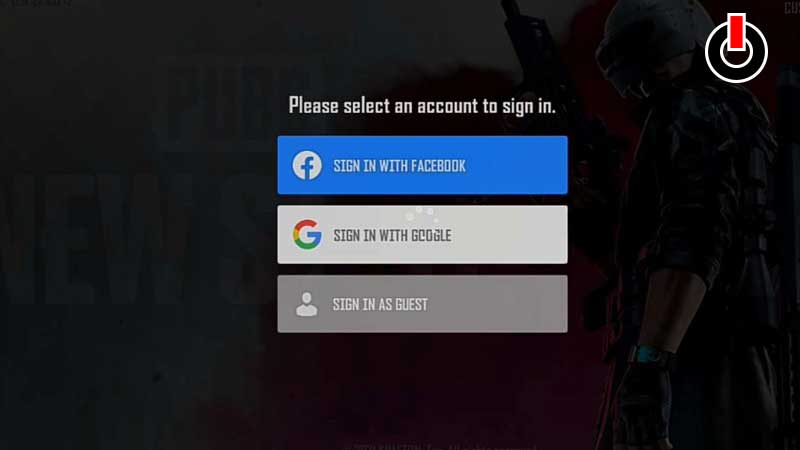
- Once signed out, you will have to tap on the screen and tap on the ‘Sign in As Guest’ option.
- When you do so, you will be asked to name your PUBG New State character.
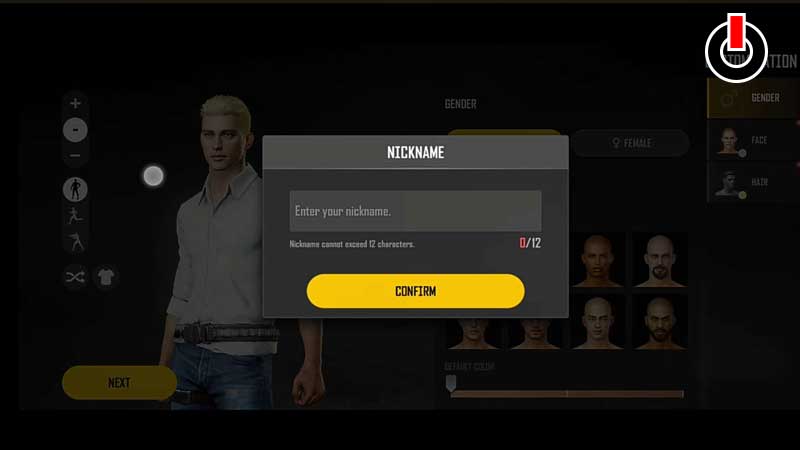
- Make sure to keep it wisely as you would not be able to change it later.
- Once named, you can proceed and play PUBG New State.
- That’s it.
That’s all you need to know about how to change your PUBG New State character’s name.