
Garena Free Fire has just added a new event called ‘Player Of The Week’, asking players to vote for their favorite Free Fire team. The event has already started on Money (September 20th, 2021) and it will continue till the first week of October. Since it is the first of its kind of event, players are having trouble voting for their favorite team in Free Fire and if that’s you then look no further as we have got you covered.
The reason why people are showing a lot of interest to vote for their favorite team in the Play Of The Week event in Free Fire is if the clip or team they voted for turn out the most popular after the voting period ends, they will be given rewards likes — Arctic Blue Bundle, Parachute skin, and Royal diamond voucher.
If you also want to vote for your favorite team in Play of The Week event in Free Fire but don’t know how it is done then keep reading this guide.
Free Fire: How To Vote For Your Favorite Team In-Play of The Week Event
Voting for your favorite play of the Week in Free Fire is pretty simple. Those who don’t know the voting procedure must follow the below-mentioned steps:
- Launch Free Fire on your phone.
- You will see a pop-up that says ‘Vote For Your Favorite Play of The Week’. Tap on it.
- Doing this will take you to the page where you will see Three teams — Team Chaos, Team Elite, and Total Gaming.
- Now, you will have to watch video clips of all teams by clicking on their thumbnails.
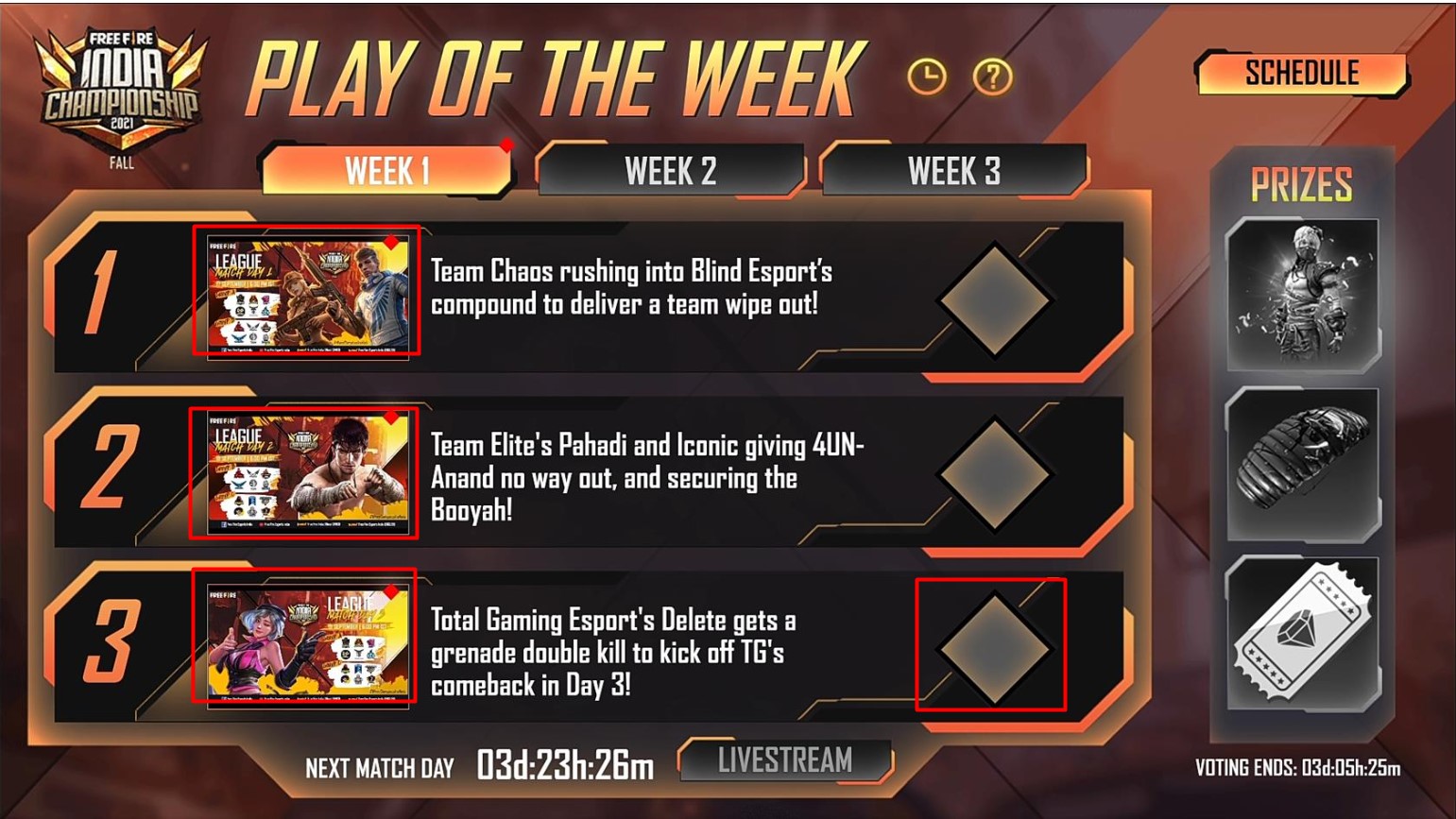
- You would not be able to vote for your Favorite Teams until you are done watching videos of all teams.
- Once you have watched their clips, you will have to tap on the Square icon next to your favorite team.
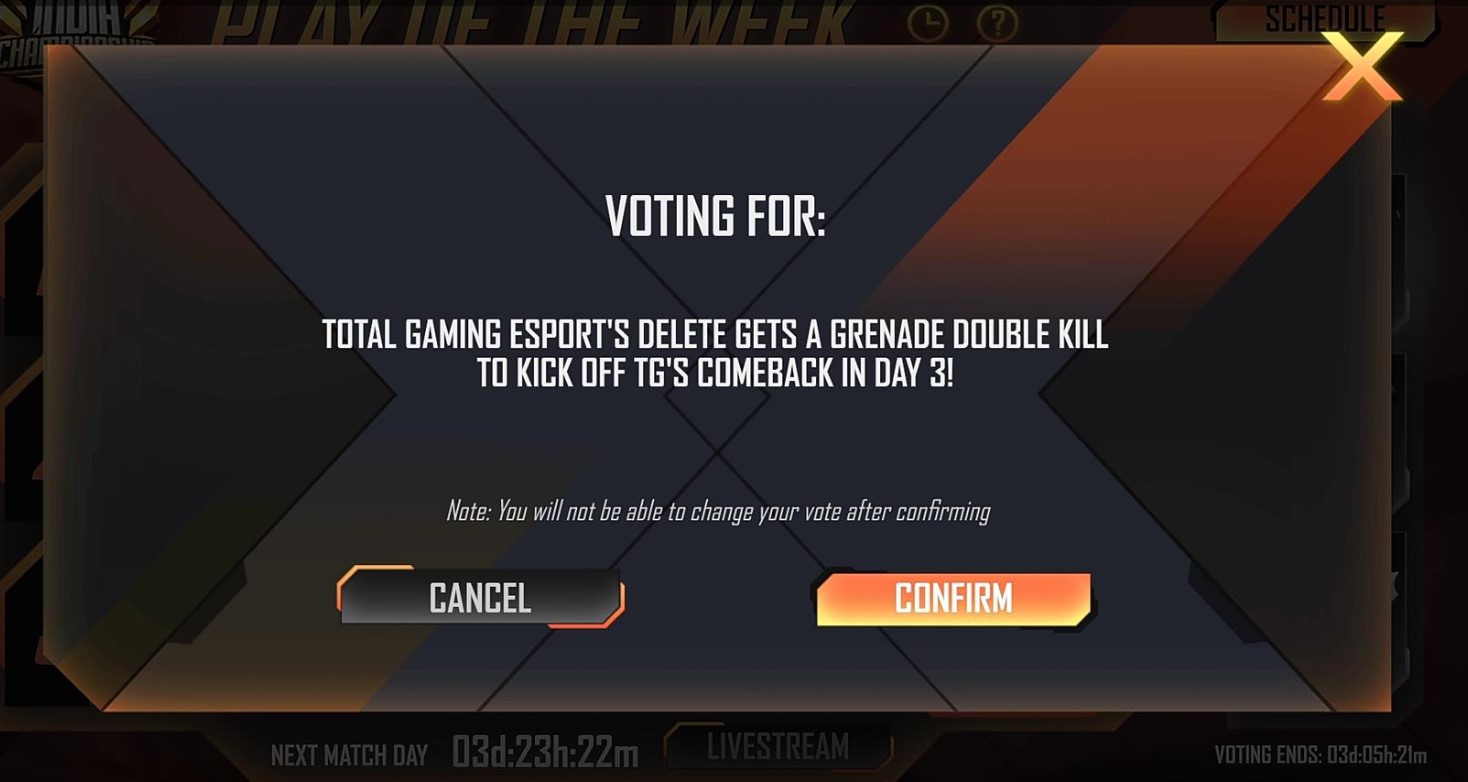
- When you do so, a new window will appear confirming you to vote for your favorite play of the Week.
- If you want to proceed, tap on the Confirm button.
- Once done, you will be shown the voting percentage of every team that they have received so far.
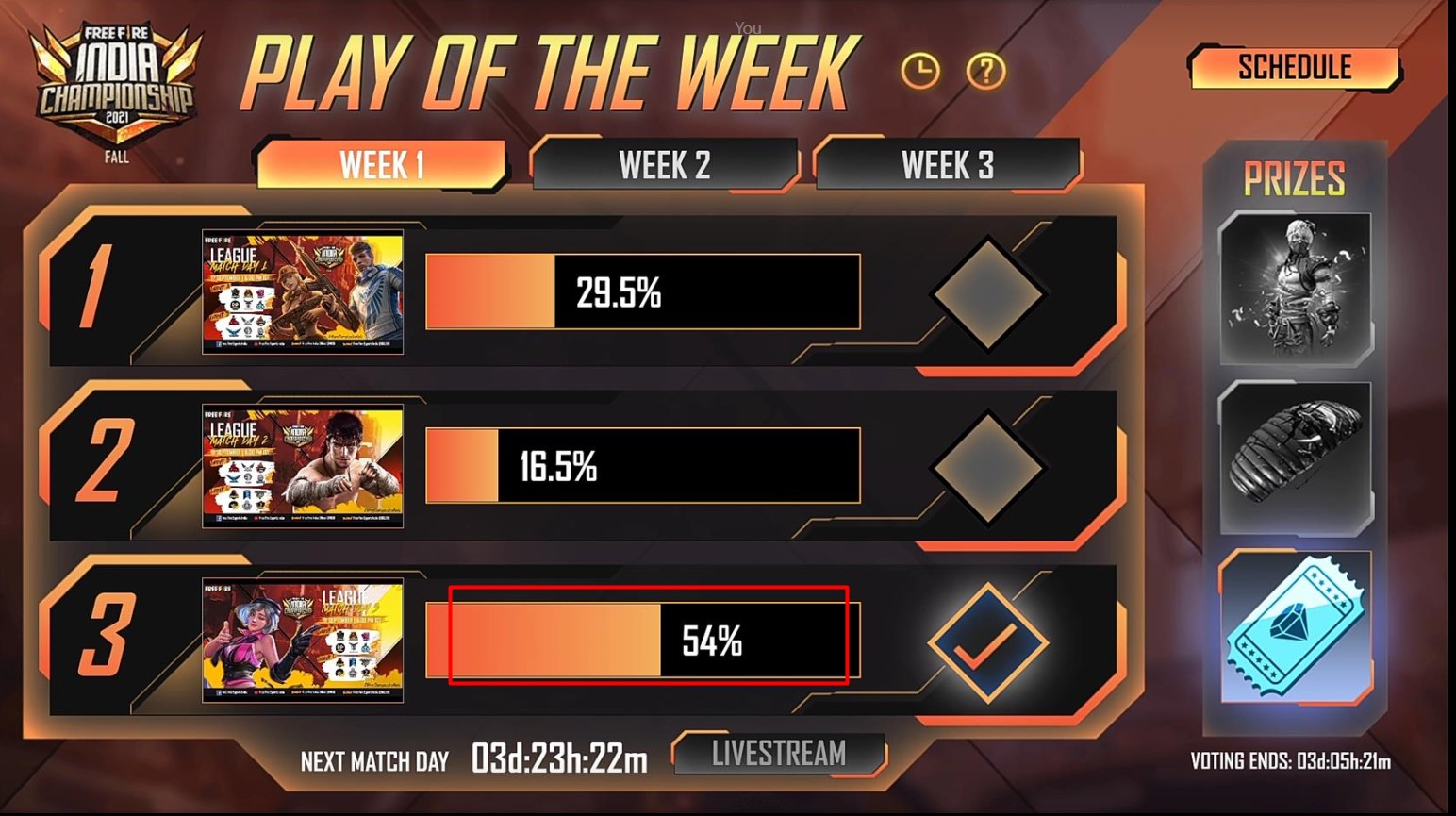
- The team that has received the maximum number of votes so far is Total Gaming.
Note: If you have not voted for your favorite play of the week yet, do it now because the voting will be stopped on Thursday at 11:59 pm (IST).
The result and 5 Lucky Grand Prize winners of the Play Of The Week event will be announced on Friday at 5:45 pm (IST).
That’s all you need to know about how to vote for your favorite play of the week in Free Fire.