
The famous Riot game, Valorant has been putting out loads of updates recently. If you’re here to check how to fix “There Was an Error Connecting to The Platform” error, we’ll help you. With every update, there are a couple of bugs that the players notice too. This error connecting to the platform has been around for quite a while now.
Players first started to notice this bug back in 2020. Since then, Valorant official Twitter has tweeted about this error going around. They also said that they are fixing . However, it seems that the bug is still around.
“There Was an Error Connecting to The Platform” error comes up on the screen when the players start the game. This error happens most likely due to the connectivity issue from the player’s end. They might also sometimes happen if the Valorant servers are down.
Table of Contents
How to Fix “There Was an Error Connecting to The Platform” Error
There are a few things you can try in order to fix this error that is causing you frustration since you’re unable to play.
Check if Valorant Servers are Down
A lot of times, it is possible that the server is down. When that happens none of the players are able to connect. You can check if Valorant or Riot official Twitter accounts have tweeted anything about server maintenance or the server is down. Additionally, you can check Reddit too. Players seem to be really active and responsive on there.
Restart Valorant & Riot Vanguard
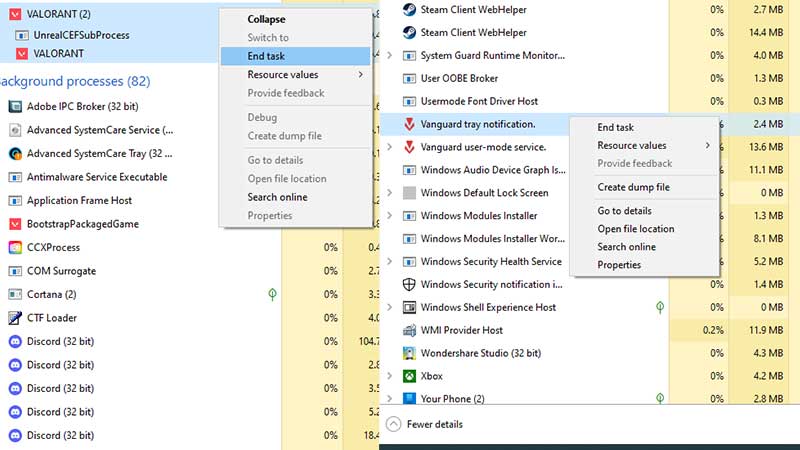
Many times, just restarting the game can fix the issue. It’s possible that your Riot has not loaded up with the correct data needed to run the game. Follow these steps to Restart Riot and Valorant.
- Press Ctrl+Alt+Delete
- Select Task Manager
- Find all the Riot Processes and click “End Process“
- Close Valorant
- Reopen Valorant
This should fix the error. If the problem still pops up, it can be a connectivity problem. Read the next step to fix it.
Update your DNS
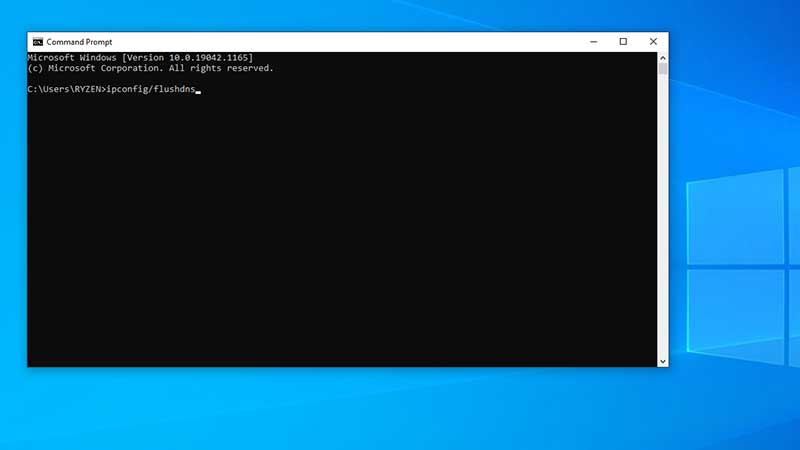
Your internet files might be causing this issue. In order to update your DNS, follow the steps below.
- Press the Windows key or Start button
- Search Command Prompt and right-click on it.
- Click Run as Administrator.
- In the black box, type the following things and press enter after each command.
- ipconfig/flushdns
- ipconfig/registerdns
- ipconfig/release
- ipconfig/renew
- netsh winsock reset
After entering all these commands, restart your computer.
One of these ways will help you fix the “There Was an Error Connecting to The Platform” error. We hope you’re able to enjoy playing Valorant without this error after the fix! Meanwhile, if you’re facing Error Code 138 read this.