
It has been almost a month since Krafton launched the official version of Battlegrounds Mobile India (BGMI) but the developer has not announced a collaboration with any top-up sites yet.
The prices of UC mentioned on BGMI’s in-game store seem a bit high for fans as they are constantly looking for third-party sites like Midasbuy and Codashopt to purchase UC. The reason why fans search for these sites is they provide massive discounts upon purchasing UC.
Apart from Midasbuy and Codashop, the platform fans are currently searching to buy UC is PayTm. Ever since the game was officially launched on Google Play Store, fans have been searching for ways to buy UC via PayTm and if that’s you then look no further as we have got you covered.
Also Read | How To Transfer UC To Your Friends In BGMI?
How To Buy BGMI UC From PayTm
There are multiple ways that you can use to buy UC in Battlegrounds Mobile India — Redeem Codes, Debit Card, Net Banking, Google Play Balance, and more.
Since a lot of fans are having trouble buying UC from PayTm, we have created a guide explaining the same in the simplest way possible.
To buy UC through PayTm, you will have to use the Redeem Codes method. If you don’t know how this method works then follow the steps mentioned below.
- To get a Google Play Redeem Code, you will have to open PayTm.
- In the search bar of PayTm, search ‘Google Play Recharge’
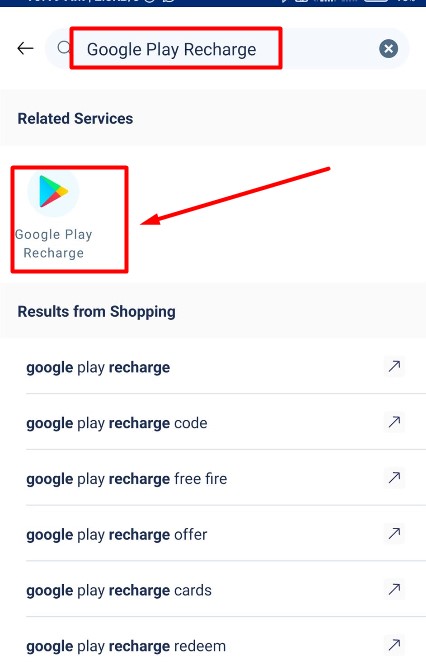
- Tap on the Google Play Recharge option that appears on the screen as shown in the above picture.
- Enter the amount of Recharge you want to top up through PayTm and click on the Proceed option.
- Now, you will have to select the preferred option as there are multiple options available.
- Once selected, you will have to click on the Pay button.
- Once you have successfully made the payment, you will get a Redeem Code.
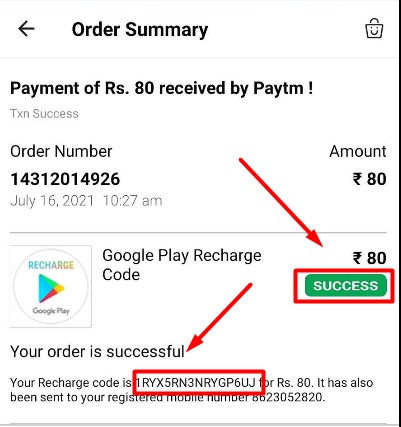
- Once you have obtained the Redeem Code, you simply need to copy it to the clipboard. You can also copy the code from your mail.
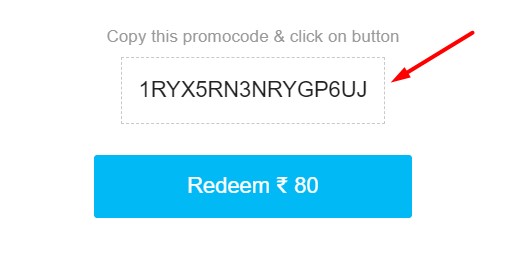
- Once copied, open Battlegrounds Mobile India (BGMI) on your phone and tap on the + icon located on the extreme top right corner of the screen.
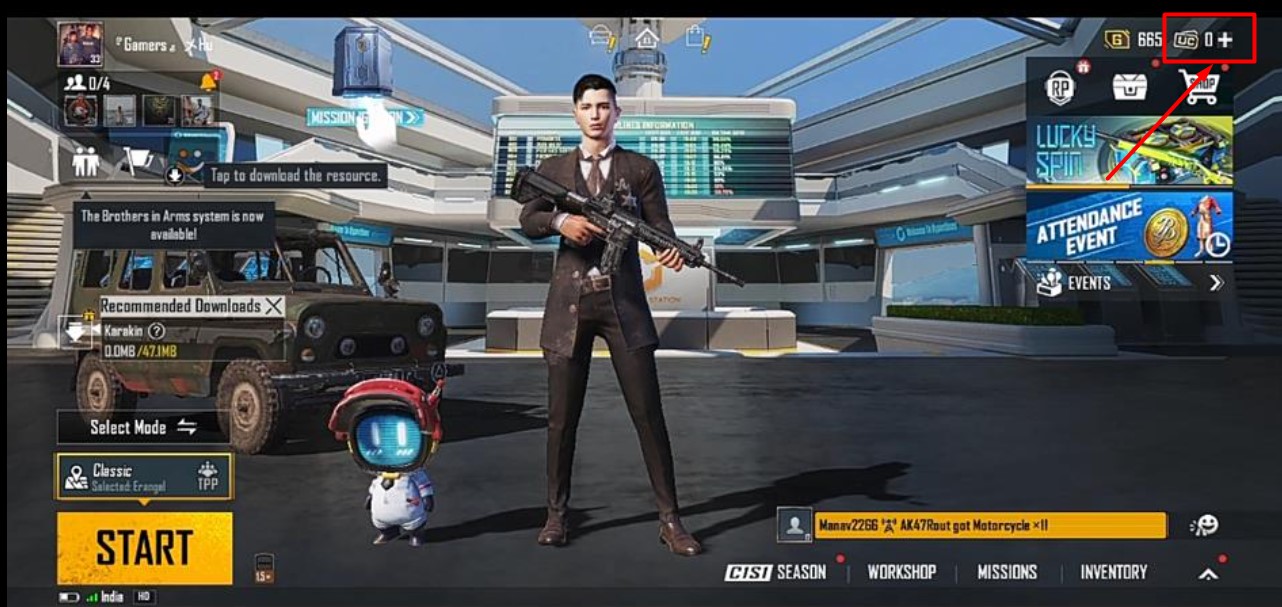
- As you can see in the above picture, we don’t have any UC as of yet.
- After tapping on the + icon, you will have to select the number of UC you want to buy. In our case, we will select 60 UC packs because we only have Rs 80 Redeem Code.
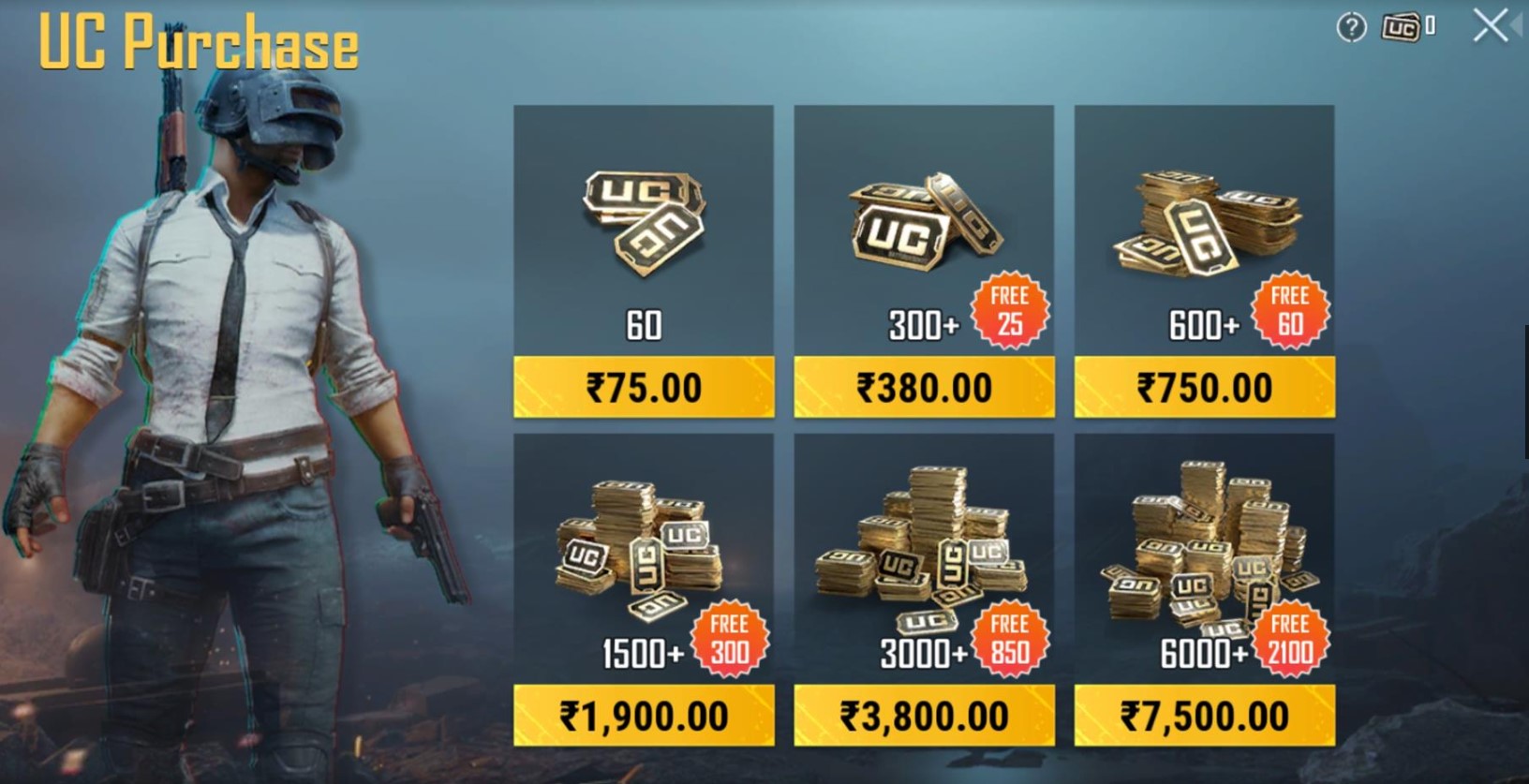
- When you click on the Rs 75 or 60 UC Pack, you will be taken to the payment page.
- There, you will have to scroll down and select Redeem Code.
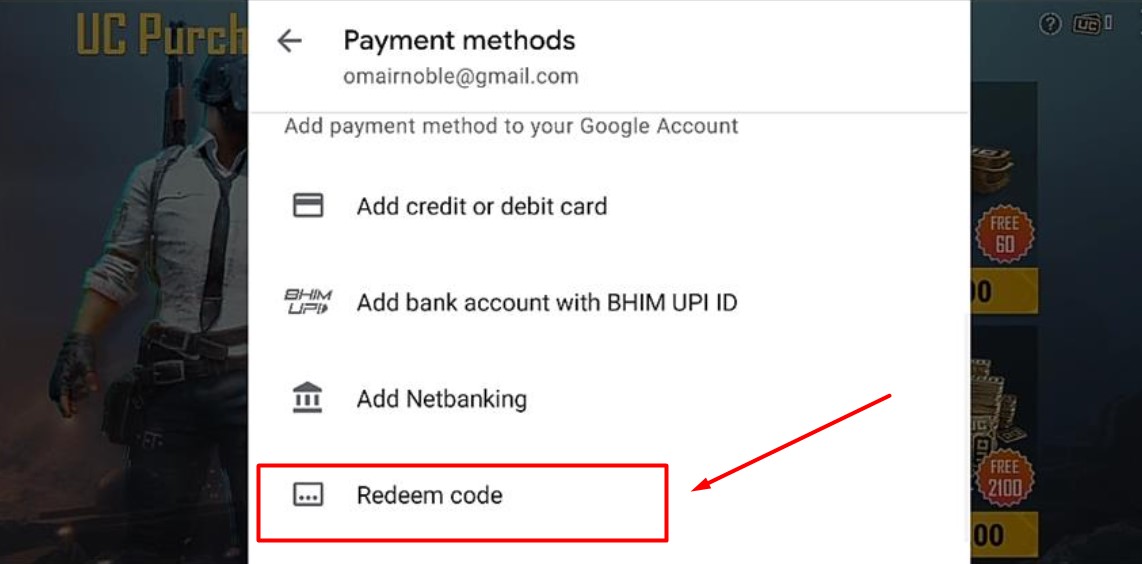
- When you tap on the Redeem Code option as shown in the above picture, a new window will appear on the screen, asking you to enter the Redeem Code that you have obtained via PayTm top-up.
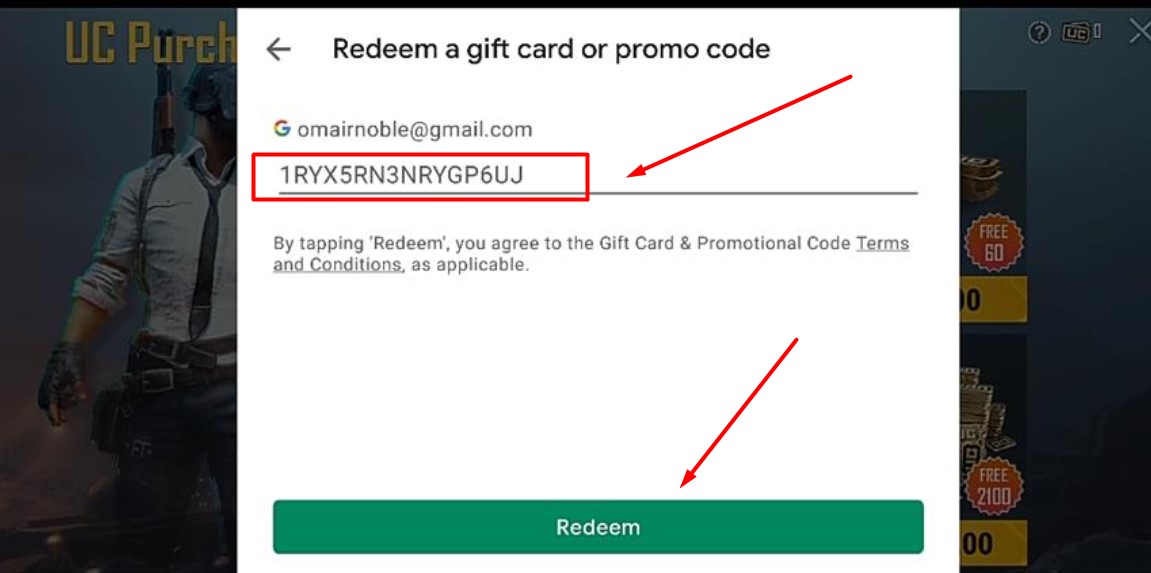
- Enter the Redeem Code and tap on the Redeem option. As soon as you tap on the Redeem button, you will be asked to authenticate the payment.
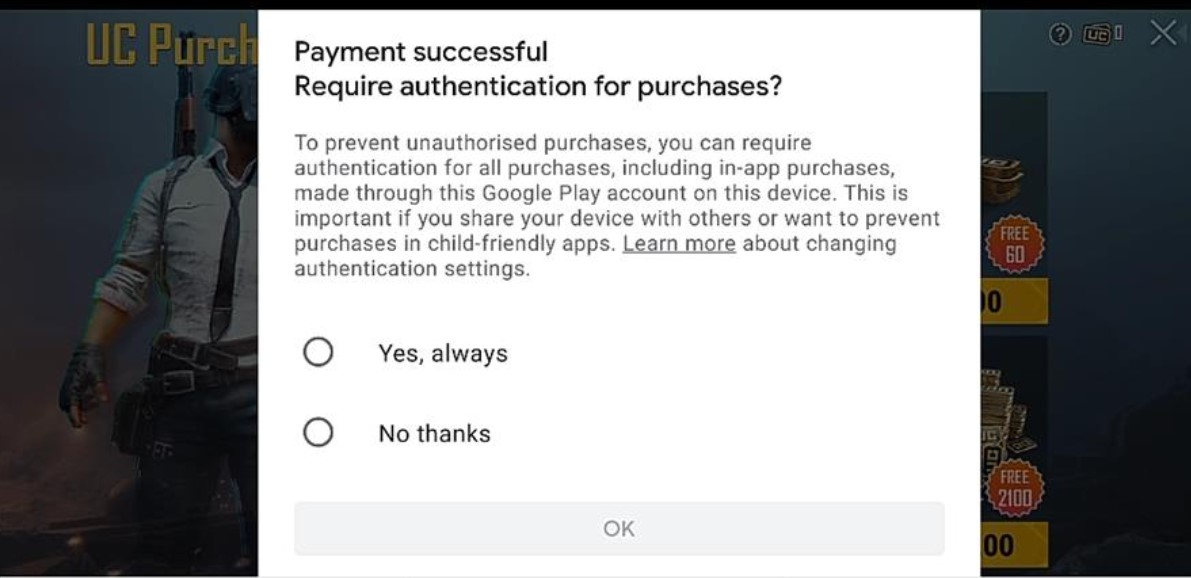
- Make sure to tap on the ‘Yes, Always’ and then the OK button.
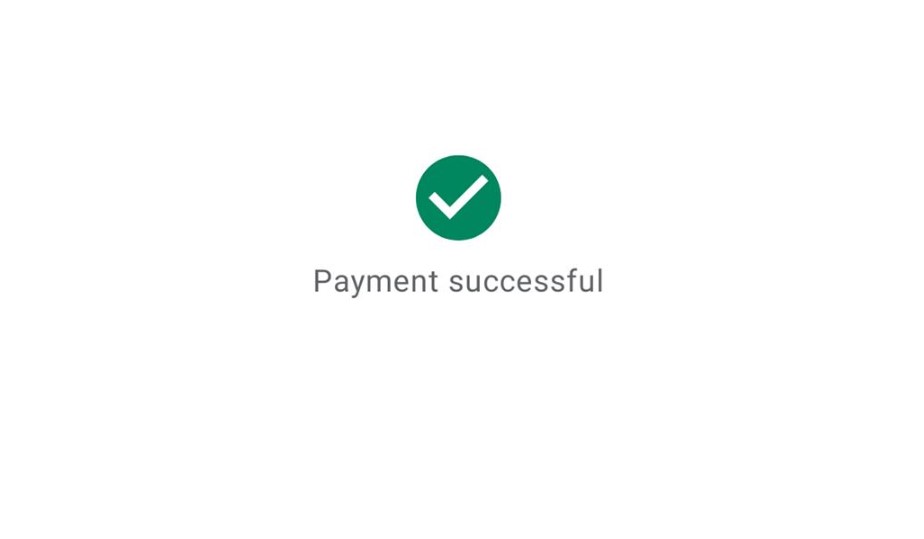
- Doing this will complete the process. You will see a message appear on the screen.
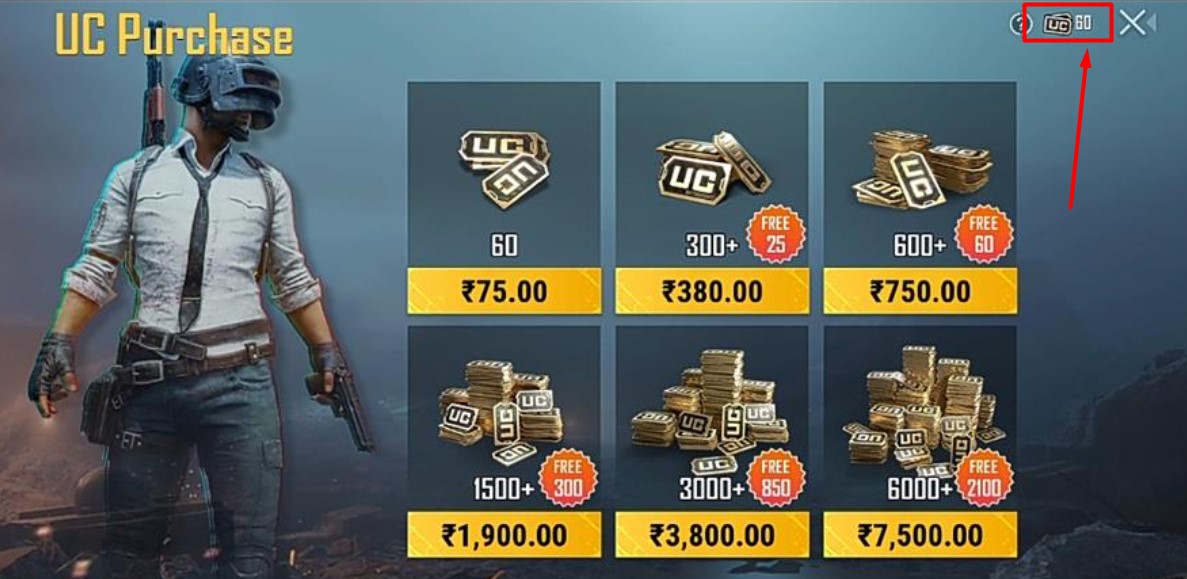
- When this happens, you will see 60 UC will be transferred to your BGMI account.
That’s everything you need to know about how to purchase BGMI UC using PayTm.