
Xfinity is one of the best remote controls that help you access everything and anything you want by voice commands. But there are many people recently experiencing trouble using Xfinity Voice Remote. So, are you also facing any issues with your Xfinity Voice Remote? If yes, then you are in right place.
Here is a complete guide to help you troubleshoot your voice remote and fix the issue! So without any further ado, let us get started with it.
How To Fix Xfinity Voice Control Remote Not Working Issue
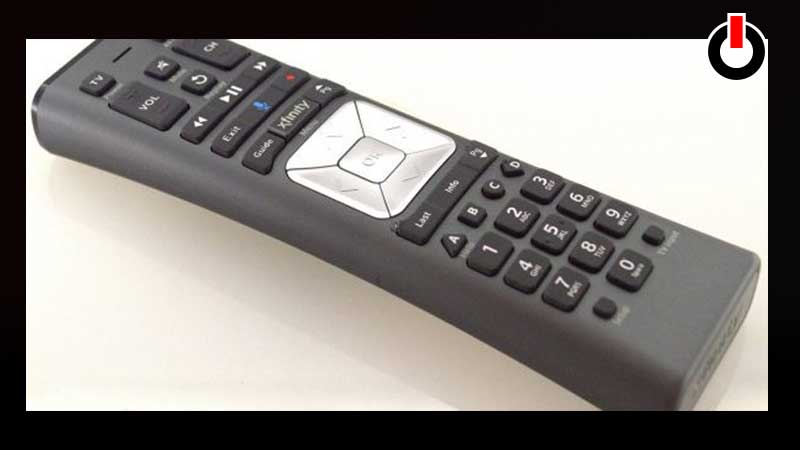
There can be various reasons for your Xfinity remote not working properly. Check out the solutions mentioned below and see what helps you fix the issue on your device.
1. Check The Battery
Check your Xfinity Remote if it has enough charging on it. There is a possibility for it to malfunction if it’s running on a low battery. To check the battery level of the Xfinity Voice remote long-press the “Setup” button until the LED light on the remote turns from red to green. Now check the battery status from the number of bars and see if it is charged.
If the LED color does not change from red to green, then it means your remote is out of battery. So, put it on charge and then see if the issue is fixed.
2. Re-Pair remote With Your Tv
Disconnect your Xfinity Voice Remote from your TV Box and pair it again. Follow the steps mentioned below to pair your device again.
- Long press the Xfinity + Info buttons for five seconds until the Voice Remote light changes from red to green.
- Now type the three-digit pairing code on your screen to pair the remote successfully.
- Once you do that your Xfinity Voice Remote is paired with the TV Box!
3. Reset Voice Remote
If your Voice remote still has issues and it isn’t working then try and reset the remote. Press and hold the “Set up” button until the LED turns Red to Green. Then press 9 > 8 > 1, now the LED will blink twice in Green color, this indicates your Xfinity Voice Remote is reset successfully. Now pair the remote to your device again and see it help you fix the issue.
4. Hard Reboot
Disconnect your remote from your Tv, switch the device you are using OFF, wait for 5 to 10 seconds, and then switch it on again. This will fix all the tiny bugs and help you fix the issue.
This is all you need to know about how to fix the Xfinity voice remote not working issue. Check another article on how to watch blocked YouTube videos.