
RealMe Game Space is a mobile developer-specific application that you can download for your Android devices. This application is specific to RealMe devices only. However, with the launch of the RealMe UI 2.0, this application did take a hit in usability. Luckily, there is a way to get it back. Scroll down and find out how.
How to get Game Space for RealMe Android Devices?
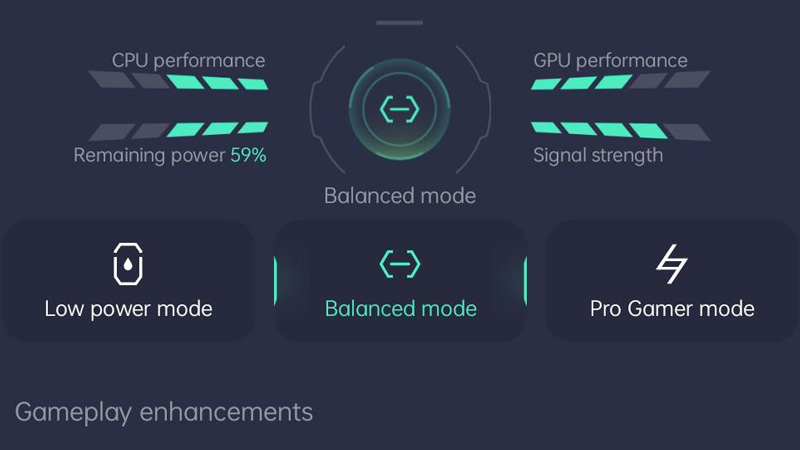
To get Game Space you will have to download .zip files. To do so you will need to have a look at the files available on the RealMe Forum. Just visit the interlinked webpage in the last sentence.
- Once you are at the webpage, just look for your device name. There are different files for different RealMe phones.
- Make sure you download the correct file.
- Once the download is completed, go to the Downloads folder in the File Manager.
- Now, open the .zip file and extract all the files inside it. You can extract it in the same Downloads Folder.
- After this, just click on the RealMe Game Space application icon.
- This will install the Game Space app on your device.
- Accept all the pop-up notifications that come up as well as all the necessary app requirements.
- Now, open the app and accept all necessary permissions.
- This will allow you to use the Game Space APK.
The Game Space APK is basically a performance booster app. It is optimized to give you an amazing and seamless gaming experience. There are preset modes inside the app that will allow you to moderate and check your battery usage as well as prioritize games on your Mobile Network. All of this will allow you to play any Mobile Game smoothly.
This is everything that you will need to know about the RealMe Game Space application. While you are here make sure that you check out our Tech Section to solve all of your device and tech-related queries.