
In Pokemon Unite, there are certain components that help the trainers determine your stature in the game. The performance in each battle is crucial as it helps to calculate your experience as a trainer. Pokemon Points is one of those components that you should know about. In this guide, we have covered the information about Pokemon Points and Battle Ribbons in Pokemon Unite. All you have to do is go through this guide to learn how to get these points and ribbons in the game.
What are Pokemon Points in Pokemon Unite?
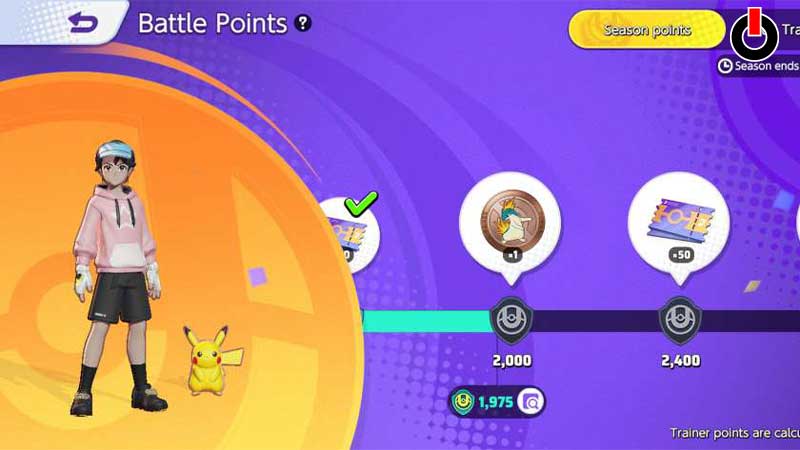
You must have noticed that playing battles and performing better to make your team win leads to an increase in your Trainer level. But have ever given it a thought as to how it happens? Well, it has something to do with Pokemon Points and Battle Ribbons in Pokemon Unite.
The Pokemon Points are the points that your Pokemon earns from each battle. These are also called Battle points. These battle points are then added further to determine your Trainer points. The more Pokemon Points you have, your Trainer points will be higher. And these Trainer points are responsible for calculating your Trainer level in the game.
Each Pokemon get its different Pokemon points in the battle. And hence you should play with every Pokemon in your collection. If you want to check your total Pokemon Points, follow the steps given below.
- Open Pokemon Unite on your device
- Click on the Profile icon
- Tap on your Avatar on the right side
- Then, click on the last tab titled Favorite Pokemon
You will see the points of each Pokemon and how many battles you’ve played with them. Read along with this guide further to know about Battle Ribbons.
What are Battle Ribbons in Pokemon Unite?
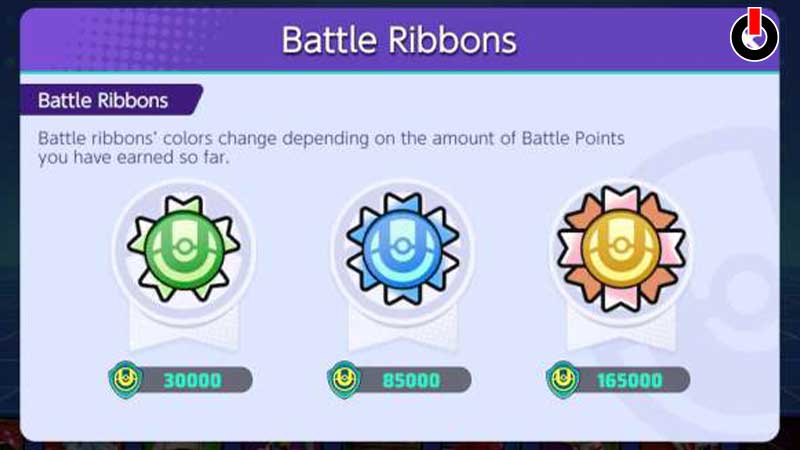
Battle Ribbons are basically like badges that rank Pokemon on the basis of Pokemon Points. The more Pokemon points you have, the higher ribbon you will gain. These ribbons also reflect your mastery of the Pokemon based on how many times you’ve played with a particular Pokemon. There are three ribbons in total that you can earn by achieving a certain number of Pokemon Points. Those three battle ribbons are as follows,
- Green Ribbon – 30,000 points
- Blue Ribbon – 85,000 points
- Gold Ribbon – 1,65,000 points
This is all you need to know about Pokemon Points and Battle Ribbons in Pokemon Unite. Now that you know all about them, go ahead and join more battles to earn these points and progress in the game. Hopefully, this guide was helpful to you. While you’re here, you can feel free to browse through other similar articles such as How to Get Invincibility in Pokemon Unite? and How to Surrender?