
Thetan Arena is the latest play-to-earn MOBA game that has taken the world of gaming on fire. Since it is a multiplayer game, there are plenty of users who want to invite and play Thetan Arena with their friends and if that’s you then look no further as we have got you covered. If you have enjoyed playing Pokemon Unite with your friends, you will surely enjoy Thetan Arena as well.
Without any further ado, let’s get started:
How To Invite & Play Thetan Arena With Friends?
It is straightforward to team up or invite friends in Thetan Arena. However, if you don’t know the process then follow the below-mentioned steps:
How To Invite Friends In Thetan Arena?
- Launch Thetan Arena on your phone.
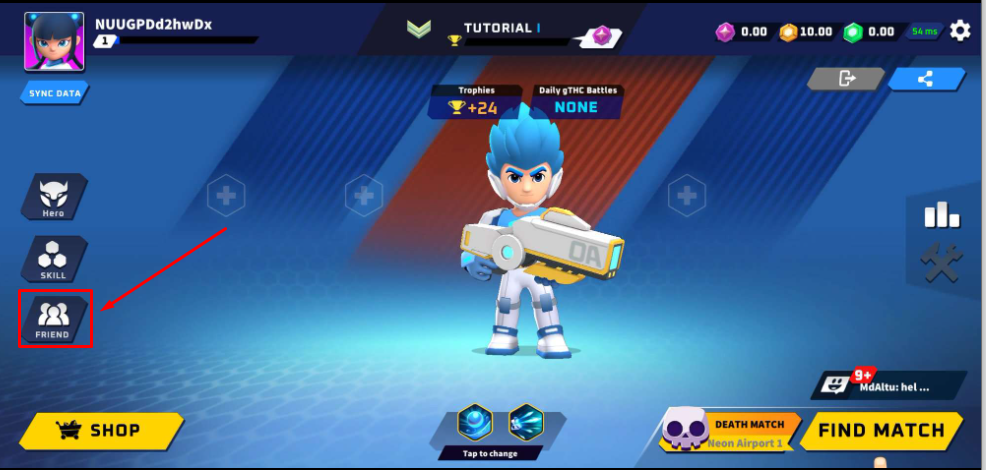
- Tap on the Friends icon located on the left side of the screen.
- There, you will have to tap on the ‘Invite’ tab.
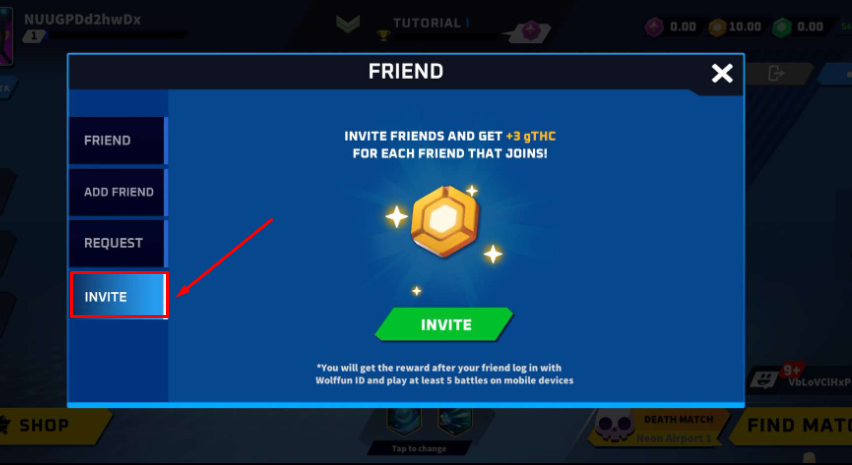
- Now, tap on the Green ‘INVITE’ button and share the invite links with your friends via social media networks like Skype, Instagram, LinkedIn, Whatsapp and others.
- Once a friend accepts your invitation and log in with Wolffun ID and play with at least 5 matches, you will be given 3gTHC as a reward.
- That’s it.
How To Play Thetan Arena With Friends?
To play Thetan Arena multiplayer, you will need to follow a few simple steps:
- Launch Thetan Arena.
- Tap on the ‘Friends’ icon as shown in the above picture.
- In a new window, tap on the ‘Add Friends’ tab.
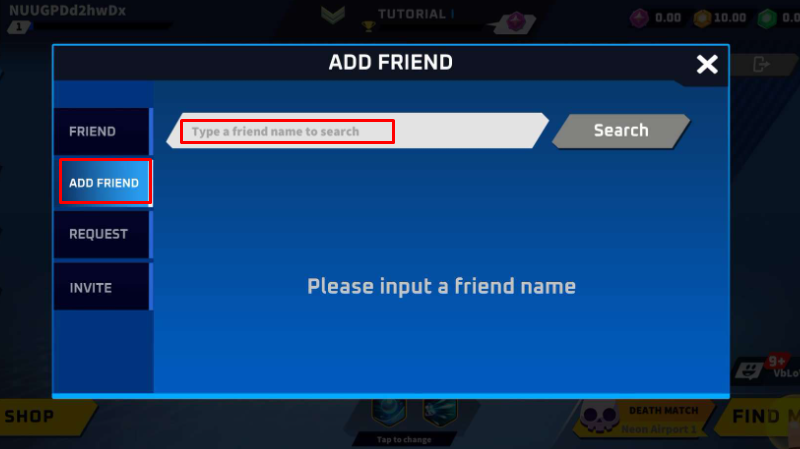
- Now, enter the ID of your friends into the text box saying “Type a friend name to search”.
- Once entered, tap on the ‘Search’ button.
- After sending a request, you will have to wait until it is accepted.
- Once accepted, head back to the main lobby.
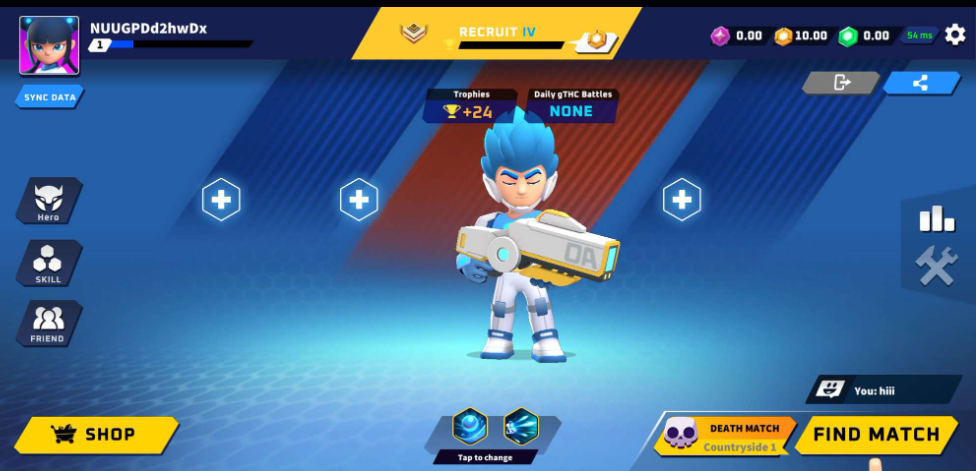
- Tap on the ‘+’ icon to add friends to your part.
- Once you successfully added your friends to Party, click on the Ready button to start the game.
- That’s it.
That’s everything you need to know about how to invite or play Thetan Arena multiplayer.