
MIR4 is one of the most popular play-to-earn Mobile games right now. There are tons of users across the world who are enjoying it on a daily basis. Similar to other Mobile games, there are certain things that MIR4 players are having trouble doing in the game. One of them is removing the red name or bad points.
Do you know how to remove the red name in MIR4? If your answer is NO and you want to learn how it is done then look no further as we have got you covered. The reason why players want to remove the head red (Red name) or bad PVP points in MIR4 is it restricts players to use multiple features, including Fast Travel. Having more bad PVP points indicates that you are a bad person in the game.
Since MIR4 has a huge map to explore, players have to spend too much time traveling from one place to another without using the Fast Travel feature. With that in mind, we have created a guide explaining how to remove the head red (Red name) in MIR4 in the simplest way possible.
How To Remove Red Name In MIR4?
Removing the red name or bad PVP points in MIR4 is pretty simple. However, there are numerous players who don’t know how it is done and if that’s you then follow the below-mentioned steps:
- Launch MIR4 on your phone or PC.
- To remove the red name in MIR4, you will have to kill monsters within 5 levels of your current character level. (Ex. If you are at 40 levels, you will have to kill monsters of levels between 35 to 45).
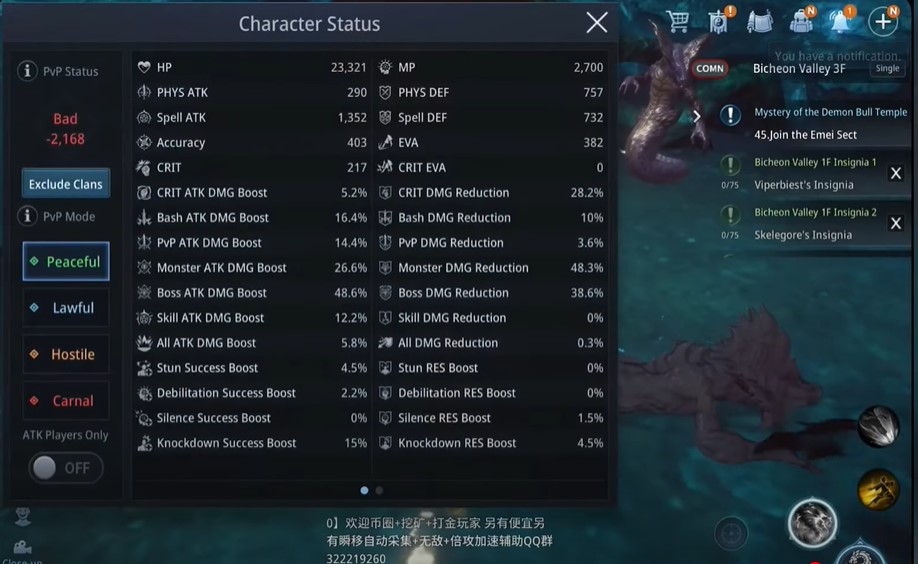
- One Monster = -1 Bad Points
- You will need to keep hunting Monsters until your PVP Status comes to Normal.
- That’s it.
Once you have successfully removed your red name or bad PVP points, you will be able to use the Fast Travel option to travel from one place to another.