
Cookie Run Kingdom is an action RPG gacha game. The game has recently introduced the guild system to its players. However, since the guild system is relatively new, players are unsure about how it works. Some players might also have hastily joined a guild that they now wish to leave in the Cookie Run Kingdom. Today, we will discuss how players can join and leave a guild in the game.
Guild System In Cookie Run Kingdom
How To Leave A Guild?
Players wishing to leave a guild in Cookie Run Kingdom can do so by going to the guild Info Screen.
- Open the game.
- Go to your guild through the main lobby.
- Click on the info tab for the guild.
- Select leave to exit the guild in Cookie Run Kingdom.
Players that have exited a guild will have to wait for 24-hours before joining or creating a new guild. If a player has created a guild, they can also choose to close the guild. To do this, players need to press the icon that takes them inside the castle. Here, they can press the Guild emblem and choose to Close the Guild by typing in their guild name. In case, they have other players in the guild, they can choose to transfer the leadership or kick everyone out of the guild before closing it.
Unlocking Guilds
Before players can start enjoying the guild system, they need to unlock it. This can be done by progressing through the game. Once players complete stages 3-6, they will unlock the guild system in Cookie Run Kingdom. Players will be able to see the guild button in the bottom-left of the screen. Next, players can either choose to create a guild or get invited to join one.
In order to create a guild, players simply need to press the guild button and then click Create. This will allow players to start creating their guild. They can fill out the guild’s name and description as well as if the guild is ‘invite only’. In addition, players can also choose an emblem for their guild. Once they are satisfied with the customizations, players can pay 500 crystals and create the new guild.
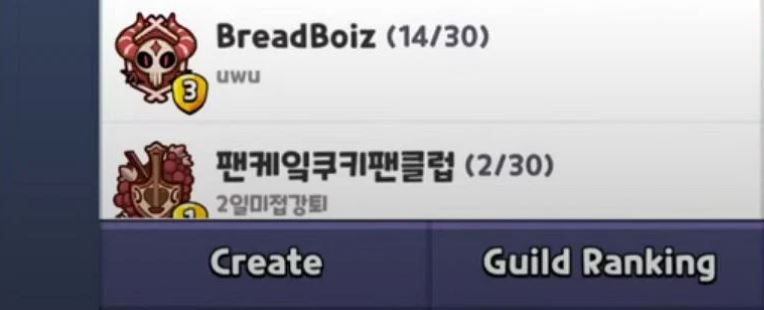
Another way to get into a guild is through an invitation. To see if players have any requests to join guilds, they can go to the Chat feature. Here, they can select the Join Request option. Any pending invitations to join guilds will be listed here.
For more Cookie Run Kingdom, check out Cookie Run Kingdom: How To Get Almond Cookie?