
If you want to leave your inactive club and join a new active one in BTS Island In The Seom, then you have come to the right place. Here are all the steps that will help you leave and join a new club effortlessly. Rather than joining a club, you can always create a new one. Just go through the steps below and you’ll be able to leave, join or create a club in BTS Island In The Seom easily.
Steps To Join or Leave Club in BTS Island In The Seom
You can only leave or join the club after unlocking Level 30. That’s because the option to do the followings only appears after Level 30. So if you haven’t unlocked it yet, then you know what to do.
How Can I Join a Club in BTS Island?
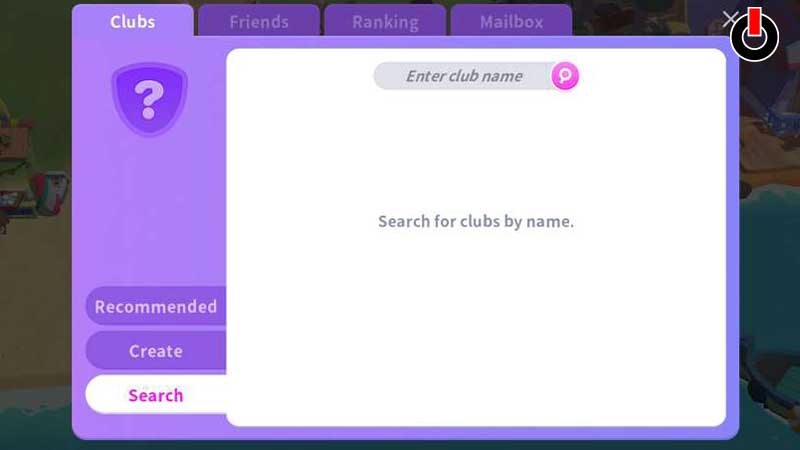
Here’s how you can join a Club in BTS Island In The Seom.
- In order to join a club the player will have to launch the game.
- After that, the player will have to tap on the Purple message icon located on the bottom left of the screen.
- And then, simply tap on the search option in the club section and search the name of the club you want to join.
- If you found the club you were looking for, then tap on Join, and voila you’ve joined a club.
If you want to exit your existing boring club then here’s how you can leave it.
How Can I leave Club in BTS Island?
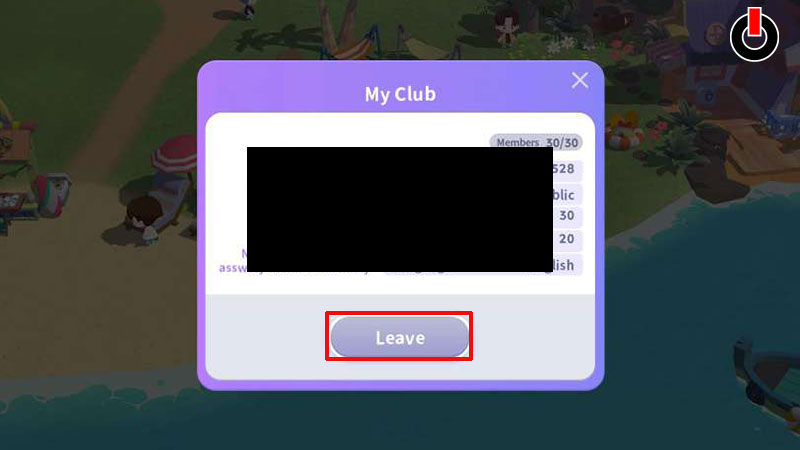
In order to leave your existing club, follow the steps mentioned below.
- First, you will have to open your existing club.
- And then, click on the club icon above its name.
- After doing that you’ll see all the club details.
- And then simply tap on the gray leave button and tap on OK.
- and voila, now you’re no more associated with a boring club.
Bonus: How to Create A Club in Bts Island In the Seom?
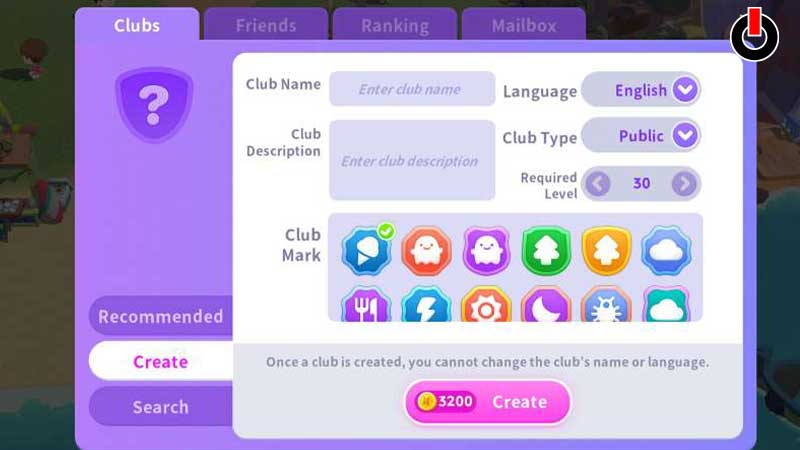
Here’s how you can create a brand new club in BTS Island In The Seom.
- For creating a club you will have to tap on the Purple Message Button located on the bottom left of your screen.
- After that, tap on the Create option under the club’s section.
- And then, simply add all the required information in the blanks.
- However, in order to create a new club, you will have to Pay 3,200 coins.
- If you do have enough coins, then tap on Create and you’ll be good to go.
This is all you need to know about how to join leave and create a club in BTS Island In The Seom. If you want to know how you can join Namjoons club in the game, then your answer is just one tap away.