
Garena Free Fire has become one of the best battle royale games not only in India but also across the world. After looking at the great success of Free Fire in the global market, the devs have launched the advanced or improved version of Free Fire called Free Fire Max. It has better graphics and some new features which are not there in Free Fire.
Currently, Free Fire Max is in beta version and it is not available globally yet. Many people from different countries are trying to get their hands on Free Fire Max but they are facing login problems. Here is a guide to help you fix the login problem in Free Fire Max.
How To Fix Login Problem In Free Fire Max?
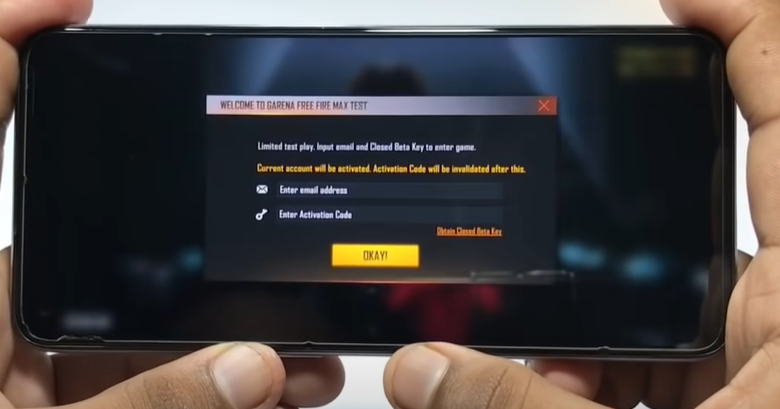
As I mentioned earlier Free Fire Max is in its beta right now and only available in few countries. Sadly India is not on the list of the countries in which Free fire Max is available. If you are trying to log in from an Indian server you will not be able to log in till the next announcement from the developers.
If you are so eager to get your hands on the game and can’t wait that long then here is a solution to fix Free Fire Max login problem. All you have to do is install a VPN on your mobile and then try logging in.
Steps out to download the VPN and play Free Fire Max in India.
- Go to Google Play Store from the main menu.
- Search for Singapore or Malaysian VPN.
- Choose anyone from the list and install a VPN on your device.
- Open the VPN select any city from that region and click on the connect button on your screen.
- Now again head to the Google Play store and make a new Gmail account by clicking on Add another Account from the side menu.
- Install Free Fire Max again using this ID.
- Launch the game on your mobile and now login using the newly created Gmail Id.
- And it’s done! You won’t face any login problems in Free Fire Max anymore.
- Make sure you do not disconnect VPN at any time when you are playing Free Fire Max.
This is everything you need to know about Free Fire Max Login issue in 2021. Read another article to more about the release date, how to pre-register & system requirements for Free Fire Max.