
Now you can play with your friends through the multiplayer mode in Asphalt 9 Legends. However, it is not as easy as it seems. There are certainly some things to achieve before you do so. We have explained it all in our guide along with the ways to join and create your own game with your friends.
How to Play With Friends in Asphalt 9 Legends

You can either create your club or join your friends club in Asphalt 9 Legends to play the multiplayer mode with them. Before doing that, you are going to be required to spend 50 tokens and 1 career flag.
How to Join a Club to Play With Friends
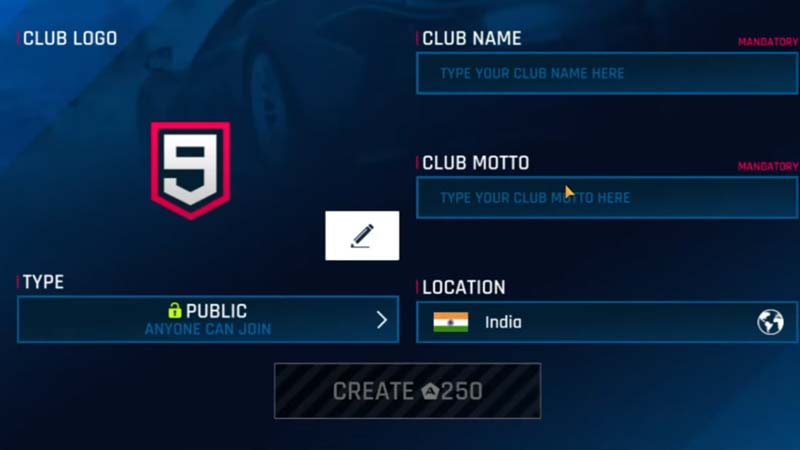
- First of all, spend 50 tokens and 1 career flag to get started.
- Then go to My Club at the bottom of your screen.
- Thirdly, go to Settings and invite your friend by entering their player ID.
- When your friend receives the invitation, they should accept it.
- Now you can Select Club Race and choose the map and car you want to race in.
- Lastly, select the Create button to start the race in multiplayer mode with your friends.
- You can certainly, race with more than one friend.
How to Join a Club to Play With Friends
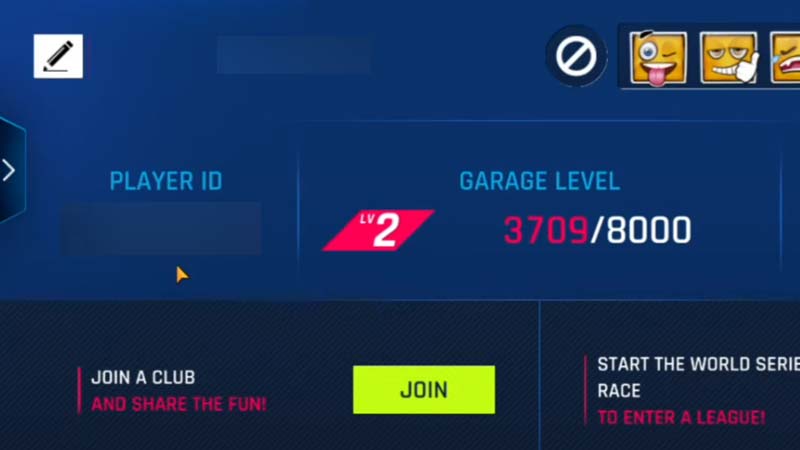
- Your friend who is creating a club has to follow the above steps given in the above section.
- Then you will receive the Club invite in your My Club menu.
- Accept the invitation, by selecting Join and select your car.
- You do not get to select the map as that can only be done by the club owner.
- The game will start once all the players have selected their cars and are ready.
That’s a wrap on how to play multiplayer with friends in Asphalt 9 Legends. If you found this article helpful, you can also check out how to fix connection error in server down for Asphalt 9 Legends.