
Close Menu
    Facebook X (Twitter) Instagram
    • About Us
    • Contact Us
    • Privacy Policy
    • Disclaimer
    Facebook X (Twitter) Instagram Pinterest Vimeo
    Games Adda
    • Gaming
    • Tips and Tricks
    • Tech
    • Best Buy
      • Gaming Mouse
      • Headphones
      • Laptops
      • Smartphones
      • Smartwatches
    Subscribe
    Games Adda
    Home » Gaming » How To Play Offline Multiplayer In Mini Militia - Doodle Army 2?
    Gaming

    Mini Militia – Doodle Army 2: How To Play Offline Multiplayer?

    Aanchal SinghBy Aanchal SinghJanuary 21, 2023No Comments2 Mins Read
    Share Facebook Twitter Pinterest LinkedIn Tumblr Reddit Telegram Email
    How-To-Play-Offline-Multiplayer-In-Mini-Militia---Doodle-Army-2
    Share
    Facebook Twitter LinkedIn Pinterest Email

    Mini Militia – Doodle Army 2 is an online multiplayer, shooter game. You can battle with up to 6 players online in this game. However, is it possible to play Mini Militia – Doodle Army 2 multiplayer mode while you are offline? And if so how can you start playing it? Find out the answers to these questions in our guide below.

    How To Play Offline Multiplayer In Mini Militia – Doodle Army 2?
    How-To-Play-Offline-Multiplayer-In-Mini-Militia-Doodle-Army-2

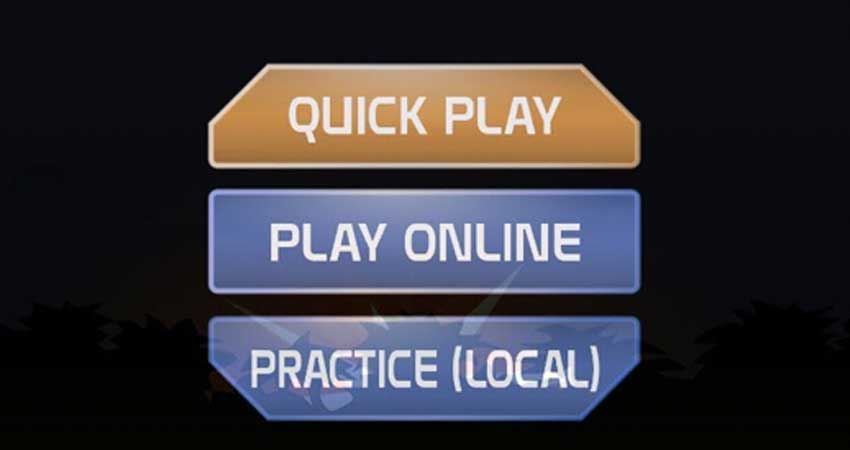
    Since Mini Militia is an online game, it is not possible to play the multiplayer mode offline. However, if one of the players can share their hotspot with the others, it is possible for everyone to play the multiplayer game. To do this, the players sharing the hotspot can follow the steps given below to create a Room and enjoy the multiplayer mode with their friends.

    • First, switch on the hotspot of your Android or iOS device and share it with the other players. This will ensure that everyone is connected to the same connection.
    • Launch the game.
    • Select the Practice (Local) option. This option has 4 game modes available. These are DeathMatch, survival co-op, solo survival, and training. Select a game mode.
    • Click on the LAN WIFI option.
    • Select Host to create a new Room.
    • This will create a new Room where you and your friends can join the game as long as everyone is connected.
    • As the one who created the Room, you will be the Admin for the game. This gives you the ability to select the map, the number of players, and the time limit for the game.
    • Once all players have joined the game, you can start and enjoy Mini Militia – Doodle Army 2 multiplayer.

    This is how you can play multiplayer mode in Mini Militia -Doodle Army 2 without being online. We hope that this guide was helpful to you. For more gaming guides, check out How To Get And Play Otis In Brawl Stars?

    Gaming Guides Trending
    Share. Facebook Twitter Pinterest LinkedIn Tumblr Email
    Previous ArticleHow To Get & Play Otis In Brawl Stars?
    Next Article How To Recruit All Chained Echoes Characters?
    Aanchal Singh

    You know that laid back girl who loves video games, reading, and travelling but avoids crowds like the plague? Hi, that's me.

    Related Posts

    Gaming

    From Lockdown Epiphany to India’s First “Phygital” Arcade: The Claw King Story

    August 19, 2025
    Gaming

    The Biggest Esports Tournaments to Watch in 2025

    March 25, 2025
    Gaming

    Experience Elden Ring Like Never Before: Ranni Demigod Backpack Mod

    July 10, 2024
    Add A Comment

    Comments are closed.

    Facebook X (Twitter) Instagram Pinterest
    • About Us
    • Contact Us
    • Privacy Policy
    • Disclaimer
    © 2026 ThemeSphere. Designed by ThemeSphere.

    Type above and press Enter to search. Press Esc to cancel.