
Custom mode is one of the basic modes of battle in Pokemon Unite. Previously this mode was known as Friendly Matches, but after the recent update, it got replaced by Custom. And few major and minor changes were done in this mode. So players might be having difficulty fully understanding this new form. No worries, we have created this Custom Battle guide for Pokemon Unite just for you.
Custom Battle Guide for Pokemon Unite
The mode allows you to play in 8 locations or 8 maps, some of which are modified versions of present basic maps like Mer Stadium, Remoat Stadium, and Shivre City. The matches here need not be of equal players.
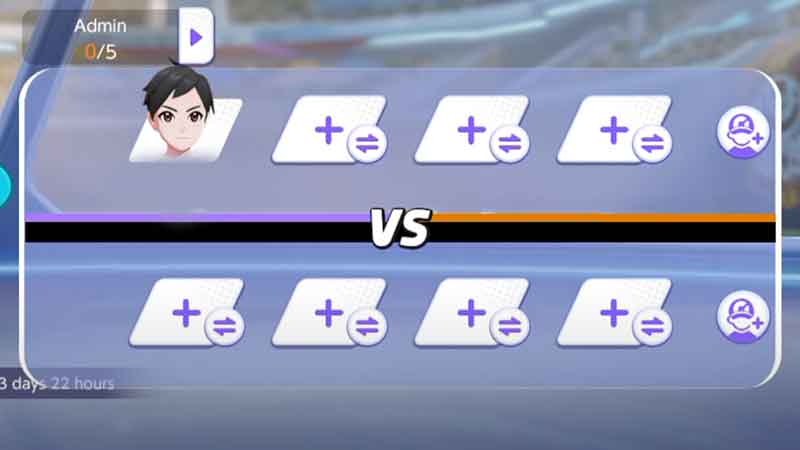
Players can add their friends and bots to their or the opposition’s team. So players who are fond of playing alone will find this mode very useful, as you do not need to add actual players.
The matches will take place just like they do. You can add up to 5 Admins that will have some additional powers that other players of that game wouldn’t. Admins can invite friends and change positions as they deem fit.
How to Use Custom Battle Mode
- Open your game and go to the Unite Battle section.
- Now, choose the Custom Battle tab from the Lobby.
- On the right side of the Lobby, you will see all the present maps. Choose the one you wish to play in.
- If you started the match, then you will be first player of team 1.
- You can change your position by tapping on the player and selecting “Position Change“.
- You can press the plus sign on the empty player slot to invite friends.
- If you wish to play with a bot. Then tap on the little purple icon with a plus sign and player beside the team slot.
- Now hit the “Start” button on the bottom right corner to start the match.
This was the guide on the Custom Battle of Pokemon Unite. If you are looking for more gaming articles like this. Then check out if players can use the same Pokemon and Quick battle guide.