
Close Menu
    Facebook X (Twitter) Instagram
    • About Us
    • Contact Us
    • Privacy Policy
    • Disclaimer
    Facebook X (Twitter) Instagram Pinterest Vimeo
    Games Adda
    • Gaming
    • Tips and Tricks
    • Tech
    • Best Buy
      • Gaming Mouse
      • Headphones
      • Laptops
      • Smartphones
      • Smartwatches
    Subscribe
    Games Adda
    Home » Pokemon » How To Send Gifts In Pokemon GO
    Gaming

    How To Send Gifts In Pokemon GO

    Aanchal SinghBy Aanchal SinghNovember 29, 2022No Comments2 Mins Read
    Share Facebook Twitter Pinterest LinkedIn Tumblr Reddit Telegram Email
    How-To-Send-Gifts-In-Pokemon-GO
    Share
    Facebook Twitter LinkedIn Pinterest Email

    Pokemon Go allows players to send and receive gifts from their friends. Sending gifts not only increases the Friendship level but it also offers some unique items that players might not be able to get anywhere else. In this article, we will explain how players can send gifts in Pokemon Go.

    How To Send Gifts In Pokemon Go?
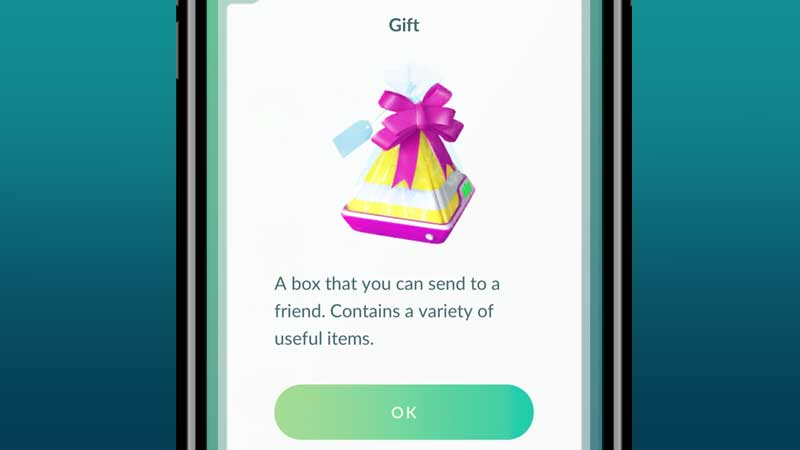
    Send-A-Gift-Pokemon-Go

    To send gifts to another Trainer in Pokemon Go, players will first have to add them as friends in the game. After doing this, players can follow the steps given below to send gifts of their choice to their friends.

    • Players will see the Trainer profile of their friends in their Friends list that can be accessed through the player’s profile.
    • Now players must select the Friend they want to send a gift to by clicking on their profile.
    • There will be an option to Send a gift at the bottom of the screen.
    • Tap on the Send Gift option and then select a gift from the options available. Players can also add Postcards and Stickers to their Gifts. These items do not add any value in the game and are just there to add an element of fun to the gift.

    Players can only send one gift to a Trainer per day. Similarly, they can only receive a single gift from another Trainer. If a player has already sent out a gift to a friend, their Send a gift option will be greyed out. This means players will have to wait another day before sending a gift to this Trainer again. Players can open 30 gifts per day.

    This is how players can send gifts in the game. We hope this guide was helpful. For more Pokemon Go guides, check out How To Not Get Banned In Pokemon GO?

    Pokemon Go Guides Trending
    Share. Facebook Twitter Pinterest LinkedIn Tumblr Email
    Previous ArticleHow To Not Get Banned In Pokemon GO
    Next Article Pokemon Go: How To Heal After Battle?
    Aanchal Singh

    You know that laid back girl who loves video games, reading, and travelling but avoids crowds like the plague? Hi, that's me.

    Related Posts

    Gaming

    From Lockdown Epiphany to India’s First “Phygital” Arcade: The Claw King Story

    August 19, 2025
    Gaming

    The Biggest Esports Tournaments to Watch in 2025

    March 25, 2025
    Gaming

    Experience Elden Ring Like Never Before: Ranni Demigod Backpack Mod

    July 10, 2024
    Add A Comment

    Comments are closed.

    Facebook X (Twitter) Instagram Pinterest
    • About Us
    • Contact Us
    • Privacy Policy
    • Disclaimer
    © 2026 ThemeSphere. Designed by ThemeSphere.

    Type above and press Enter to search. Press Esc to cancel.