
Being a Pokemon trainer also requires you to know and understand your Pokemon in and out. Pokemon Go offers you the chance to do it virtually. You can check up on your Pokemon in the game, feed them and venture with them on the map. Also, you can check IV of your Pokemon in Pokemon Go.
IV is a short form of Individual Value. These are the stats that show the overall potential of the selected Pokemon. Read along with this guide further to know more about the same.
How to Check IV in Pokemon Go?
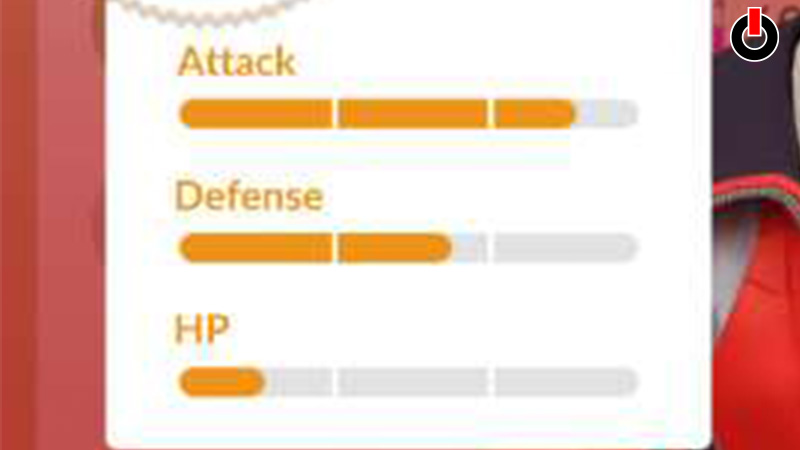
Below you will learn about how to check IV in Pokemon Go. These values help you evaluate the performance of your Pokemon and guides you to power up the right Pokemon at the right time.
Fortunately, you can check the values in the game itself. You have to navigate to the Appraise tab in order to do so. There is also an third-party app that you can download from the Google Playstore and App Store called Poke Genie. Below, we have mentioned the steps to check the individual values of Pokemon.
- Open Pokemon Go on your phone
- On the main screen, click on the Pokeball icon
- Tap on the Pokemon option
- Select a Pokemon you want to check the values of
- Click on the Menu icon on the bottom-right of the screen
- Tap on the Appraise tab
And you will see the stats of the Pokemon on the screen. The data shows Attack, Defense, and HP stats.
In this manner, you can check IV in Pokemon Go. Now that you know how to check the individual values of the Pokemon, go ahead and try it out yourself. Hopefully, this guide was helpful to you. While you’re here, you can go ahead and check out other similar articles such as How to Disable AR in Pokemon Go? and How to Change Nickname?