
Slack is a virtual space for communication dedicated to business or corporate organizations. It helps to carry out functions smoothly and intends to improve communication between employees. One can easily create specified workspaces or channels to directly reach the concerned individuals. Also, you can easily leave workspace on Slack.
In this guide, we have mentioned the steps to quit a channel on Slack from a PC or mobile phone, both Android and iOS. All you have to do is read along with this guide and you will be on your way to discontinuing from a workspace.
How to Quit Workspace on Slack?
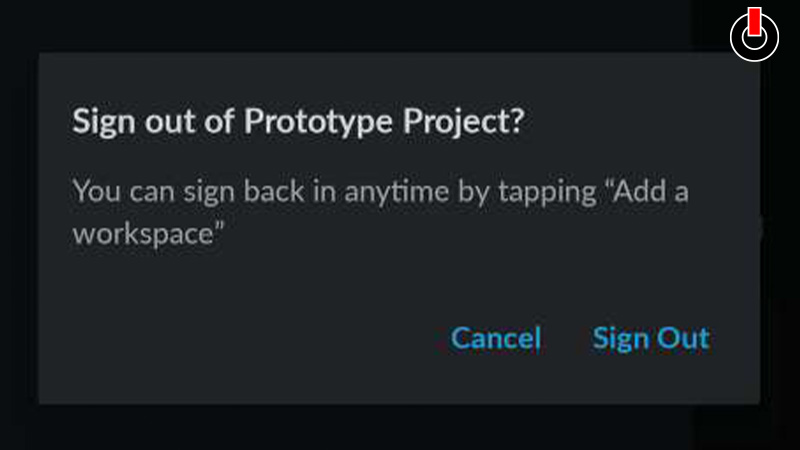
Well, it is as easy to leave workspace on Slack as it is to create it. You simply have to follow the steps mentioned below to learn how to quit the channel.
Steps to Leave Workspace on Slack from PC
- Open Slack on your PC and sign in
- Click on the Workspace you wish to leave
- Go to the Settings tab, the Gear icon
- Select the Leave option
And you will have discontinued the channel. In order to exit a workspace on Slack from your mobile phone, go through the steps mentioned below.
Steps to Quit Workspace from Mobile Phone (Android & iOS)
- Launch Slack on your phone
- Click on the Workspace you wish to discontinue from
- In the Channel Details tab, click on the Leave button (Android) or Leave Channel (iOS)
This is all you have to do to leave workspace on Slack. Now that you know how to carry out this function, you can try this at any moment. As when the project is completed or the channel is no longer required. Hopefully, this guide was helpful to you. While you’re here, you can go ahead and browse through other similar articles such as How to Reply to a Specific Message on Slack? and How to Recover Deleted Text Messages on Android?