
Minecraft is a survival simulator game that allows players to build their own world using blocks in the game. You can create your own world here by crafting different items and building houses. Minecraft Bedrock or Minecraft Bedrock Edition is one of the best addition that let players enjoy Minecraft on various platforms. You can now enjoy Minecraft on Mobile, PC, PlayStation as well as XBOX if you have Minecraft Bedrock edition.
Invisible item Frames are one of the features in Minecraft that help players put the items or rather hang the items on the wall. Whatever items that players have won so far they can frame them and hang them on the wall. So if you also want to what are invisible frames and how to get them in Minecraft Bedrock then you are in right place.
Here is a complete guide explaining all the steps to get invisible frames in Minecraft Bedrock.
Steps To Get Invisible Frame In Minecraft Bedrock Edition:
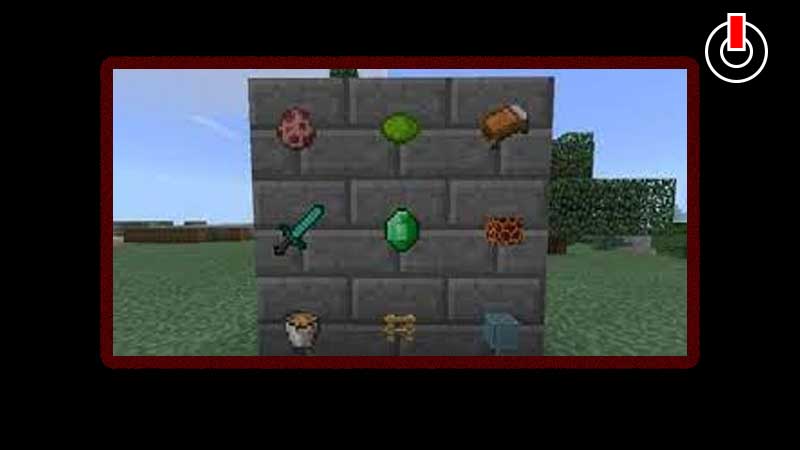
Invisible frames are similar to the normal frames in Minecraft except there are no borders surrounding the item on the wall. It is one of the most fascinating features in Minecraft that can be used to showcase all your items in the game.
The steps to get the invisible frame in Bedrock Edition are different from the Java Edition of Minecraft. In Minecraft Java Edition all you need to do is open the chat console and type one command that automatically makes the frames invisible on the wall.
But in the Bedrock version, it is completely different. The one and the only way to get the invisible frame in Minecraft Bedrock Edition is by getting a “invisible item frame resource pack for Bedrock”. You can download it from a mobile or PC that has Minecraft Bedrock installed on it.
Download the Resource Pack on your Mobile or PC in Minecraft Bedrock and upload it to your world. Next, you have to upload this world to the Realm ( Personal Multiplayer Server). This will make the invisible frame feature available for you on your console.
This is everything you need to know about how to get the Invisible Item Frames In Minecraft Bedrock. For more guides on Minecraft click on the link and stick around GamesAdda.in.