
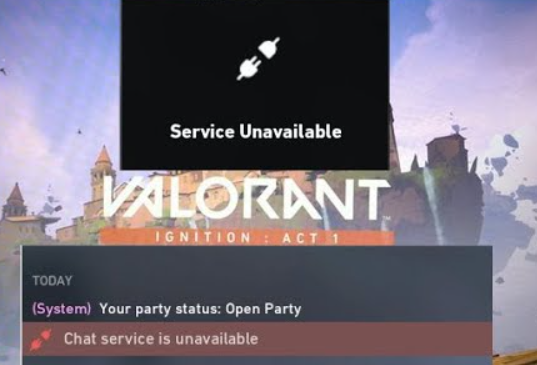
Valorant is a massively popular first-person hero shooter developed by Riot Games. While gamers have spent countless hours enjoying the game, they have also spent a few trying to look for fixes to bugs and errors in the game. The Valorant Friends List Service Unavailable is one such error. Due to the chat service unavailable error players can find it difficult to communicate in the game. Moreover, you won’t be able to invite friends to your squad. If you are facing a similar error, read below to find out how to fix the Valorant Friends List Service Unavailable error.
Valorant Friends List Service Unavailable
How To Fix The Valorant Chat Service Unavailable Error?
There are a few ways to fix the Valorant Friends List Service Unavailable. We have compiled a list below for you.
Restart Valorant
A quick fix to solve the problem is by restarting Valorant. This method has worked for some players and is one of the least effort methods. Once you receive the error in the game, simply quit and restart Valorant. This should fix the error by reestablishing the connection with the game servers.
Restart The Router
Sometimes the reason behind the friends list or chat service being unavailable in Valorant may be as simple as a connection error. To ensure that this is not the case, restart your router and ensure that there is no connectivity error.
Valorant Server Status
The chances are high that the Valorant friends list and chat service are unavailable due to a server situation at Riot Games’ end. While players will not be able to log in if the servers are down, minor problems with the servers may cause this error. Keep an eye on Riot Games’ maintenance logs to know if there is a server maintenance underway that could be causing the chat service to not work. Riot Games’ regularly updates players through its Twitter account if there is a major change underway. Moreover, players can also peek through community forums to see alternative ways that have worked for others as well as get updates from the developers.
Change DNS Server
Another method to try and fix the friends list or chat service unavailable error is through changing the DNS server. If none of the above solutions has worked, you might want to change the DNS server from the default one. Moreover, you can also try a new connection altogether to fix the problem. Try using your phone data to connect to Valorant and see if the problem still persists. If not, there is a problem with the connection rather than anything to do with Valorant servers.
Contact Riot
If nothing else works, it might be time to call in customer support. Simply create a support ticket to register the problem you are facing. It will speed up the process if you list all the methods you have already tried to fix the error. This will help the team streamline the cause behind the error and come up with the best possible solution to fix the problem.
What Is Causing The Error In Valorant?
Lately, the error has been active after a new patch update in Valorant. However, it is not a new error in the game. It has been occurring in Valorant for quite some time now. There are multiple reasons that the error can come up ranging from Sevr issues at Riot’s end to connectivity issues at your end. We hope that the list of fixes will help sort out the problem for you.
For more Valorant troubleshooting, see Valorant Packet Loss Error: What Is It & How To Fix It In 2022?