
Battlestate Games’ Escape From Tarkov is a multiplayer first-person game. Players with access to the game have reported receiving a critical error receiving profile data in Escape From Tarkov. Today, we will discuss if there is a way to fix the error so you can enjoy the game uninterrupted.
How To Fix Escape From Tarkov Critical Error Receiving Profile Data?
The Tarkov critical error receiving profile data isn’t a new one. It seems to be caused due to server errors on Battlestate Games’ side. While there has been no official fix to the situation, is there a way to fix the error? Let us look at some possible ways to fix the error below. These are all fixes that have been tried by the Tarkov community but do not come from official sources.
1. Temp Folder
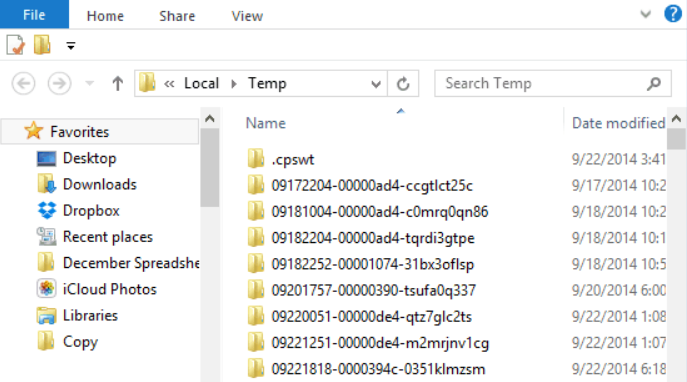
One fix to solve the Tarkov critical error receiving profile data is to clear out your PC’s temp folder. There is a simple way to do this.
- Start the Run application.
- Type temp in the search bar.
- Click Ok.
- This will take you to the Temp folder.
- Delete the Temp files here.
- Rerun the game to check if the problem is fixed.
2. Clear Cache
Another way to fix the error is by clearing out the cache folder in Escape From Tarkov. This method has worked for some players in the past. Follow the steps below to clear the EFT Cache.
- Go to the game’s downloaded folder on your computer. By default, this is in the C Drive unless you’ve edited the location.
- Open Battlestate Games.
- Select EFT.
- Click to open the Cache folder.
- Clear the cache. Hopefully, this will resolve the issue.
3. Run As Admin
Some players have also reported that running the game as admin has helped fix the Tarkov receiving profile data critical error for them. To run EFT as admin, just follow the steps listed below.
- Go to the game’s folder.
- Right-click EscapeFromTarkov.exe.
- Select Properties.
- Go to the Compatibility menu.
- Select ‘Execute this program as an administrator.’
- Apply the new settings. This should let you resume the game successfully.
4. Reset Your Profile
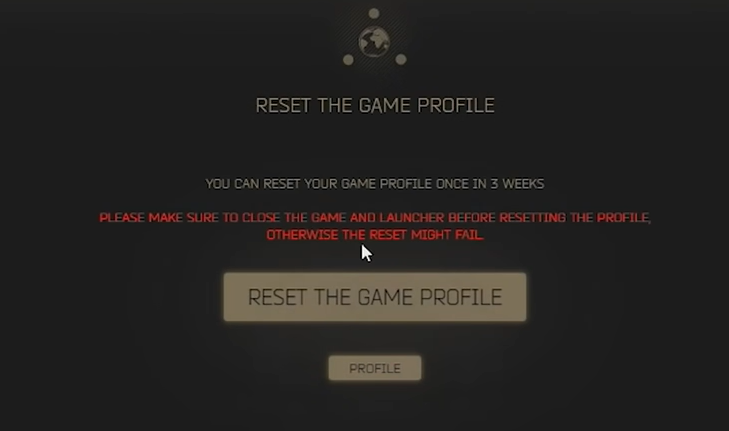
If nothing else is working, you can rest your profile with the profile option on the Escape From Tarkov website. However, you should keep in mind that this will reset the entire game progress including earned experience, loot, money, etc. You will have to wait 21 days after resetting the profile in order to do it again.
These are some of the solutions that can help solve the profile data error in the game. Find out more about troubleshooting in EFT with How To Fix Error 106015 In 2022. Learn more about the Survival Class in EFT with What Is Survival Class In Escape From Tarkov?