
Are you irritated with an inappropriate chat during random matchmaking in Valorant and want to turn them off? If your answer is YES then you are in the right place! In this guide, we will explain how you can talk to your teammates in Valorant after turning the chat box off. To do so, you will have to use a tactical callout.
Do you know what tactical callout is in Valorant and how to use it? If not then don’t worry, we have you covered. This post will not only explain what Tactical callout is in Valorant but also explain how to turn it on using it to send messages to your teammates.
Also Read | What Does GH Mean In Valorant? All Abbreviations & Slang Explained
Valorant Tactical Callouts: Everything You Need To Know
The tactical callout is an easy interface used to send a message across the teammates in Valorant. All you have to do is use keybinds to send a private message to your teammates. This is a very useful yet faster way to spread the message. Here is a stepwise guide to use tactical callout in Valorant.
How To Turn On The Tactical Callouts in Valorant?
1) Launch Valorant on your device.
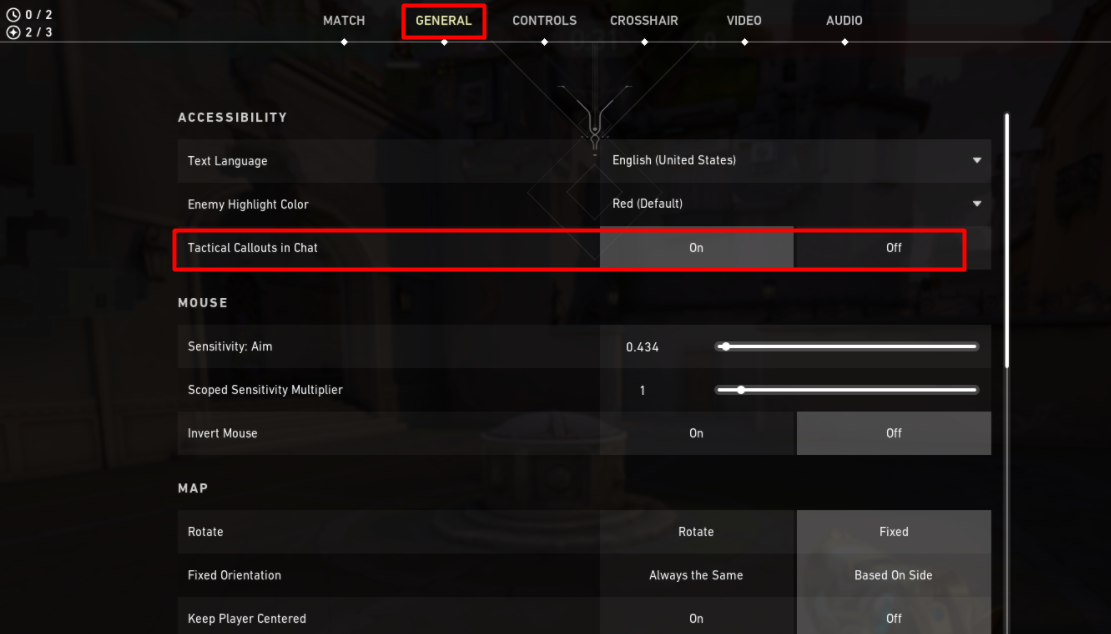
2) Go to settings and turn ‘Tactical Callout in Chat’ ON from General settings.
3) Next click on Controls > Communication and select ‘Tactics Radio Command Menu’.
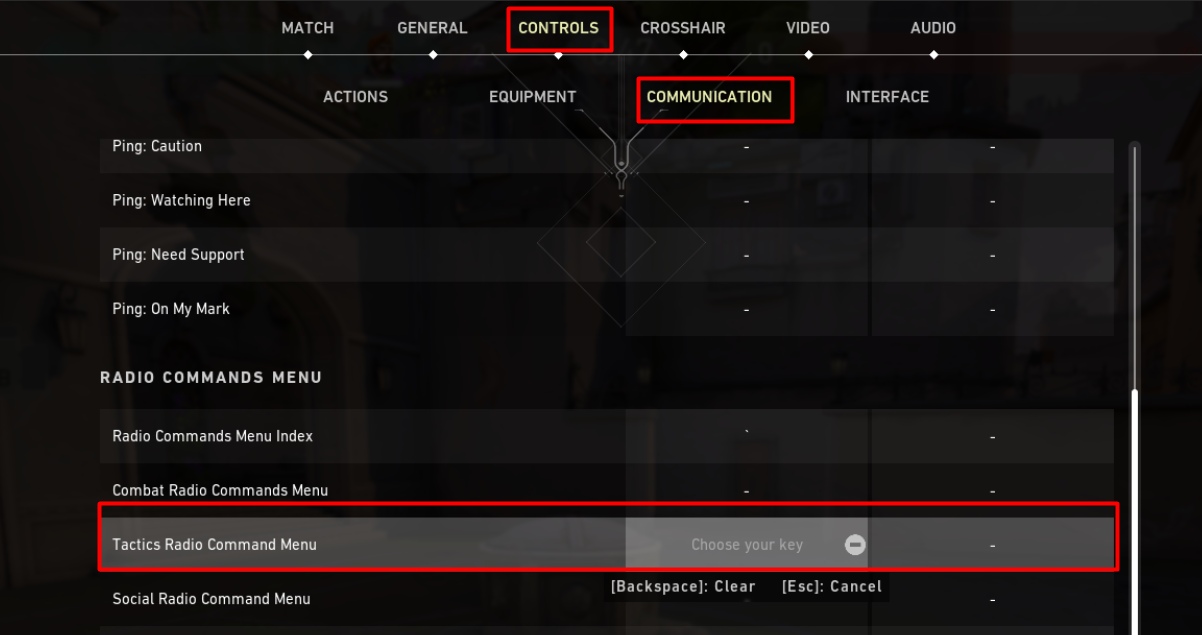
4) Choose any key of your choice and set the keybind for tactical callout in Valorant. Eg. Dot (.) or Comma(,)
5) Once you are done necessary settings, start a match and try it. Press the selected keybind. Doing this will open up a small box with various options on the bottom right corner of your screen.
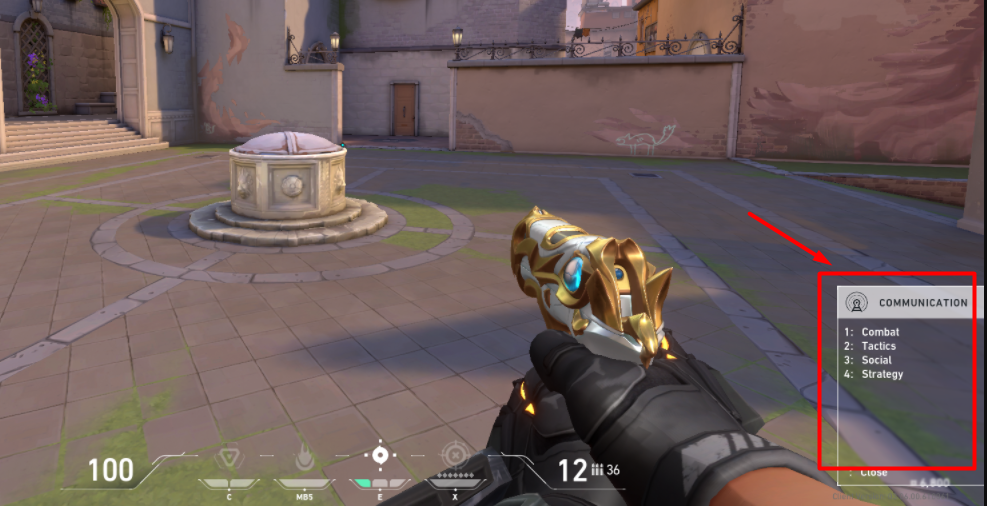
6) Now press any one button according to what message you have to send. Eg. . > 1
7) And your message will be sent to all your teammates. And it will somewhat look like this. (see below picture)
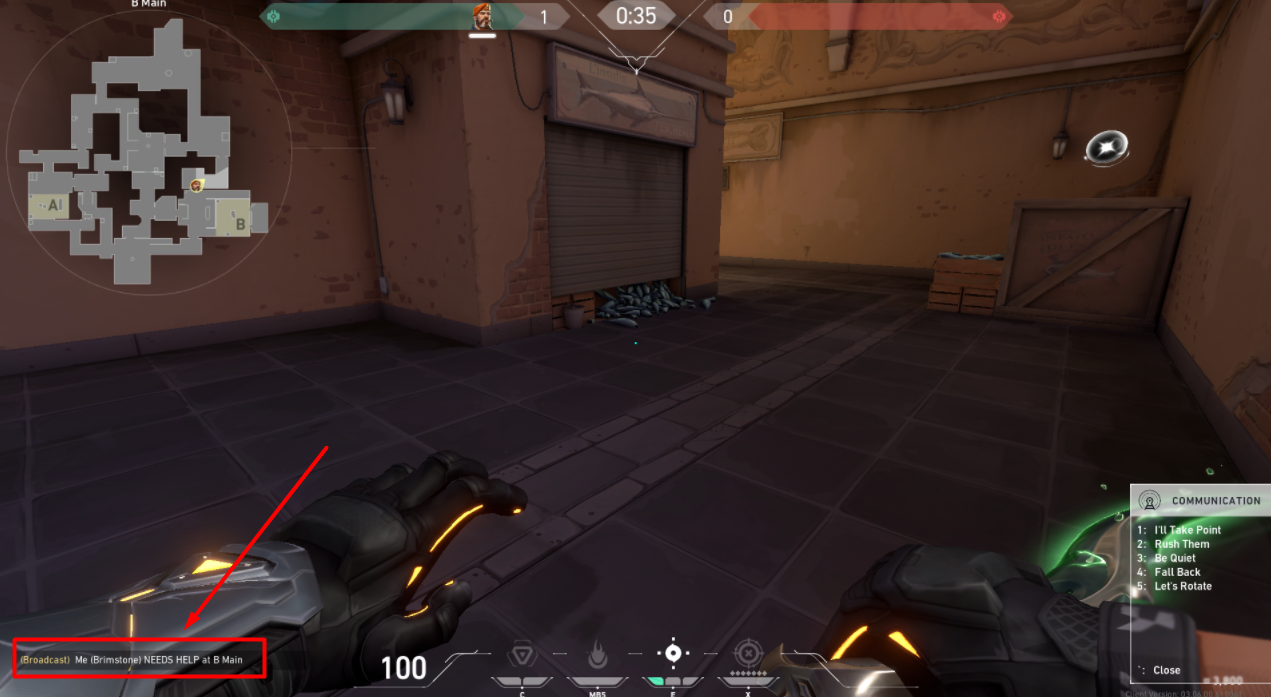
The tactical callout is very useful when your mic is broken or if you do not have a mic. Do the necessary changes in your settings and get away from all the inappropriate chats that spoil your mood in Valorant.