
Project Star is arguably one of the most talked-about games on Roblox. The reason why it became an instant hit is it is based on a popular Anime series, JoJo’s Bizarre Adventure. Since the game has plenty of areas to explore, players have been having a hard time finding Stand Storage in Project Star and if that’s you then look no further as we have you covered.
Also Read | Project Star Private Server Codes List
Where To Find Project Star Stand Storage?
There are currently two maps in Project Star — Cairo and Desert. Since Stand Storage is located on the Cairo map and most of the time players will spend on this map, we will only talk about Cairo here. To make your work easier, we have got an overview of the Project Star Cairo Map and locations that you will explore on that map.
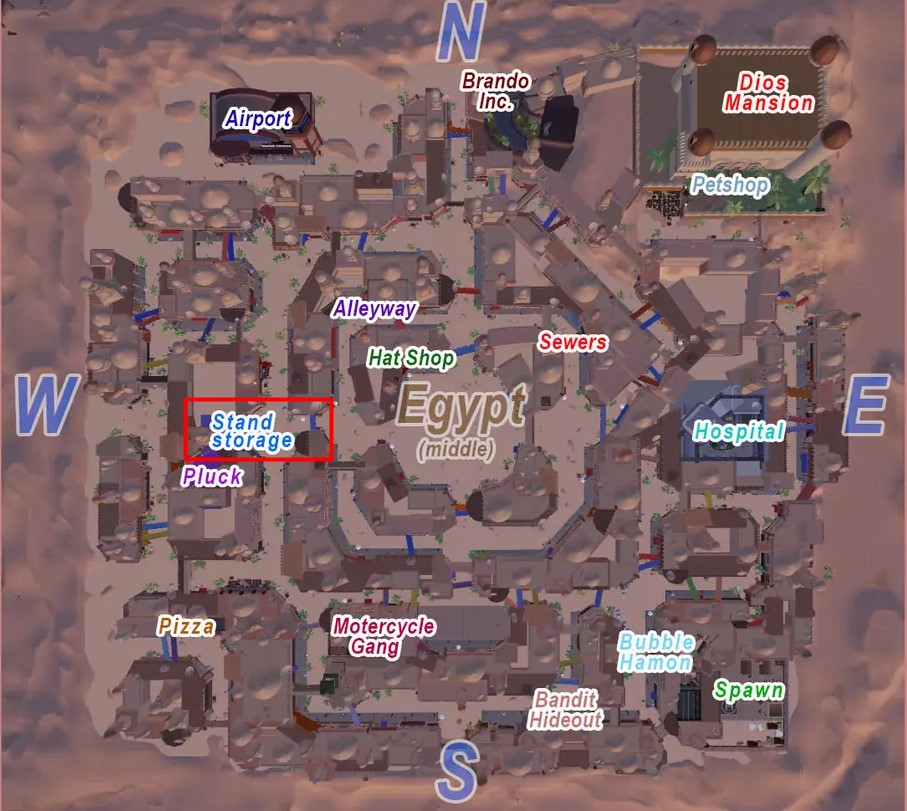
If you take a look at the above map, you will see where Stand Storage is located in Project Star. Making it easier to locate, we have highlighted the Stand Storage location on the map.
What all you need to do is open the Cairo map and mark Stand Storage and follow the mark. To make your work further easier, we have also posted an outside picture of Stand Storage, helping you to recognize the place when you the area.
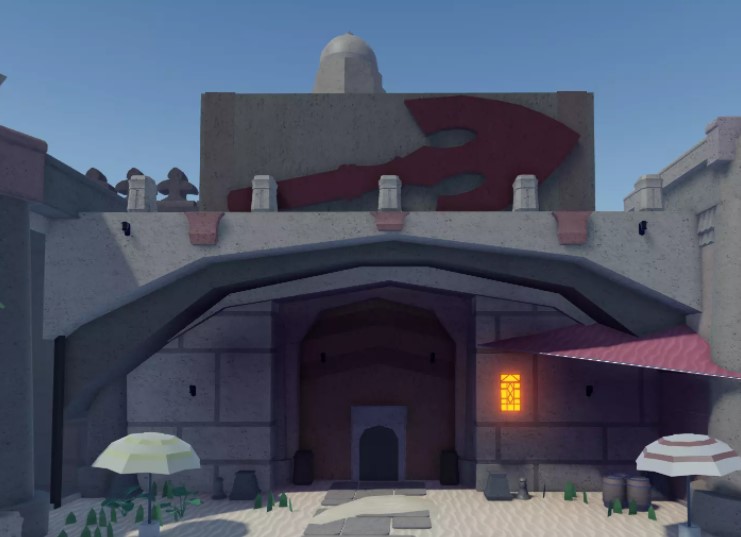
Once you reach the area, head towards the gate that you see in the above picture. When you get inside the Stand Storage in Project Star, you will get to meet an NPC Robert Speedwagon, who will allow you to store up to 3 Stands by default and 5 Stands if you have Stand Storage game passes.
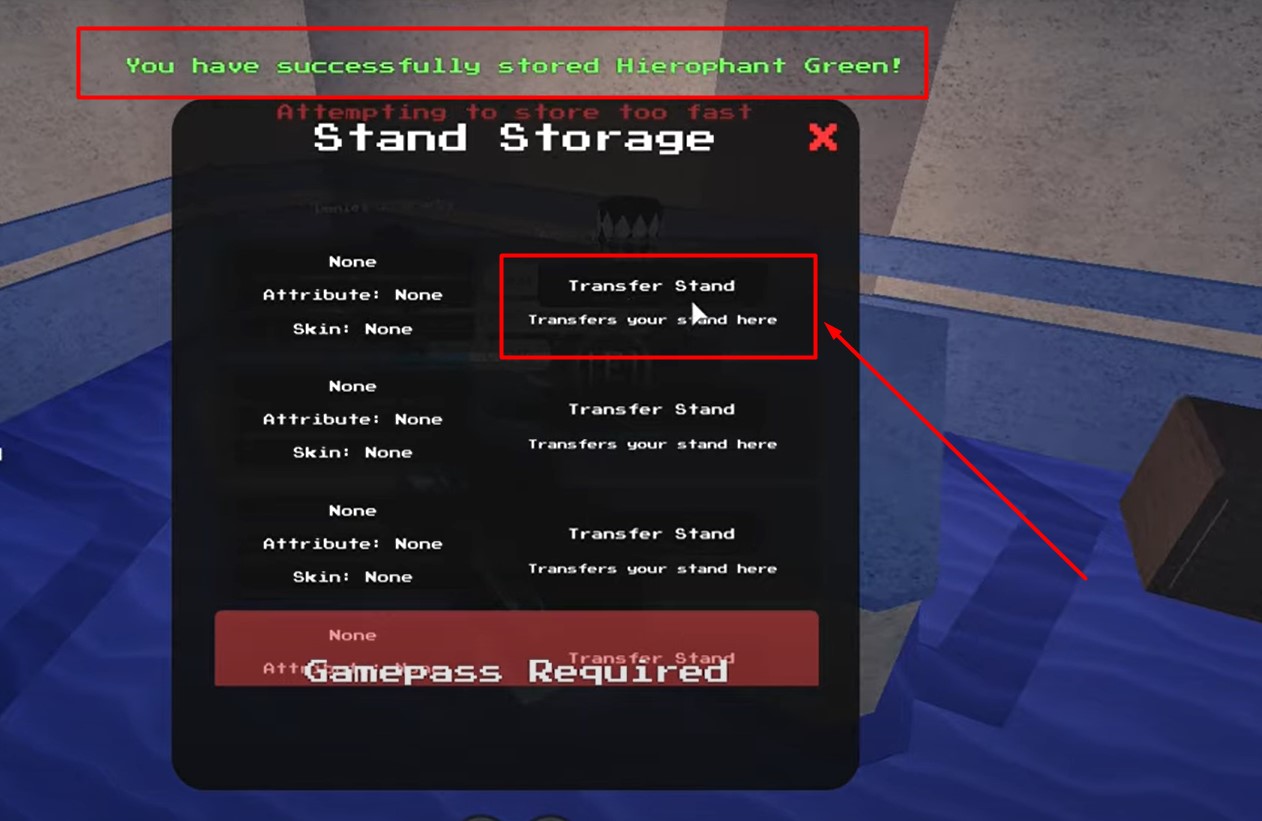
Once you meet Robert Speedwagon, you will have to click on the “I Would Like To Store A Stand” option. When you do so, a pop-up window will appear on the screen, you will need to click on “Transfer Stand” as shown in the above picture. When you do so, you will get a message that says “You have successfully stored Hierophant Green”.
That’s all you need to know about Project Star Stand Storage.