
Konosuba: Fantastic Days is an MMORPG game based on Konosuba light novel series. The global version is out and it’s doing better than expected. There are several characters in the game which you can customize as your liking. You can customize almost anything and everything in Konosuba: Fantastic Days from background to costumes of all the characters in the game. If you are new to the game and do not know how to change costumes in Konosuba: Fantastic Days then check this guide out.
Also Read | Konosuba Fantastic Days Team Building Guide
How To Change Costumes In Konosuba: Fantastic Days?
There are several characters in Konosuba: Fantastic Days and every character have a different set of costumes matching different backgrounds. Changing costumes of characters in Konosuba Fantastic Days is a pretty simple job!
Follow the below-mentioned steps to change the costume of your favorite character in Konosuba: Fantastic Days
1) Launch the Konosuba: Fantastic Days on your device.
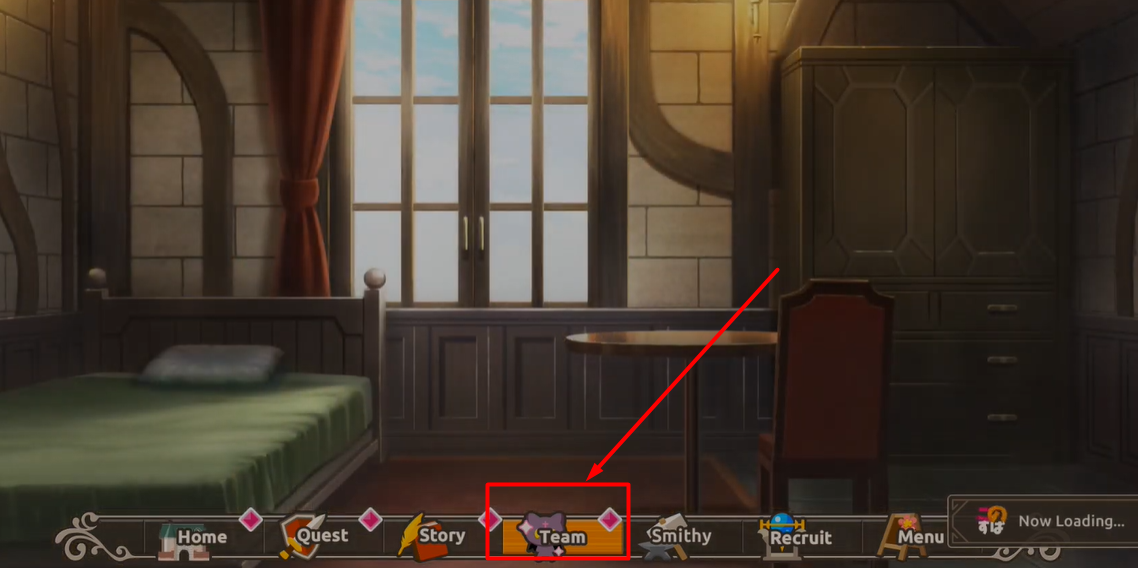
2) Find the Teams Option at the bottom of your screen and click on it.
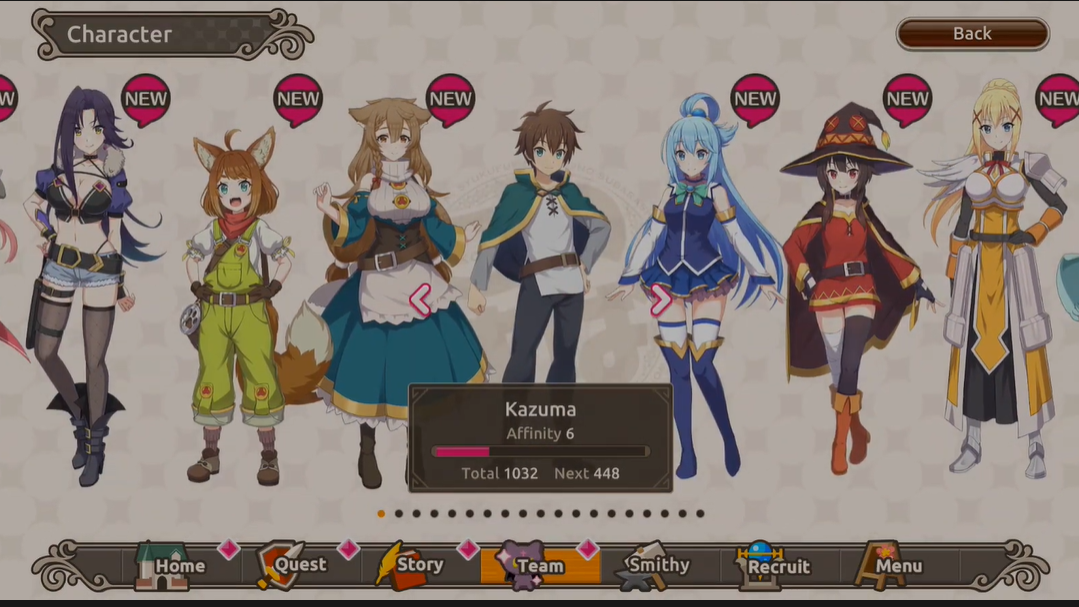
3) Now you will find all the characters in the game displayed on your screen. Select your favorite character whose costume you want to change.
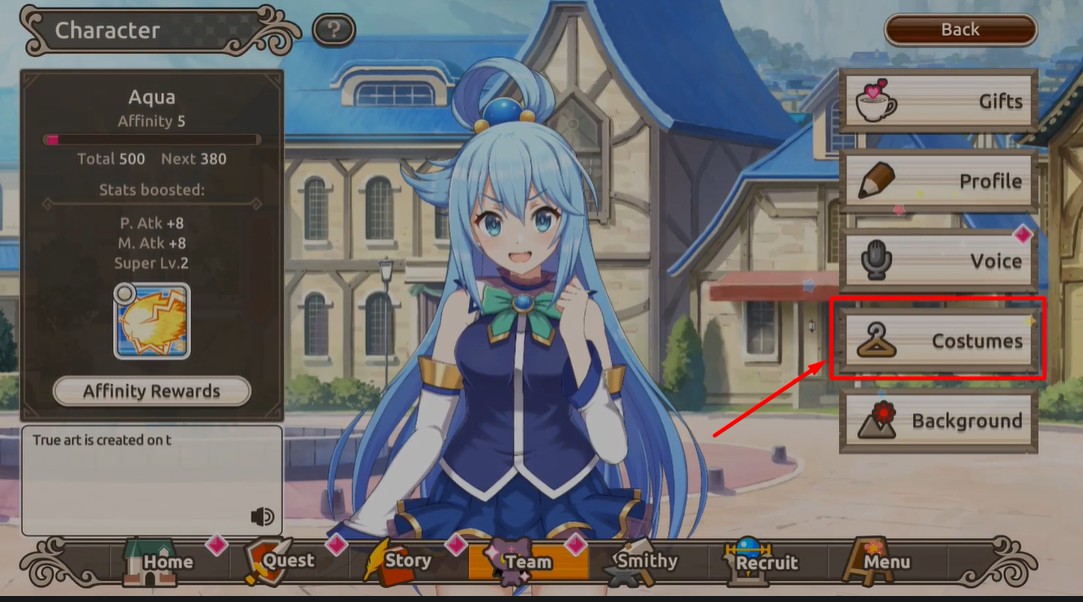
4) One side menu will appear on the top right of your screen. There will be five options — Gifts, Profile, Voice, Costume, and Background. Click on the Costumes Option from the list to change costumes in KFD.
5) There will be two options — Standard and Megumin (Winter Layers). Click on the change button next to it to change the outfit of your character.
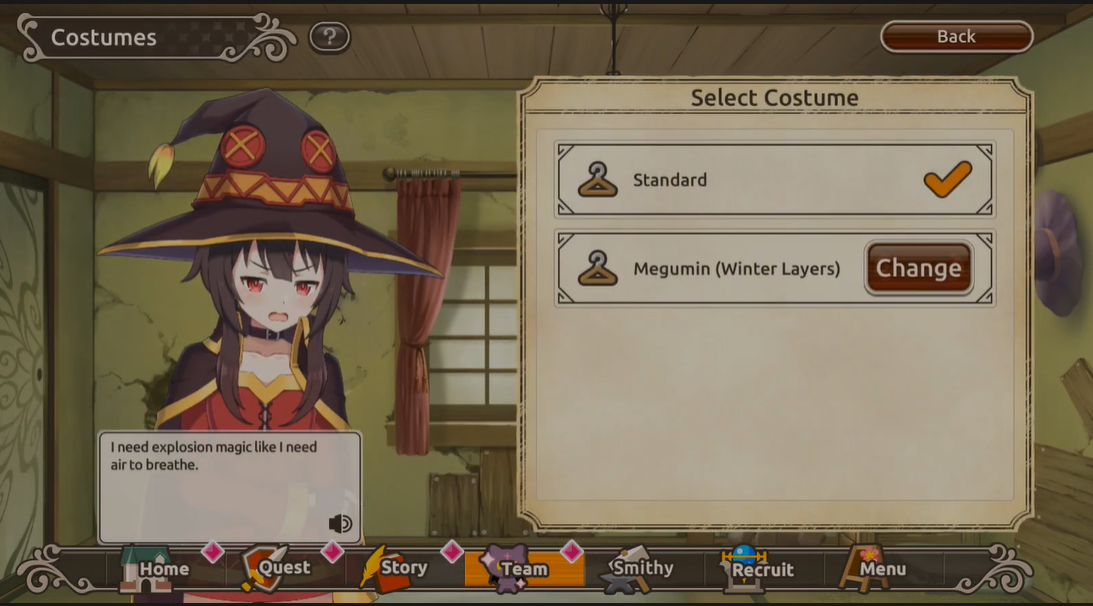
The only thing you need to keep in mind while changing the costumes of characters in KonoSuba: Fantastic Days is that there are many classes in the game. Every outfit will not be visible in all the classes. So, even if you change the costume you might not see it in the classes. Change the class according to the costume and enjoy your favorite characters in KonoSuba: Fantastic Days!