
Lunar Client is one of the most sought-after unofficial Minecraft clients available on the internet right now. The reason why it became an instant hit among gamers is it is designed to make the gameplay smoother and better while playing Minecraft on Multiplayer servers. There are numerous renowned Minecraft players who have uploaded videos of them playing Minecraft using the Lunar Client.
There is no denying that it is one of the most popular and widely used Minecraft clients but it needs to be downloaded and installed manually because it is not an official one. There are tons of players who want to download Lunar Client for Minecraft but they don’t know how it is done and if that’s you then look no further as we have got you covered.
How To Download and Install Lunar Client For Minecraft
Downloading and installing Lunar Client for Minecraft is straightforward. If you don’t know the downloading process then follow the steps mentioned below.
- First, click on this link to download Lunar Client. Make sure to select the correct Operating system while downloading the Lunar Client.
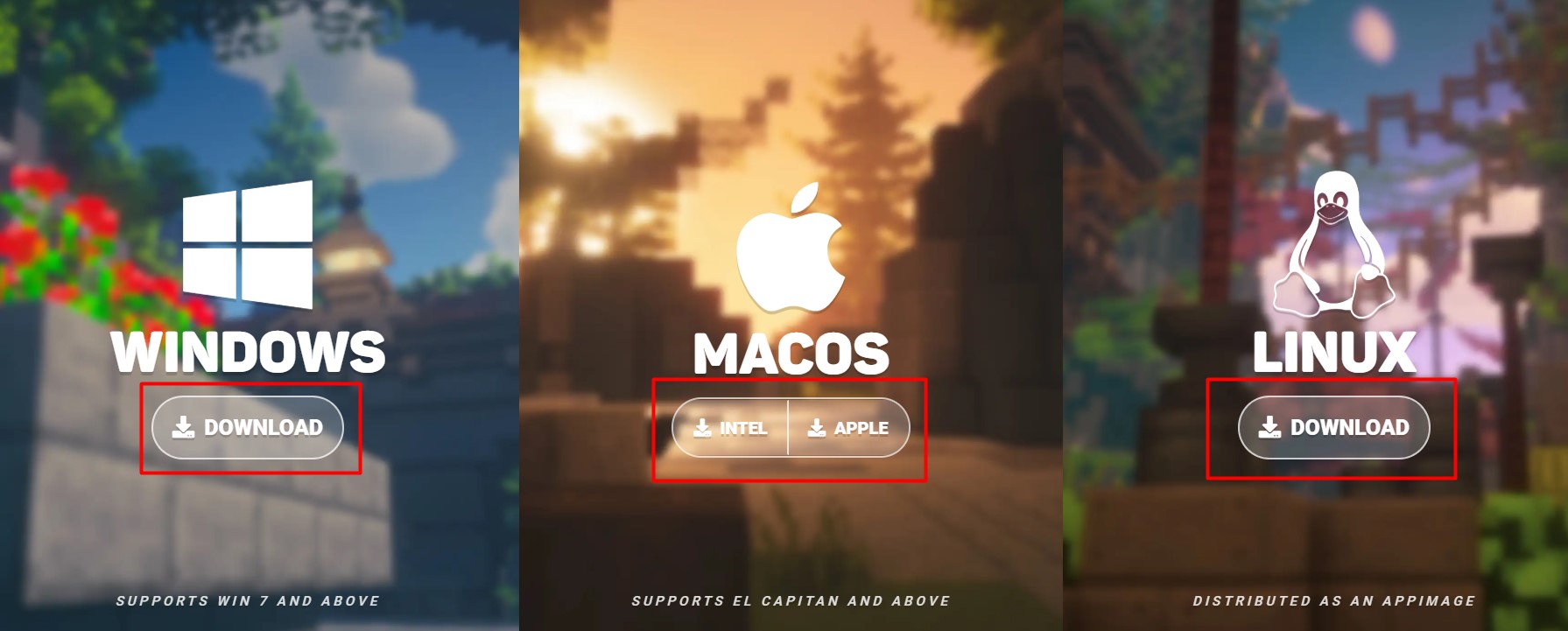
- When you click on the download button, the Lunar Client installer will begin downloading.
- Once downloaded, click on the .exe file to open it.
- When you open it, you will be greeted with a license agreement which you will have to accept by clicking on the ‘Agree’ button.
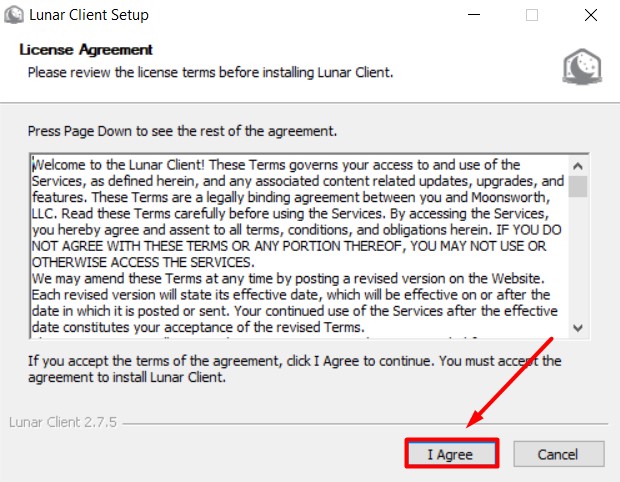
- Once accepted, the installation process of Lunar Client will be started.
How To Use Lunar Client in Minecraft In 2022?
Once you have successfully installed Lunar Client for Minecraft, you will have to make a few changes in the client settings for a smooth and uninterrupted experience. If you don’t know what changes need to be made then follow the steps that we have mentioned below.
- First, open the Lunar Client that you have just installed.
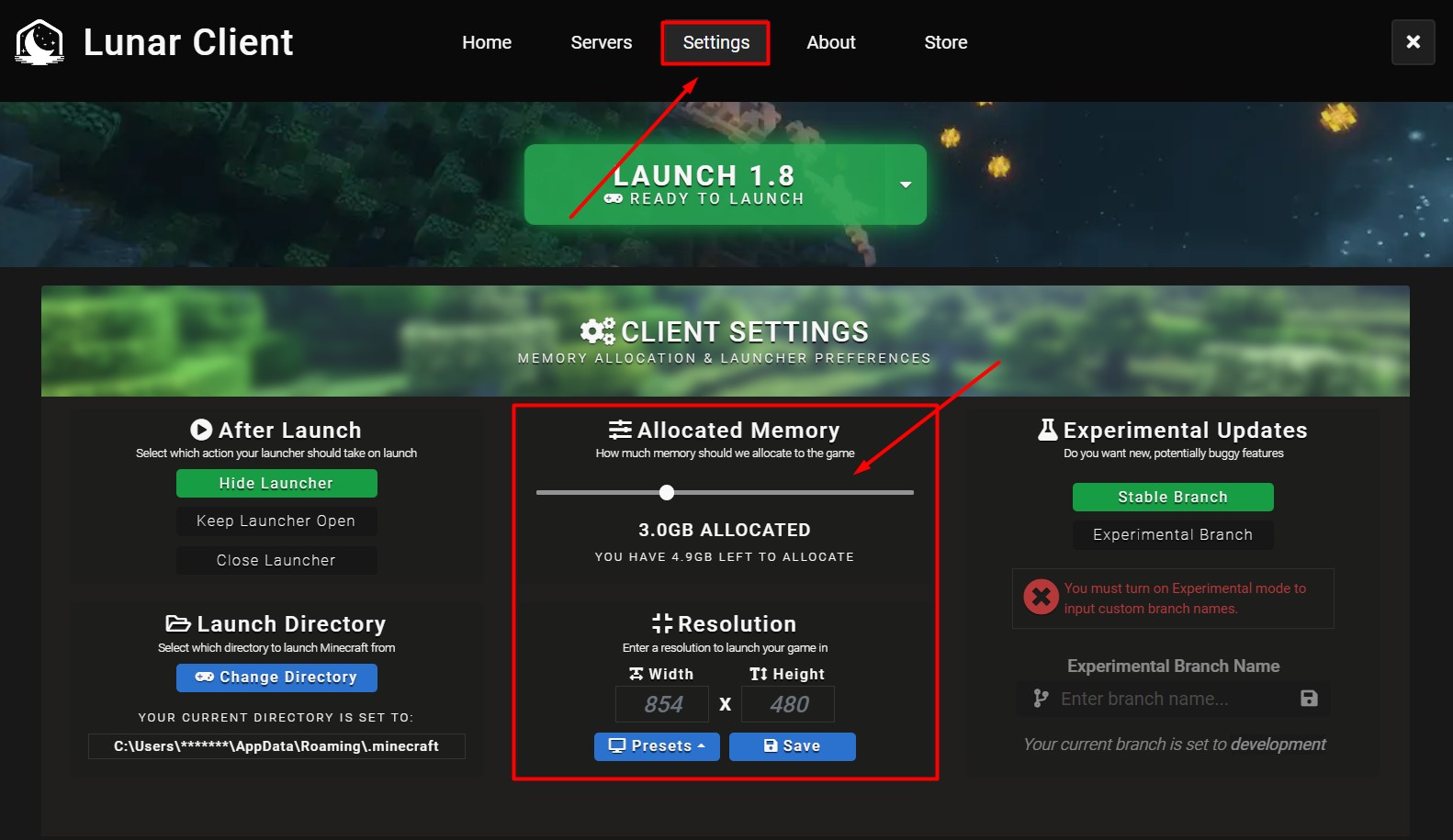
- Navigate the Settings tab as shown in the above picture.
- Make sure you have allocated enough RAM. You must allocate 1/3 of the Machine’s available RAM.
- Once you have successfully made the changes, click on the drop-down arrow located next to the Launch button.
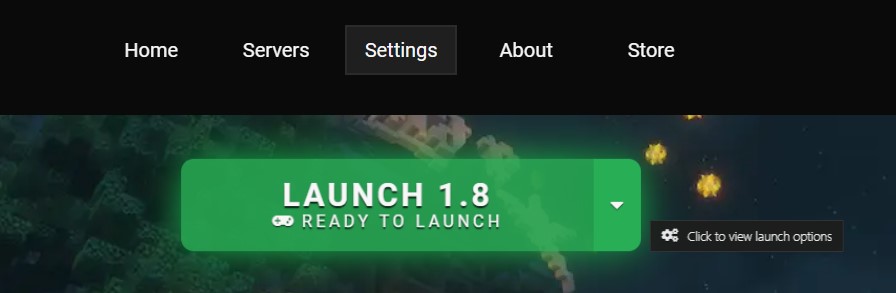
- When you click on it, you will be shown all available versions of Minecraft.
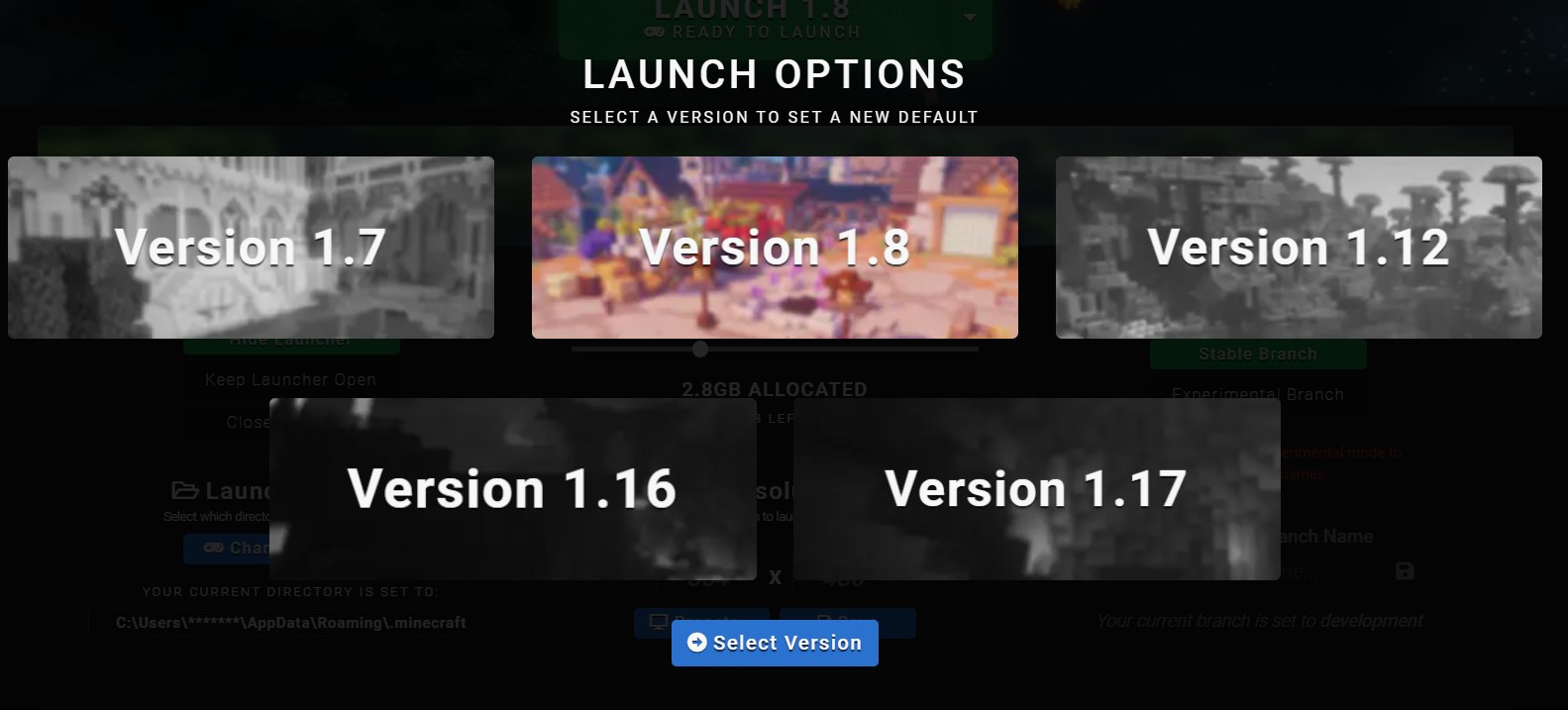
- For the unversed, the latest version of Lunar Client is Minecraft versions 1.7, 1.8, 1.12, 1.15, 1.16, and 1.17.
- Once selected, click on the ‘Select Version’ button.
- Now, you will have to click on the Green Launch button.
- When you do this for the first time, a few necessary files will be downloaded.
- Once it is completed, you can launch Minecraft and see the Lunar Client menu.
- That’s it.
That’s everything you need to know about how to download and install Lunar Client for Minecraft in 2022.