
The much-awaited free-to-play battle royale-hero shooter game, Apex Legends Mobile has finally been released on Google Play Store. In our previous guide, we have already explained the required and recommended Mobile system requirement to run Apex Legends smoothly.
As we have already mentioned in our previous guide that Apex Legends Mobile is scheduled to launch on July 27th, 2021, Respawn Entertainment has released the closed beta version of the game in multiple regions — Indonesia, Malaysia, Hong Kong, and others.
Also Read | How To Download Apex Legends Mobile From TapTap
As soon as the news of Apex Legends Mobile (Early Access) releasing on Google Play Store broke on the internet, tons of Indian fans visit the store but they are not allowed to download the closed beta.
There are tons of fans who want to download Apex Legends Mobile but they don’t actually know how it can be done and if that’s you then look no further as we have a guide explaining the same in the simplest way possible.
How To Download Apex Legends Mobile From Google Play Store In 2022?
There are thousands of Apex Legends fans who want to experience the game on their Mobile devices but they don’t get an option to download when they visit Google Play Store and if you too are having the same issue then don’t worry, we have got your back.
To download Apex Legends Mobile from Google Play Store, you will have to follow a few simple steps:
- First, you will need to download a VPN.
- Once downloaded, you will have to connect with the Philippines, Hong Kong, and Indonesia.
- Once connected, open Google Play Store and search for ‘Apex Legends Mobile’
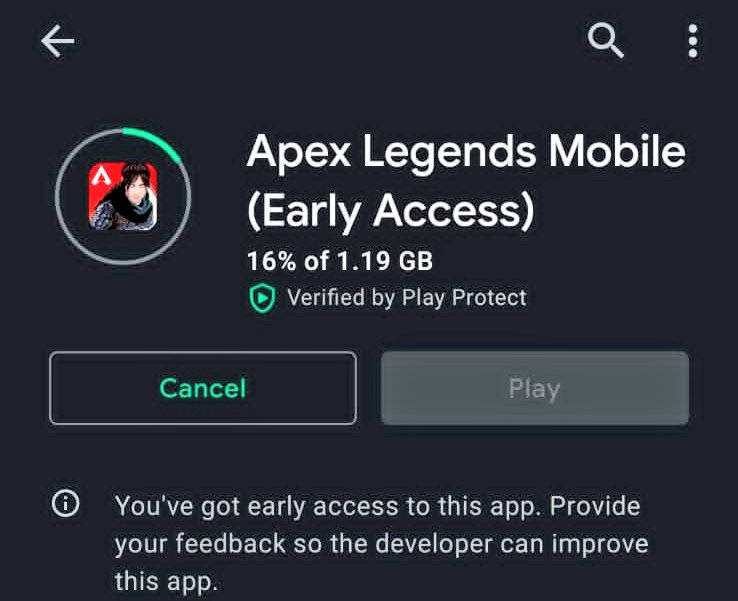
- In a new window, you will have to tap on the ‘Install’ button. When you do so, Apex Legends Mobile will start downloading on your device.
- You will have to wait until the downloading process is completed.
- Once downloaded, you will have to install it on your phone.
- Once installed, you will get an option ‘Open’ to launch the game.
Note: The size of the Apex Legends Mobile Early Access is 1.19 GB on Google Play Store. Make sure to start the downloading process only when you have sufficient space on your Android phone.