
There is no denying that Battlegrounds Mobile India (BGMI) is one of the most-talked-about battle royal games right now but there are numerous players who don’t want to play it anymore.
There could be any reason why they want to quit BGMI and delete their accounts. Notably, you can’t delete your BGMI account by simply uninstalling it from your device.
Also Read | How To Unfriend In BGMI?
There are thousands of people who are having trouble deleting their Battlegrounds Mobile India (BGMI) accounts and if that’s you then look no further as we have a guide explaining the same in the simplest way possible.
Table of Contents
BGMI: How To Delete Your Account Permanently
Currently, there is no in-game feature that allows you to delete your BGMI account. However, if you still want to get rid of Battlegrounds Mobile India for whatever reason, you can use the following methods to delete your account permanently.
Unlink Google Account
If you used your Google Play account while logging into the game then you will have to follow a few simple steps:
- Go to the Settings of your phone.
- Scroll down and tap on ‘Google’
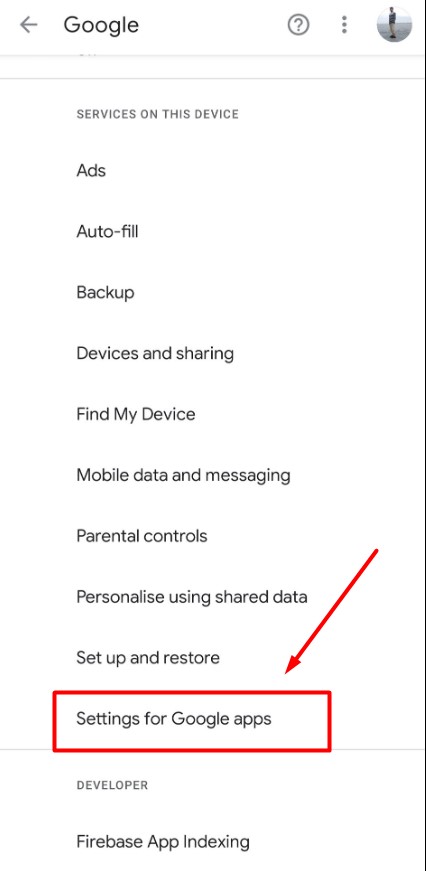
- Navigate the option that says “Settings for Google Apps” and tap on it.
- Now, tap on the Apps Connected option.
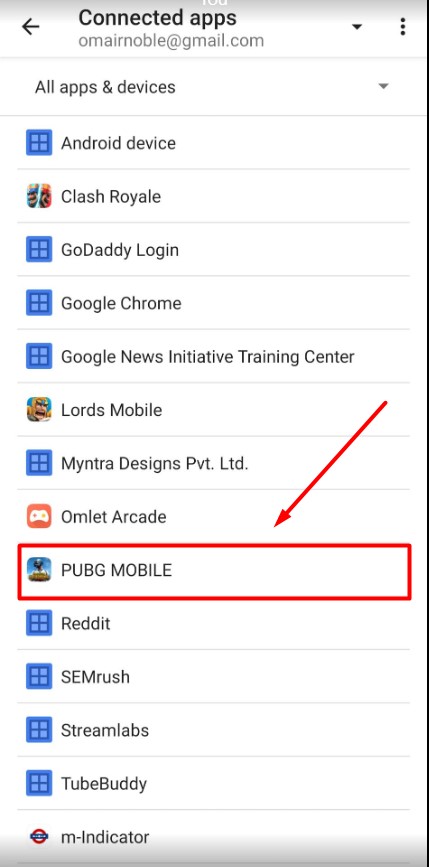
- Find ‘BGMI’ and tap on it.
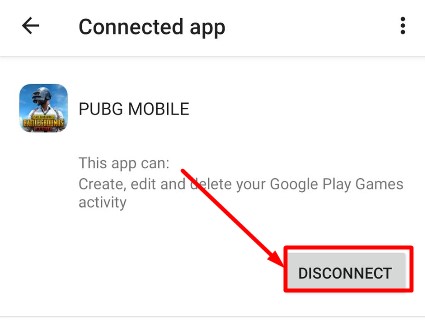
- Now, you will have to tap on the DISCONNECT option.
Note: You will only find BGMI in the Apps Connected option when used your Google account to log in to the game.
Also Read | How To Buy BGMI UC Using Paytm & Get Discount
Unlink Facebook Account
If you used your Facebook account to log in to Battlegrounds Mobile India but now you want to delete your account then follow the given steps:
- First, log in to Facebook
- Navigate the Account Settings option and tap on it.
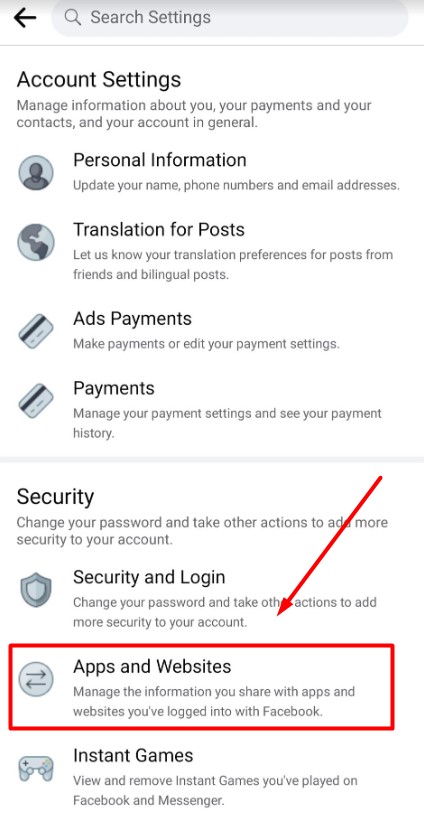
- In a new window, you will have to tap on the Apps and Websites option.
- There, you will see all mobile applications and sites that you have connected to your Facebook account.
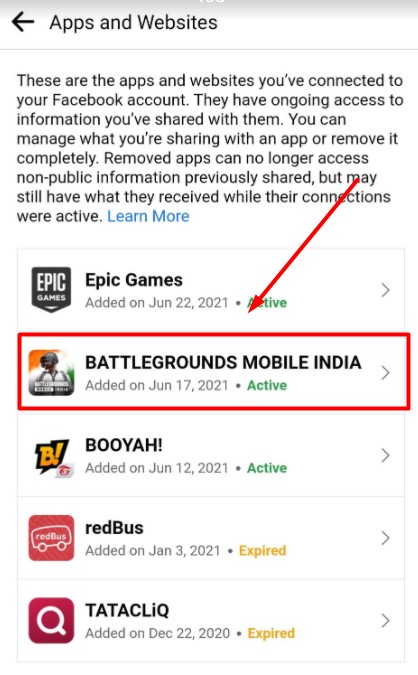
- Select ‘Battlegrounds Mobile India’
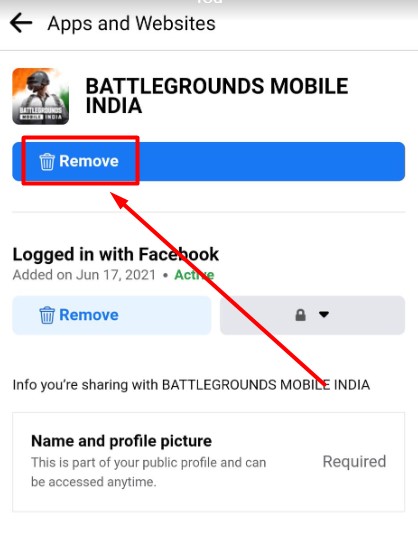
- Tap on the Remove button to delete your BGMI account.
Unlink Twitter account
Instead of Google and Facebook, you used a Twitter account to log in to Battlegrounds Mobile India but don’t want to use it anymore then you will have to follow the steps mentioned below.
- First, log in to your Twitter account.
- Go to your Account Settings option.
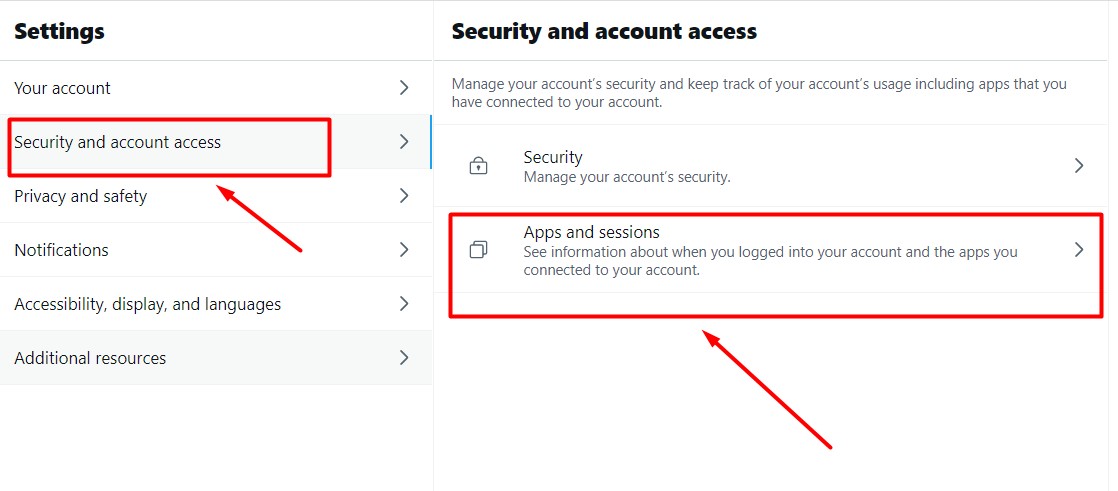
- In a new window, you will have to click on the ‘Security and account access’ option. Doing this will bring a new window, there you will have to click on ‘Apps and sessions.’
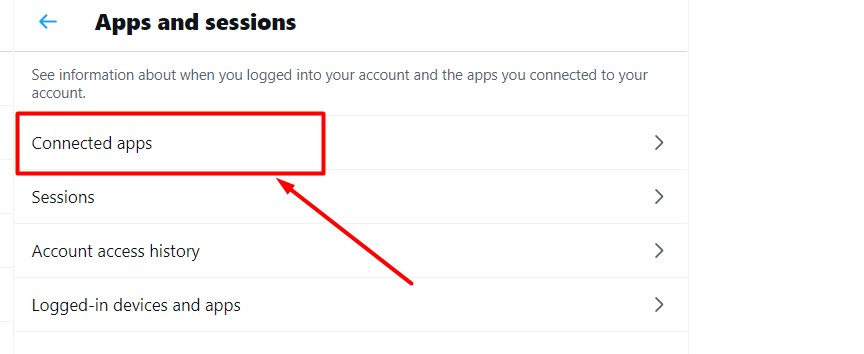
- Click on the Connected apps option. Doing this will show you a list of all Mobile apps connected to your Twitter account.
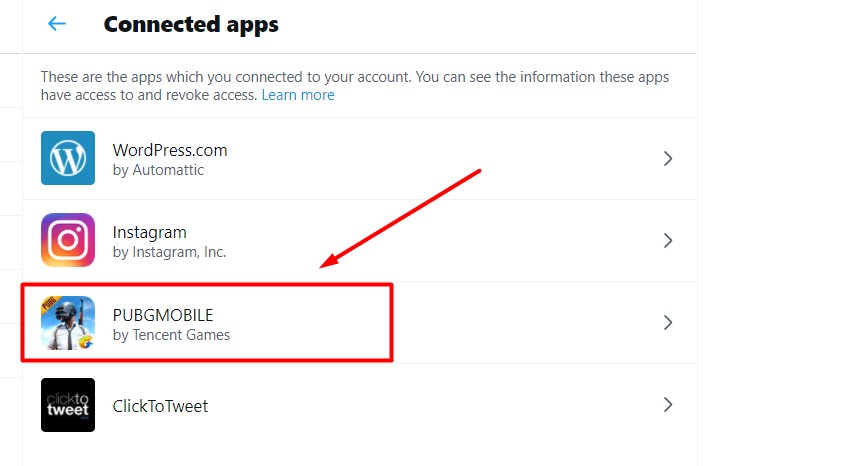
- Select ‘BGMI’ if you have it in the list. When you click on it, a new window will appear on the screen. (see below picture)
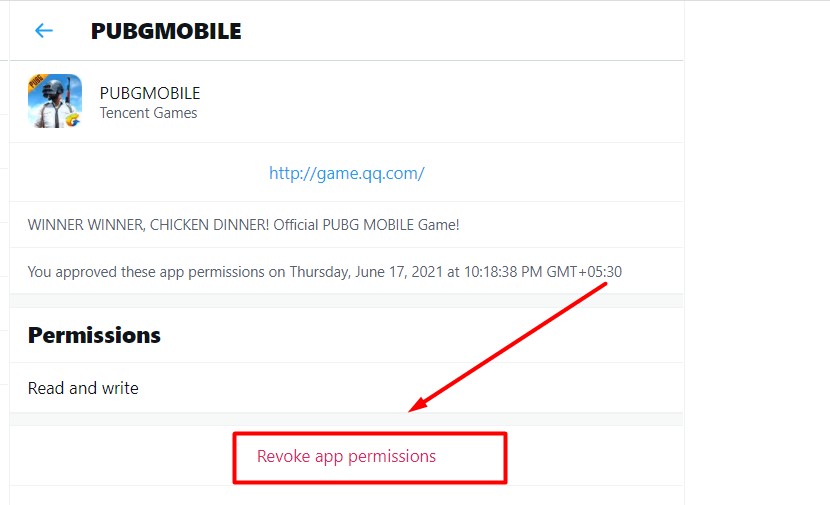
- Now, you will have to click on the ‘Revoke app permissions’ to delete your BGMI account.
These are all three options that you can use to delete your Battlegrounds Mobile India account right now.