
Valorant is one of the biggest gaming titles when it comes to first-person shooter games. It is one of the favorite games of players from all across the world. And new players are attracted to Valorant every day. Hence, a lot of players are searching to know if Valorant is available on Steam.
Steam is one of the most popular client applications that contains most of the games to download on PC. And because of this reason, players are hoping to find Valorant on Steam. Check out this guide and find out if the game is present on the platform.
Table of Contents
Can you Play Valorant on Steam
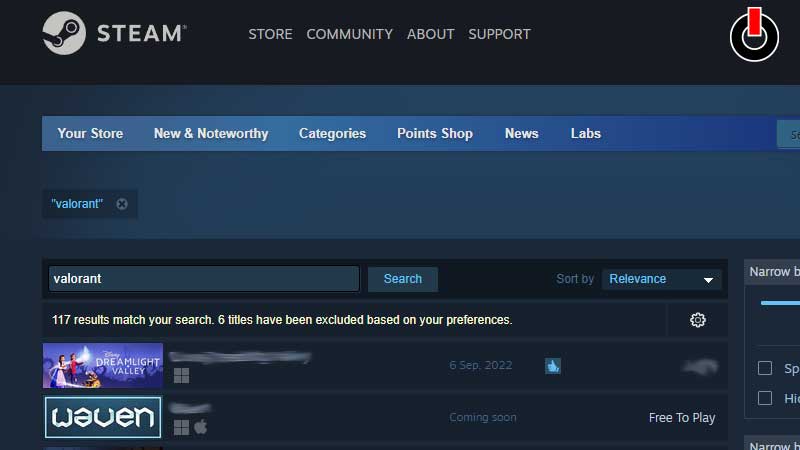
With a heavy heart, we inform you that Valorant is not available on Steam. However, you can find Valorant on Riot Games and Epic Games to download for free. Being a popular title, it is not available to play on any other platform except for PC.
Hence, a lot of players who haven’t installed the game on their device are searching to grab it at once. Well, if not Steam, we have covered other methods to download the game.
Steps to Download Valorant from Riot Games
Riot Games is the developer of Valorant and is the official platform where you will be able to install and play the game for free. Check out the steps given below to install it.
- Launch a browser on your PC
- Head to the Official Play Valorant page
- Click on the Play Free button
- Enter your Riot Account Credentials
- Download the game and enjoy
Steps to Install Valorant from Epic Games
- Open a browser on your device
- Visit the Epic Games site or download the app
- Search Valorant in the search bar
- Click on the Get button
- Sign in to your account or create one
- Download the game and play
Also, before downloading the game, make sure to go through the minimum PC requirements recommended for Valorant.
Now you know if Valorant is available on Steam. If you play this game regularly, you might want to know What is Vanguard Anti-cheat? and How to verify Phone Number in Valorant?