
Valorant is surely the best first-person shooter game for PC. The game has an amazing collection of basic to premium skins that any player can fall for. All Valorant players always find it a little difficult to control when it comes to buying new skins and cosmetics in the game. Are you also addicted to buying these items in Valorant? If yes then, here is a guide to help you check the total amount of money you have spent in Valorant on buying new skins and items so far.
Keep checking your purchase history before you end up spending all your savings in the Valorant store. There are plenty of users who want to check the amount of money they have spent in Valorant but they don’t actually know how to check it and if that’s you then look no further as we have got you covered.
How To Check How Much Money You’ve Spent on Valorant To Date?
Lost a track of how much money you spent in Valorant? Don’t worry our step-by-step guide will help you check how much money you have spent in the game so far.
To check the amount of money you have spent in Valorant, follow the below mentioned steps:
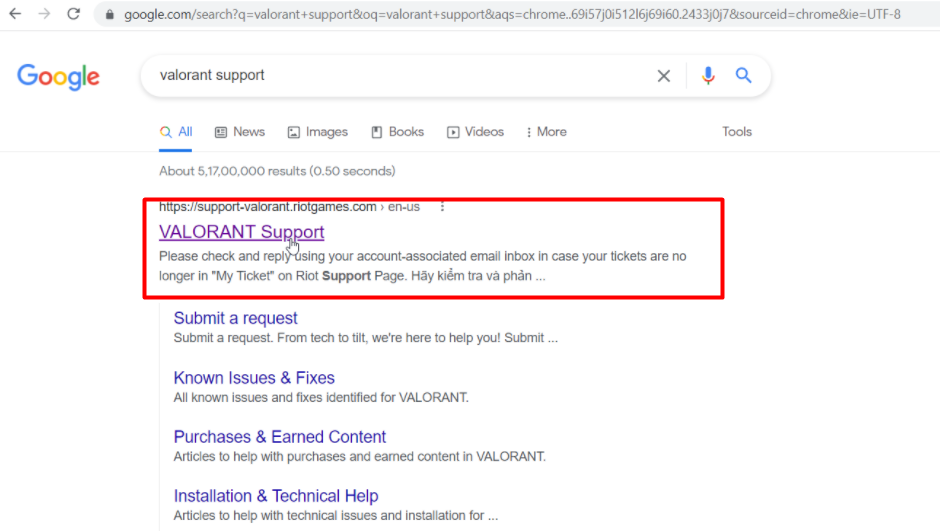
1) Open any browser on your PC and search for Valorant Support.
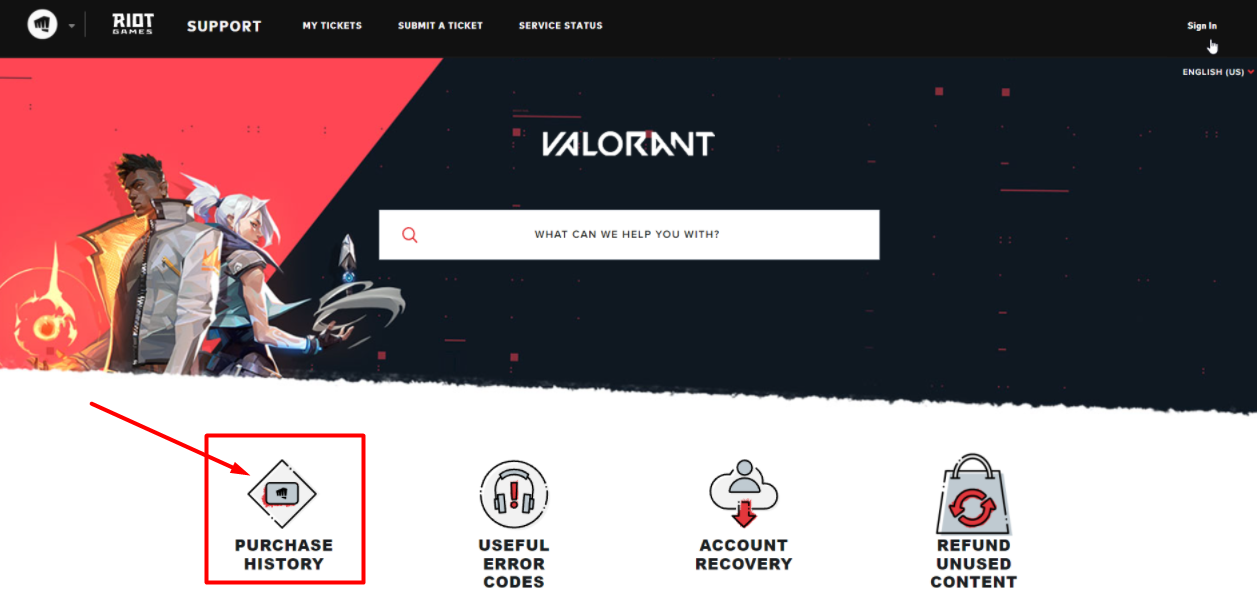
2) Now, there will be four options in front of you. Click on the first option called “Purchase History“.
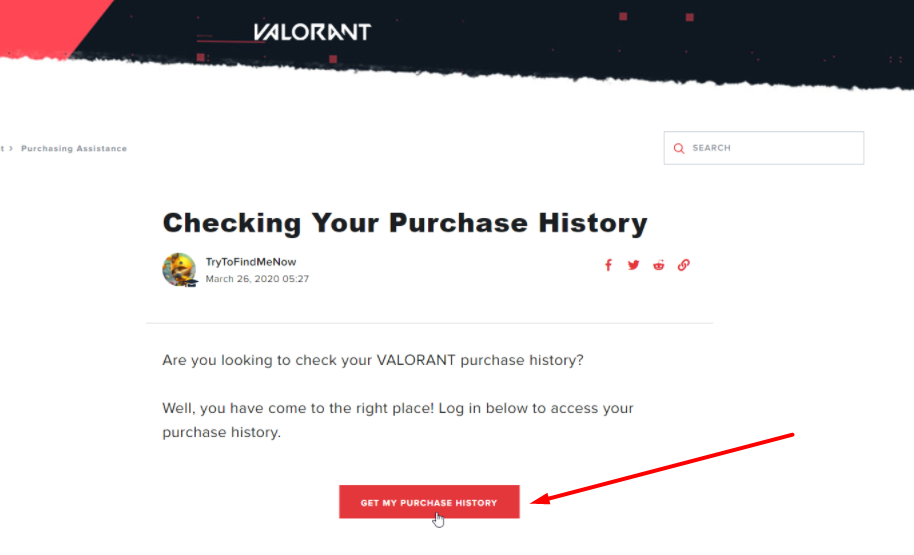
3) A new window will open that says, ‘Checking your purchase history. Click on the login button at the bottom of the screen.
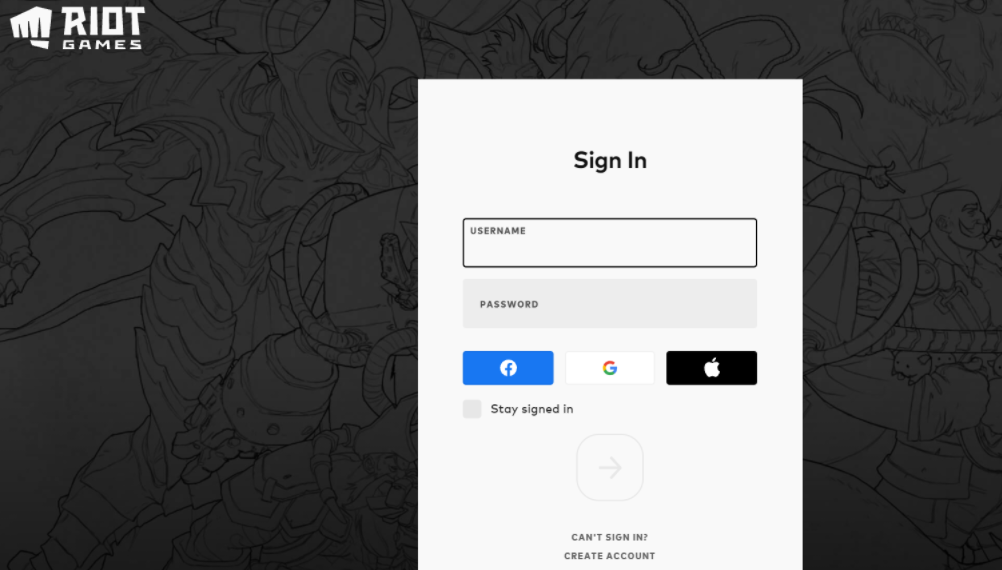
4) Type your login credentials on the next screen and log in to your riot account.
5) Once you log in to your account you will find all your purchase history on this page. Read out the first line on the page that summarizes the total money that you spent in Valorant so far!
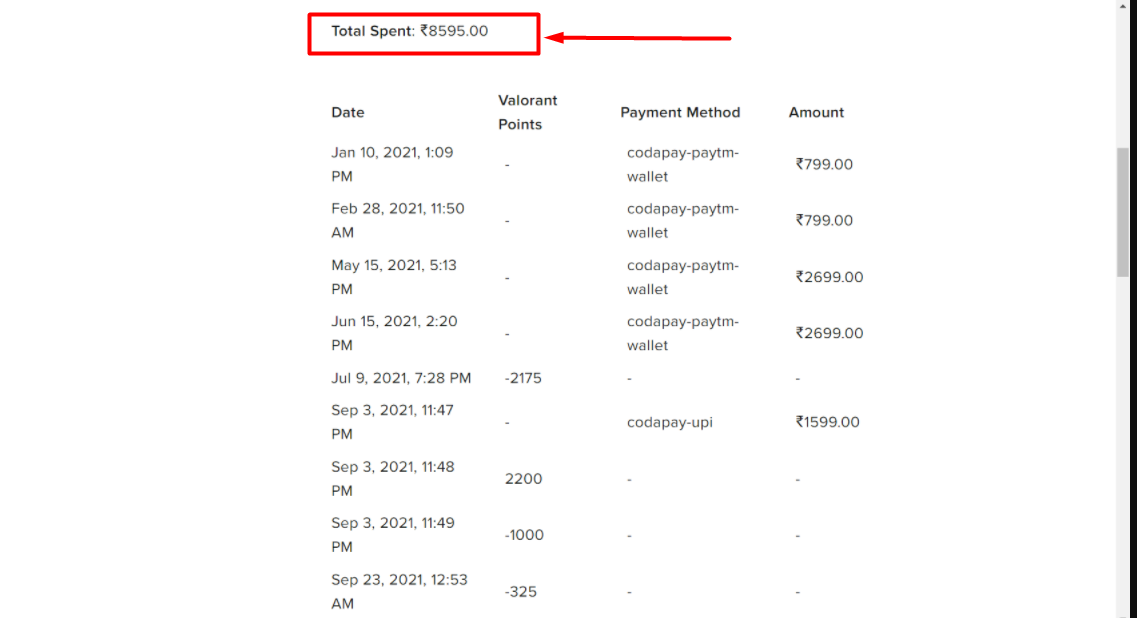
This is everything you need to know about how to check the total amount of money you spent in Valorant. Have a quick look at another article to know what are tactical callouts in Valorant.