
Are you facing the ‘Operation could not be completed error code 0x00000709 in Windows? If your answer is YES and looking for its possible solution then don’t worry, we have got you covered. There are plenty of users who are currently having ‘Operation could not be completed error 709 which causes printer issues and other problems in Windows and if that’s you then look no further as we have you covered.
A lot of users reported that they started facing this frustrating error post the recent update KB5006670 of the windows machine. In order to fix this error, we have come up with a solution that will surely fix the ‘operation could not be completed error code 709’ in 2022.
How to fix operation could not be completed error 709 printer?
This printer error occurs when a user attempts to set a default printer in Microsoft Windows. Whenever they do so, they get a message that says,
“Operation could not be completed (error 0x00000709). Double click the printer name and make sure that the printer is connected to the network.”
There are two methods that we have discovered to fix ‘Operation could not be completed (error 0x00000709)’. If you don’t know what these methods are then follow the steps mentioned below.
Method 1:
- Hold the Windows Key and press ‘R’ to open up the Run Window.
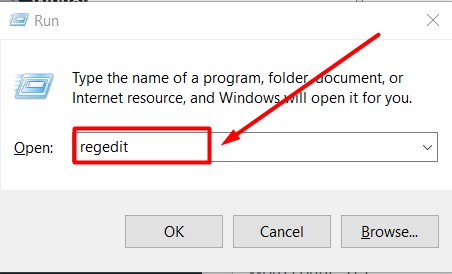
- Once opened, type ‘regedit’ and hit the Enter button to open up the Registry Editor.
- In that window, click on ‘HKEY_CURRENT_USER option and then go to >Software>Microsoft>WindowsNT>CurrentVersion>Windows
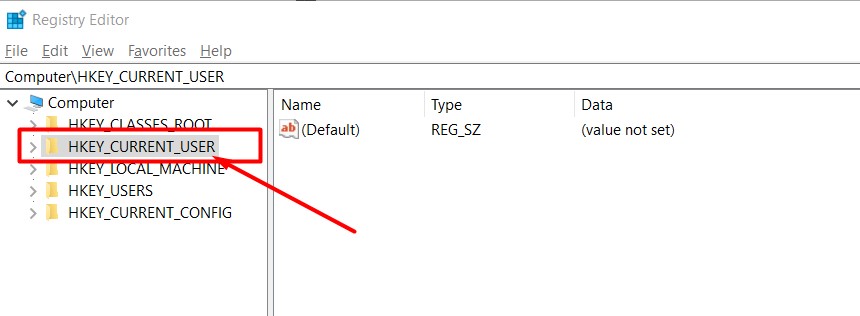
- Right-click on Windows Folder and then select ‘Permissions…’
- Highlight ‘Administrators’ and then check the ‘Full Control’ box and click on the ‘OK button.
- Highlight your username, then check the ‘Full Control’ box, then click on the ‘OK button.
- If there are any registry values, delete them.
- Once deleted, set your default printer again and see if the error remains.
- That’s it.
Methods 2:
This method is a bit different than the previous one. If the above-mentioned method did not work for you then follow the below-mentioned steps:
- Go to the Start Menu
- Click on the ‘Settings’ option.
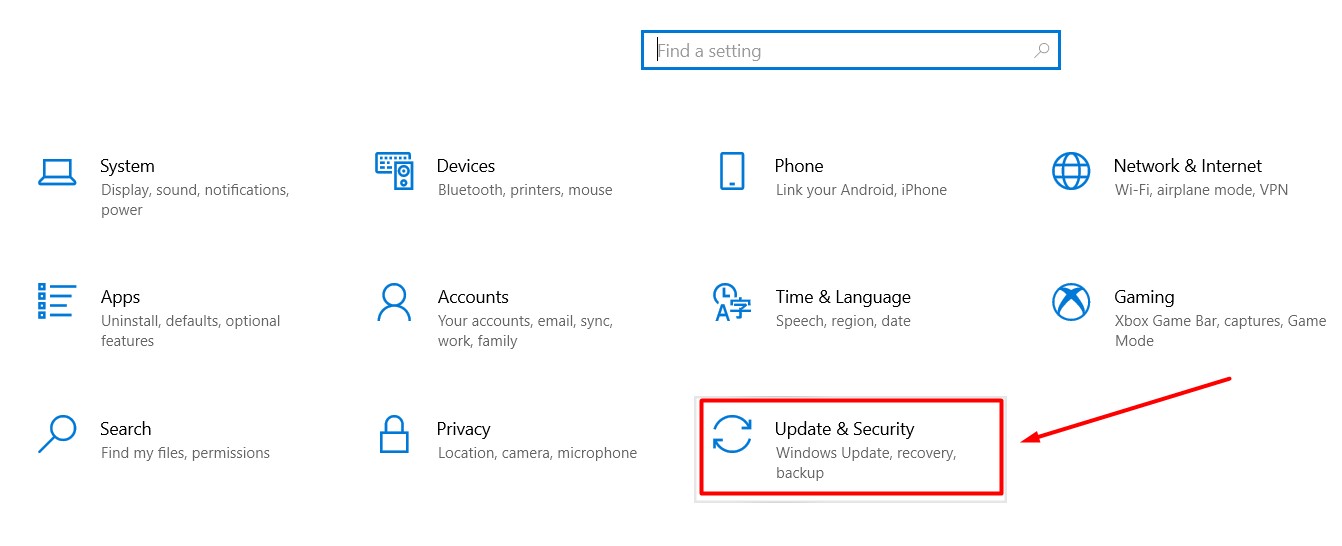
- In the Settings window, click on the ‘Update & Security’ option.
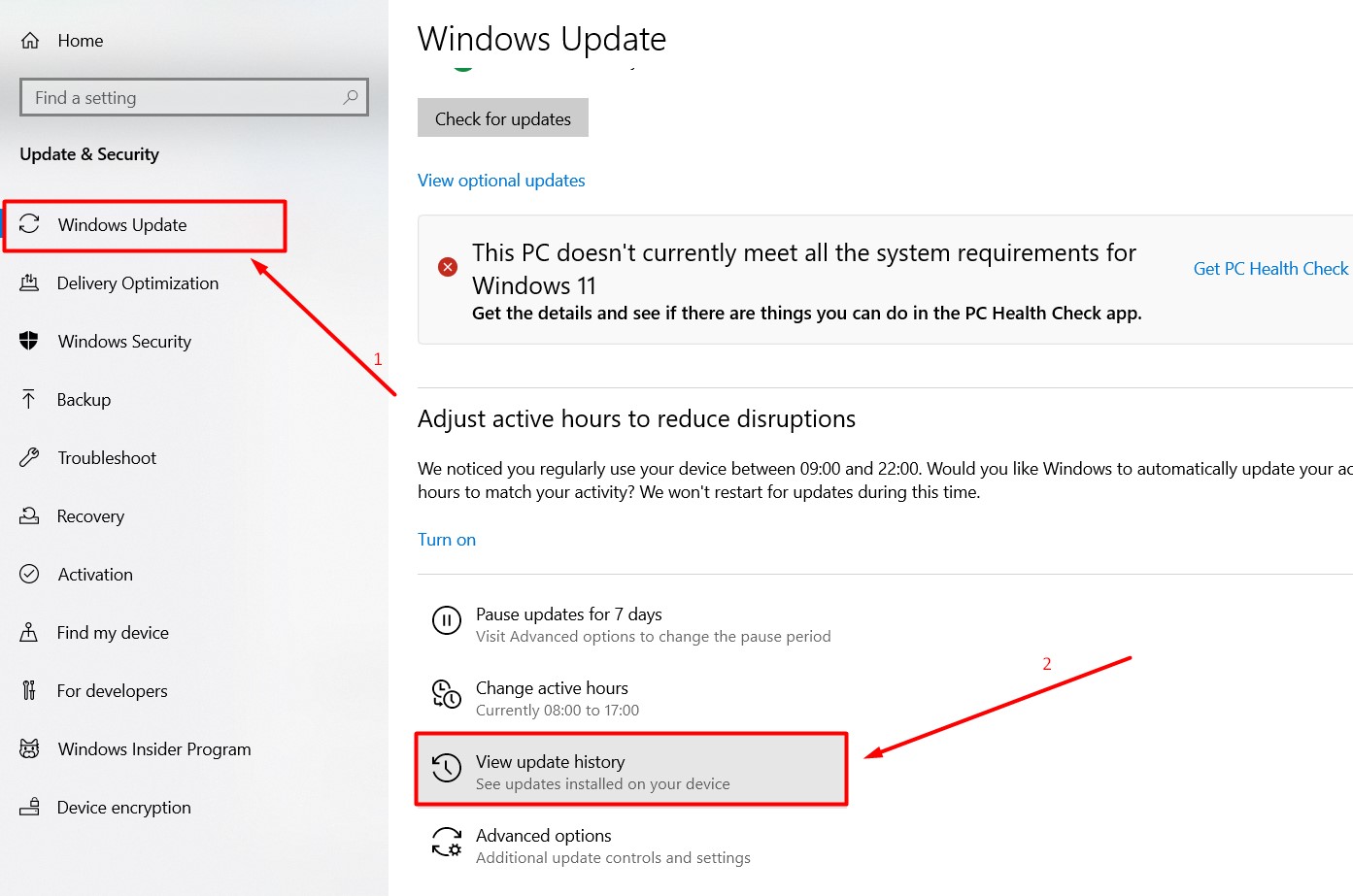
- Click on the ‘Windows Update’ option from the left panel and go to the right and select the ‘View Update History’ option.
- On a new page, you will see all the recent Windows Updates.
- Click on the ‘Uninstall updates’ option
- In a new window that appears on the screen, select the ‘Recent Update’ that you want to uninstall.
- Right-click on the update and then select the ‘Uninstall’ option to get the uninstallation process started.
- Once uninstalled, click on the ‘Restart Now’ option.
- Once your system is restarted, set your default printer again to see if the error still persists.
- That’s it.
These are two easy ways to fix operation that could not be completed error code 0x00000709 in 2022. If you still are having the same issue then do let us know in the comment section below.