
Are you getting a “User Not Found” message on Instagram when you try to search for one of your friends or a person you are looking for? This message usually flashes on the screen when a user on Instagram blocks you and does not want you to see your profile. But this is not the only reason behind this message. There are quite a few reasons for you to get this message on Instagram.
If you want to know what are all the reasons to get the “User Not Found” message on Instagram then you are in right place. In this article, we have covered all the reasons and solutions to get this error message on your Instagram account.
When Do You Get ‘User Not Found’ Message On Instagram?
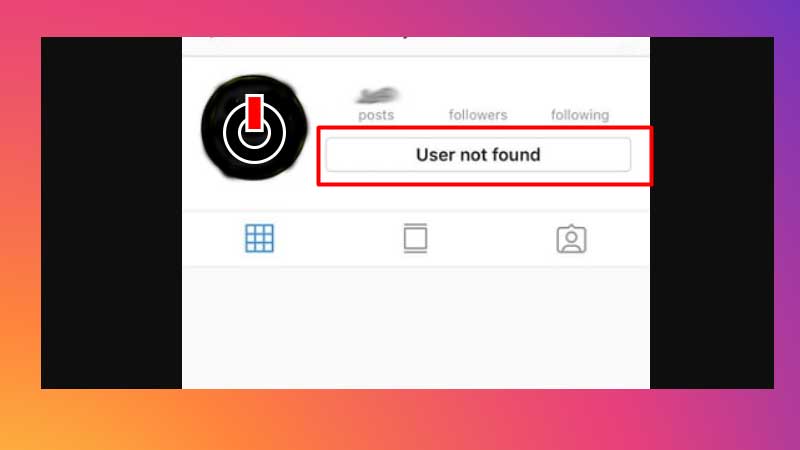
It is quite common to get this message when a person blocks you from Instagram but there are many more reasons for the same message to pop up on your screen. Read this article till the end to know all the reasons to get the “User Not Found” message on Instagram.
- Changed Username: First and for most check if the person has changed their username. there is a possibility that the person you are looking for has changed their username and you are searching for the old username that does not exist anymore. In that case, if the username has changed then there is no way you can find that person and get the “User Not Found” message on your screen.
- If You Are Blocked: If you can see a person in your direct message but when you click on their name and try to open their profile and get this message then it is because the user has blocked you.
- Account Disabled Temporarily: Instagram gives an option to all its users to temporarily disable their accounts for various reasons. By using this option you can disable your account for some time and will not be visible to any of your followers or any other users who try to search for you. So if the person has disabled their account temporarily and if you try to search for them you will get a “User Not Found” message on Instagram.
- Account Is Deleted: Whenever a person deletes their account from Instagram you will not be able to find them from anywhere and will get the “User Not Found” message on your screen.
- Account Is Suspended: Instagram suspends all the accounts without any notice if found not following the terms of use and community guidelines. Hence this can also be one of the reasons that the person’s account has been suspended and hence you are unable to find them on Instagram.
The solution to getting rid of this issue, error, or message is to try and search the user by its real name instead of its insta username. Or else, if possible you can contact them from any other platforms and ask if they have deleted or disabled their account.