
Close Menu
    Facebook X (Twitter) Instagram
    • About Us
    • Contact Us
    • Privacy Policy
    • Disclaimer
    Facebook X (Twitter) Instagram Pinterest Vimeo
    Games Adda
    • Gaming
    • Tips and Tricks
    • Tech
    • Best Buy
      • Gaming Mouse
      • Headphones
      • Laptops
      • Smartphones
      • Smartwatches
    Subscribe
    Games Adda
    Home » Roblox Promo Codes » Roblox Plushie Tycoon 2 Gift Codes List
    Gaming

    Roblox Plushie Tycoon 2 Codes (May 2023)

    Shardul HatiskarBy Shardul HatiskarMay 18, 2023Updated:May 18, 2023No Comments2 Mins Read
    Share Facebook Twitter Pinterest LinkedIn Tumblr Reddit Telegram Email
    Plushie Tycoon 2 Codes
    Share
    Facebook Twitter LinkedIn Pinterest Email

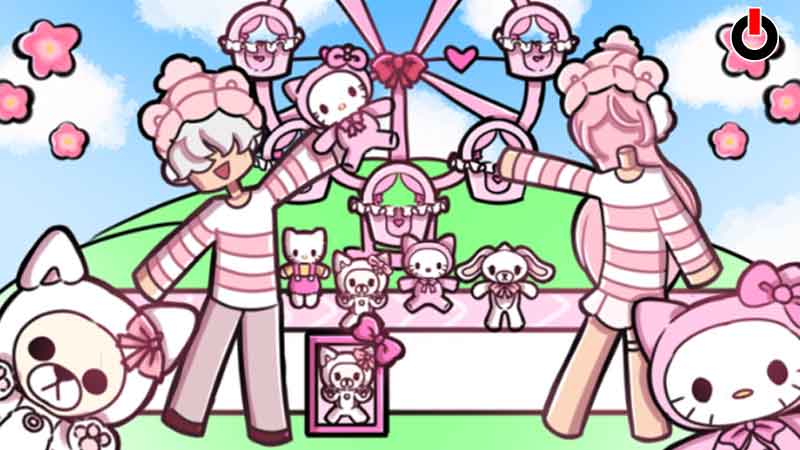
    If you are searching for the latest Plushie Tycoon 2 Codes, your search ends right here. In this guide, we have covered all active gift codes in a list for your reference. The developers release these codes at certain intervals to keep the players indulged.

    These codes hold exclusive in-game rewards that you can claim for free. Along with the codes list, we have also explained the steps to redeem them. Check out this guide and learn all there is to know about the gift codes.

    Table of Contents

    • List of All Plushie Tycoon 2 Gift Codes (2023) – Working
      • Expired Codes
      • How to Redeem Codes

    List of All Plushie Tycoon 2 Gift Codes (2023) – Working

    Plushie Tycoon 2 Codes

    Here, you will find the working Plushie Tycoon 2 codes. Keep in mind that these codes are active temporarily and can expire at any given time. Hence, make sure to collect your freebies before the time runs out.

    • 750Likes – Redeem this code to get free rewards
    • 400Likes – Redeem this code to get free rewards
    • 100Likes – Redeem this code to get free bonus rewards

    Expired Codes

    Here, you will find the list of expired codes. These codes are no longer valid and will not drop any rewards.

    • Fortunately, there are no inactive codes in the game as of now.

    How to Redeem Codes

    Below, we have explained the steps to redeem codes in the game. While entering codes, make sure that you insert the codes exactly as they are provided. Or else they might not get detected correctly. In such cases, the codes will be deemed invalid.

    • Launch Roblox Plushie Tycoon 2 on your device
    • On the left side, click on the Bird icon
    • Enter the Gift Code in the text box
    • Click on the Redeem button to claim your free rewards

    This is all you need to know about redeeming Plushie Tycoon 2 codes. Hopefully, this guide was helpful to you. While you are here, you can go ahead and check out other similar articles such as Roblox Pixel Gun Tower Defense Codes and Idle Clicker Simulator Gift Codes.

    Android Gaming Guides iOS Roblox Roblox Codes Trending
    Share. Facebook Twitter Pinterest LinkedIn Tumblr Email
    Previous ArticleRoblox Pixel Gun Tower Defense Codes (April 2023)
    Next Article Roblox Tapping Masters Codes (April 2023)
    Shardul Hatiskar

    Just another lost soul who found his haven in RPGs and ARPGs.

    Related Posts

    Gaming

    From Lockdown Epiphany to India’s First “Phygital” Arcade: The Claw King Story

    August 19, 2025
    Gaming

    The Biggest Esports Tournaments to Watch in 2025

    March 25, 2025
    Gaming

    Experience Elden Ring Like Never Before: Ranni Demigod Backpack Mod

    July 10, 2024
    Add A Comment

    Comments are closed.

    Facebook X (Twitter) Instagram Pinterest
    • About Us
    • Contact Us
    • Privacy Policy
    • Disclaimer
    © 2026 ThemeSphere. Designed by ThemeSphere.

    Type above and press Enter to search. Press Esc to cancel.