
Wondering how to switch to Controller in Tower Of Fantasy, then you’ve come to the right place. As we all know, the game is available for free and compatible with Pc & Mobile devices. Although some of the players are not comfortable playing it on their Pc or Mobile and want to switch to Controller. Being an open-world MMORPG, you’ll have to explore and also battle on your Journey. Using a controller in such games makes it easier and more comfortable to play. So without any further ado let’s see how you can do it.
Does Tower Of Fantasy Have Controller Support? (2022)
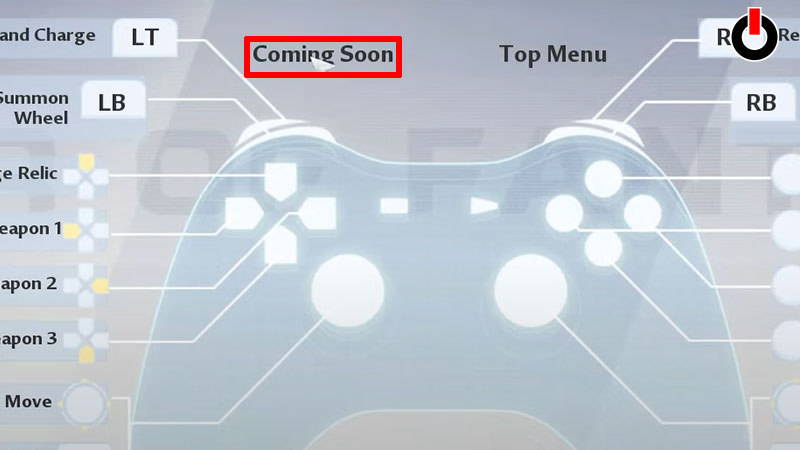
Before you dive into the steps to switch to the controller in Tower of fantasy, let’s see if the game supports it. The answer is yes, the game does have a controller support option, where you can easily wander around the open world. However, there are some downsides to it.
- You can’t completely rely on it, that’s because as of now the game doesn’t have full Controller Support.
- The player using the Controller will not be able to navigate through the game’s main menu. But you can still explore and enjoy the rest of the gameplay on it.
- We recommend you to use a hybrid of the controls, where you can use your mouse and keyboard to access the game’s menu. And play the game with your controller.
- If you don’t want to do all this, then you’ll just have to wait until the game entirely has controller support. The developers are already on it, and the full Controller support will be out soon.
If you still want to switch to Controller, then go through the steps below and you’ll be good to go.
How To Switch To Controller Support?
Here’s how you can Switch to Controller/Console to play Tower Of Fantasy. The process is pretty easy and standard.
- If you’re using a wired controller then simply plug it into the USB port and you’ll be good to go. The system automatically identifies the console as soon as you plug it in.
- Similarly, if you’re using a wireless Controller, then pair it by going into your PC’s Bluetooth settings. And voila you’ve successfully switched to Controller
This is all you need to know about how to switch to Controller in Tower Of Fantasy. However, there are also some players who have come across Parental Consent message errors. If you’re facing the same, then check out the steps to fix it.