
Diablo Immortal is an upcoming mobile game that is a part of the Diablo Series. The game is currently in closed beta and is expected to release later in 2022. While the game has a touch-based interface, the developers have also been working to provide controller support for Diablo Immortal. This is great news for those that want to play Diablo Immortal through a controller and get ahead on their demon-slaying. We will take a look at how to play Diablo Immortal with a controller in this article.
Diablo Immortal Controller Support
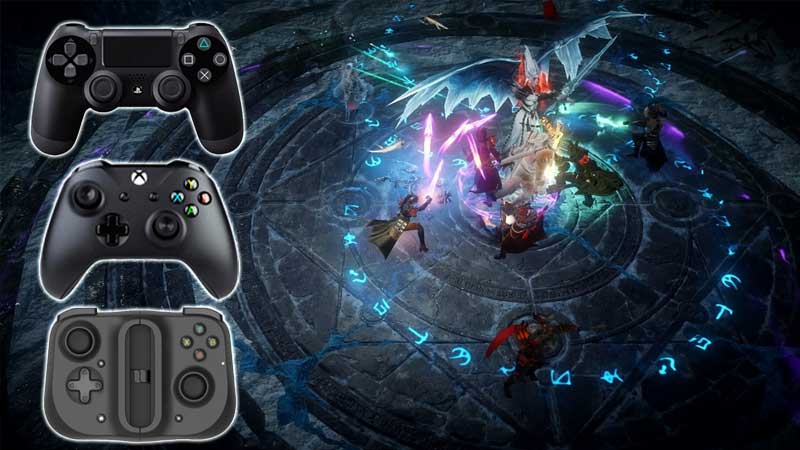
When discussing controller support for the upcoming Diablo Immortal, the game developers had this to say:
“Last year, the community pleaded for controller support. We were happy to oblige, and the Closed Beta introduced a handful of compatible controller devices.
Our goal is for the controller’s presence to be detected the moment the game is launched. We want to handle connecting and disconnecting your controller more seamlessly and make controllers work in all in-game menus.
We’re thrilled by the positive reception we’ve received from the controller support in the Closed Beta. Nonetheless, the roster of controllers in Closed Beta isn’t our final list, and, we still have a litany of polish items to further improve controller support for the global release of the game.”
From this, we can understand that the controller support still has a long way to go before the game is released. However, players can follow the steps below to connect their device with a wireless controller.
ALSO READ| Diablo Immortal: Release Date & How To Pre-Register
How To Play Diablo Immortal With A Controller?
- Players must enable Bluetooth on their mobile device to get started.
- Next, players must activate pairing mode for their wireless controller.
- Once the pairing mode is activated, players will see the controller in the connectable list of Bluetooth devices.
- Players should click on Connect to link the wireless controller and the mobile device.
- Players can now enjoy playing Diablo Immortal on a controller.
Controllers Supported In Close Beta Test
- Wireless Bluetooth Controller Xbox One
- Bluetooth Controller Xbox Series X/S
- Controller Series 2 Xbox Elite
- Xbox Adaptive Controller
- Sony DualShock 4
- Razer Kishi
This is all that is known about the controller support for the game as of now. We will keep players updated as more news about the game continues to roll in. While you are here, also check out Can You Use A PS5 Controller On A PS4?