
The much-awaited Royal Pass M7 has started in both PUBG Mobile and BGMI. With the launch of the M7 Royal Pass, players get a lot of RP missions that they will have to complete. The RP mission that has left everyone scratching for their heads is to Use the Zipline 3 times in Classic Mode.
If you have updated your BGMI to its latest version and struggling to complete the Use the Zipline 3 Times mission then look no further as we have got you covered. This post will not only explain what this mission is all about but also teach you how to complete it in the Classic Mode of BGMI.
Without any further ado, let’s get started:
Use The Zipline 3 Times BGMI RP Mission Guide
It has been a day since M7 Royal Pass has started and a lot of players have already completed missions featured in the first week of RP missions. Those who have already purchased the Royal Pass can access the missions featured in the Second week as well.
In the second week, players have multiple RP missions but the one that players are struggling to complete is Use the Zipline 3 Times in Classic Mode of BGMI.
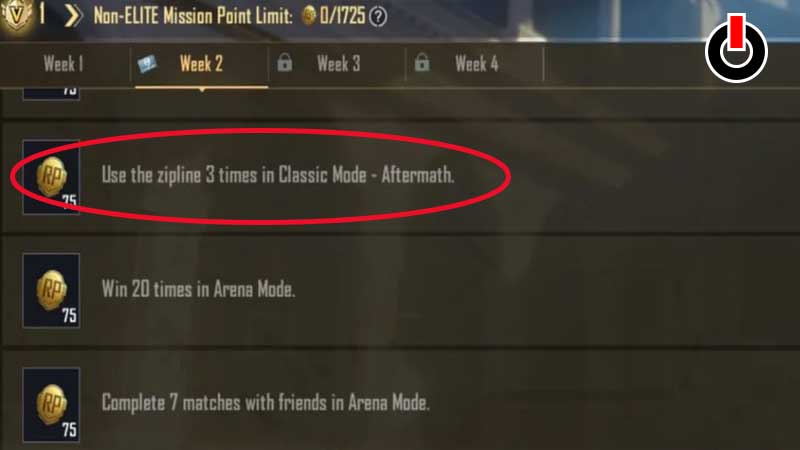
To complete the ‘Use the Zipline 3 Times’ RP mission in BGMI, players are requested to launch the game and select the Aftermath map. To select the Aftermath map in BGMI, you will have to go to the screen allowing you to select the Map and then select Classic>>Unranked and then download Aftermath Map.
Once downloaded, select it and start the Matchmaking. As soon as the map appears, make sure to select the Line shown in the below picture and land there.
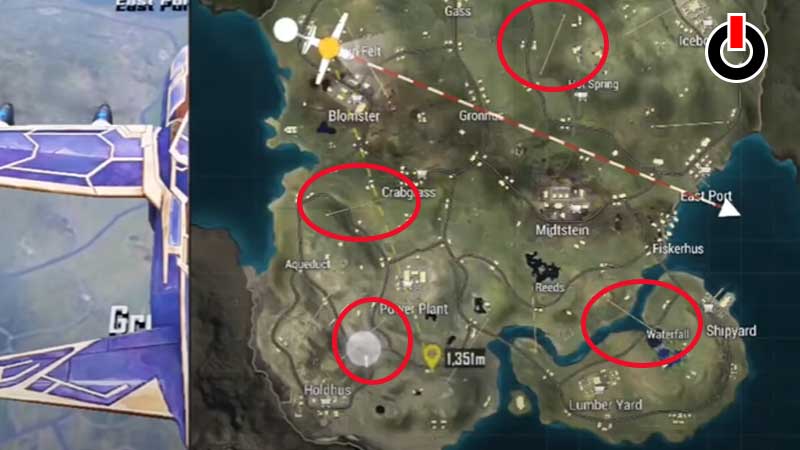
When you land on the highlighted locations, you will have to find an Entrance shown in the below picture. When you approach this Entrance, tap on the ‘Zipline’ option to travel from one place to another.
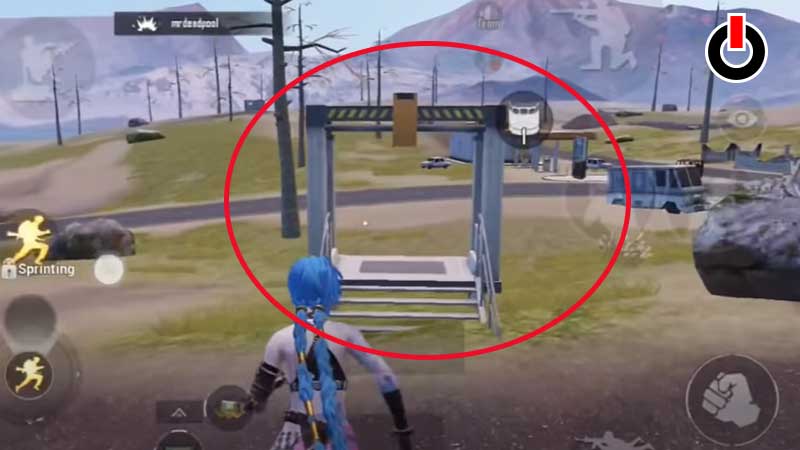
To complete Use the Zipline 3 times mission, players are required to use the Zipline thrice to obtain Bonus RP points. Once you have successfully used the Zipline thrice, this mission will be completed.
If this guide helped you completing this BGMI RP mission then be sure to bookmark and visit Games Adda as we will post more BGMI and PUBG Mobile guides in the time to come.