
Telegram is an instant messaging service through which users can send texts, media files, and documents. It has gained a lot of popularity due to its enhanced privacy and encryption features. However, with the enhanced security also come higher chances of being banned if users violate any of the community guidelines. However, if a user’s account has been suspended without a justifiable cause, they can choose to contest the action by Telegram and get their account unbanned.
How To Get Your Telegram Account Unbanned?
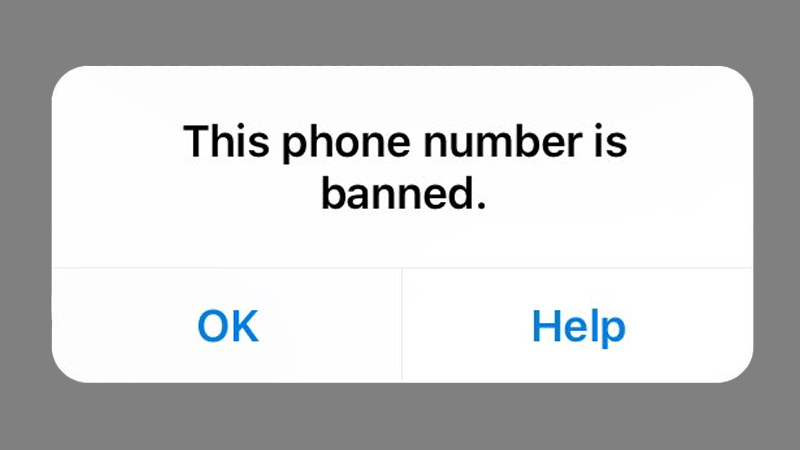
Telegram usually doesn’t ban an account without a good reason. However, if a user still feels that their account has been banned unfairly, they can choose to contest the ban. Users will have to get in touch with the customer support team for Telegram to do this. There are two methods to do this. We have explained them both below.
Email Customer Support
The most straightforward method to get an account unbanned is to mail the Telegram team with an explanation as to why the ban is uncalled for. Users can follow the instructions below to do so.
- Go to the Telegram App and log in to the account.
- It will show that the account is currently suspended or banned. Click on the Help option.
- Here, select the option for Send an Automated mail.
- Create an email explaining why the suspension/ban is unjust.
- Send the email to recover@telegram.org
- Fill out the form provided by Telegram.
- Alternatively, users can also go to the Telegram website and fill out the online support form.
- Click Submit. The application has now been submitted.
Users can also choose to contact Telegram through Twitter. This can be done by sending a direct private message. However, since customer support is often swapped with issues, users will need to be patient. They might not receive an instant reply.
Why Does Telegram Ban Accounts?
Now that users know how to get their Telegram account unbanned, they should also learn about the main reasons the Telegram bans an account. This way, they can avoid this infractions and keep their account safe. We have listed all the possible reasons for a Telegram account ban below.
- Sharing Explicit or Adult Material.
- Flagged for Harassment or Violent Behavior.
- Hate Speech.
- Banned Content in Profile.
- Any Illegal activity.
- Promoting the spread of malicious software.
- False Information.
This is how users can avoid getting their Telegram account banned in the first place. However, if it still gets banned users can follow our guide to get their Telegram account unbanned. For similar guides, check out How To Fix “Sorry This Group Is Not Accessible” Error On Telegram?