
Ragnarok Origin is one of the most interesting multiplayer mobile games available. You can become a mentor after reaching a certain level and select students for your academy. They will complete and help you with Oracle quests. Once your students level up they will Graduate and become a mentor too. Sometimes mentors come across non-cooperative students and wish to remove them. This guide has got you covered on all the aspects of how to add and remove students in Ragnarok Origin.
How to Add Students in Ragnarok Origin
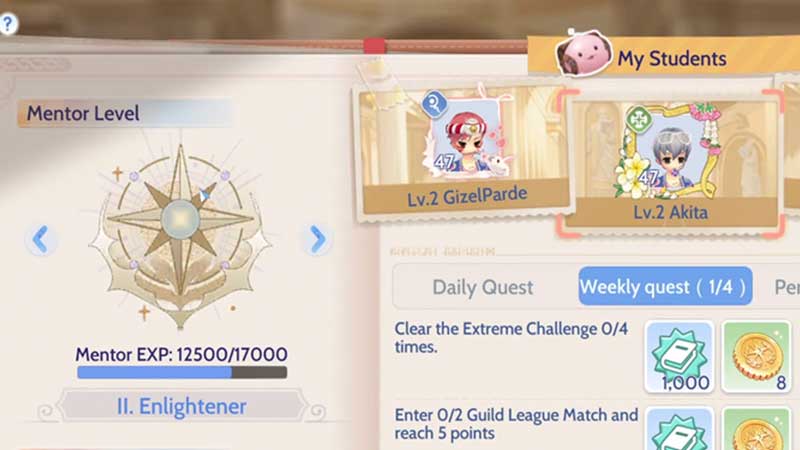
This section will cover the steps for adding a student to your Academy. If you want to know how to remove a student then refer below.
- Reach base level 40 to become a mentor.
- Make sure you have one of the highest combat power, for example, 150,000 power.
- The student level should be comparatively lower than your level.
- The mentors adventure value level should be greater by 110% of the students highest adventure value.
- Check the conditions or terms of relationship establishment requirements.
- If it is according to your agreement then press the link button to establish a relationship..
- Go to the Chamber of Sage room and find players willing to join your Academy.
- Talk to NPC Argos there, to establish the relationship with your new student.
- Once you are ready, conduct the Mentorship acceptance procedure.
- You can only add one student at a time to your program.
- A mentor can have only 3 undergraduate students at a time and +3 graduates.
The other way you can add a student is by finding a friend or a user you are familiar with and send them a request to become your student. Once your friends accepts the request they will be added in your student list and you can add them from there. This was how you can add students to your Academy in Ragnarok Origins.
How to Remove or Disconnect a Student Relationship
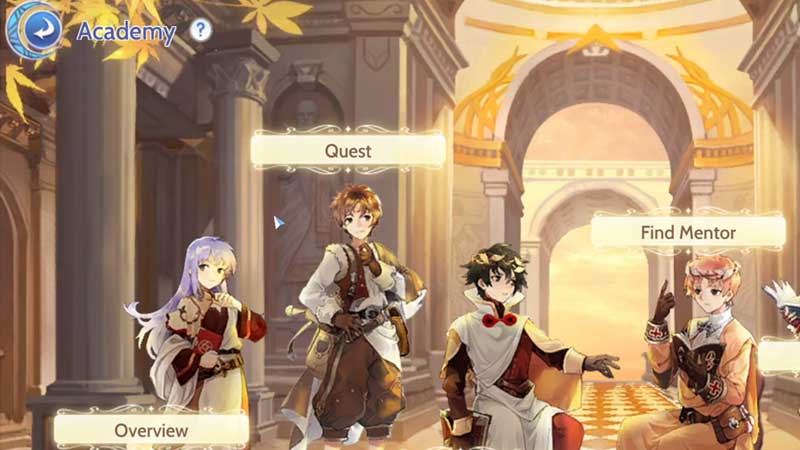
If you are not satisfied with your student-mentor relationship you can terminate your student. But remember once you do so, you cannot add another student for the next 7 days.
- Go to Academy and tap on Overview.
- Select the student profile you want to terminate and press Dissolve Connection.
- You will have to confirm the deletion of the student from the Academy.
- Tap on confirm once you have made up your mind.
- The student and the mentor can mutually terminate the connection if it has not been helpful.
This was all on how you can add or remove students in Ragnarok Origin. If you found this article helpful you can also check out how to play Ragnarok Origin on PC.