
Close Menu
    Facebook X (Twitter) Instagram
    • About Us
    • Contact Us
    • Privacy Policy
    • Disclaimer
    Facebook X (Twitter) Instagram Pinterest Vimeo
    Games Adda
    • Gaming
    • Tips and Tricks
    • Tech
    • Best Buy
      • Gaming Mouse
      • Headphones
      • Laptops
      • Smartphones
      • Smartwatches
    Subscribe
    Games Adda
    Home » Pokemon » How To Transfer Pokemon In Pokemon GO
    Gaming

    How To Transfer Pokemon In Pokemon GO

    Aanchal SinghBy Aanchal SinghNovember 26, 2022Updated:November 26, 2022No Comments2 Mins Read
    Share Facebook Twitter Pinterest LinkedIn Tumblr Reddit Telegram Email
    How-To-Transfer-Pokemon-In-Pokemon-GO
    Share
    Facebook Twitter LinkedIn Pinterest Email

    Pokemon Go is an augmented reality mobile game where players can catch Pokemon in their surroundings. Once you have progressed a bit in the game, you will want to focus on building the strongest team possible. To do this, you must often mix and match to find out the ideal team combination. You can transfer your Pokemon to Professor Willow to get candies in Pokemon Go and free up your Pokedex for new additions.

    Let us find out how to do this in the guide below.

    How To Transfer Pokemon To Professor Willow in Pokemon Go?
    How-To-Transfer-Pokemon-In-Pokemon-GO

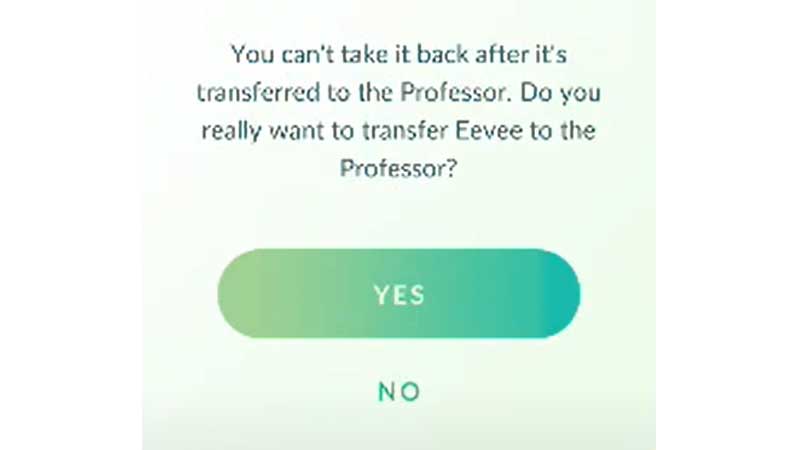
    It is fairly easy to transfer Pokemon in the game. However, Pokemon transfer is permanent and you will not be to get your Pokemon back once it has been transferred. If you still want to trade your Pokemon, we have listed the steps to do so below.

    • Go to the Main Menu tab from Map view.
    • Click on the Pokemon button.
    • Select the Pokemon you want to exchange from the list.
    • Now, hit the Menu button and select Transfer. You will not be able to transfer active Buddy Pokemon or Pokemon that you have favorited. In addition, Pokemon that are defending Gyms can not be transferred either.

    It is also possible to exchange multiple Pokemon at the same time. To do so, you can follow the instructions below.

    • As mentioned above, you will first need to go to the Main Menu and the click on the Pokemon button.
    • Now, click and hold one Pokemon that you want to exchange till it is selected. Now, you can also select other Pokemon on the list by tapping and holding them.
    • Tap on the Transfer button once all the Pokemon have been selected.

    This is how you can transfer Pokemon to Professor Willow in Pokemon Go and get candies in exchange. Since candies are rare in Pokemon Go, this is a pretty good way to get them. For more Pokemon Go content, check out Pokemon Go: How To Add Pokemon To Gym?

    Pokemon Go Guides Trending
    Share. Facebook Twitter Pinterest LinkedIn Tumblr Email
    Previous ArticleBest Xiaomi Mobile Phones Under 10000 In India (July 2023)
    Next Article How To Use Charged TM In Pokemon GO
    Aanchal Singh

    You know that laid back girl who loves video games, reading, and travelling but avoids crowds like the plague? Hi, that's me.

    Related Posts

    Gaming

    From Lockdown Epiphany to India’s First “Phygital” Arcade: The Claw King Story

    August 19, 2025
    Gaming

    The Biggest Esports Tournaments to Watch in 2025

    March 25, 2025
    Gaming

    Experience Elden Ring Like Never Before: Ranni Demigod Backpack Mod

    July 10, 2024
    Add A Comment

    Comments are closed.

    Facebook X (Twitter) Instagram Pinterest
    • About Us
    • Contact Us
    • Privacy Policy
    • Disclaimer
    © 2026 ThemeSphere. Designed by ThemeSphere.

    Type above and press Enter to search. Press Esc to cancel.