
Subway Surfers is a fun runner game that you can play in your leisure. There are a lot of characters that you have to get while on your journey. Some characters can be obtained by spending coins, sometimes keys, or even in-game purchases. Well, in this guide, we will be discussing how to Unlock Boombot in Subway Surfers.
Boombot is an exclusive character and shows up every season. It is a golden robot that has a boombox for its head and appears to be dancing. Read along with this guide to learn more about how to get the character in the game.
How to Unlock Boombot in Subway Surfers?
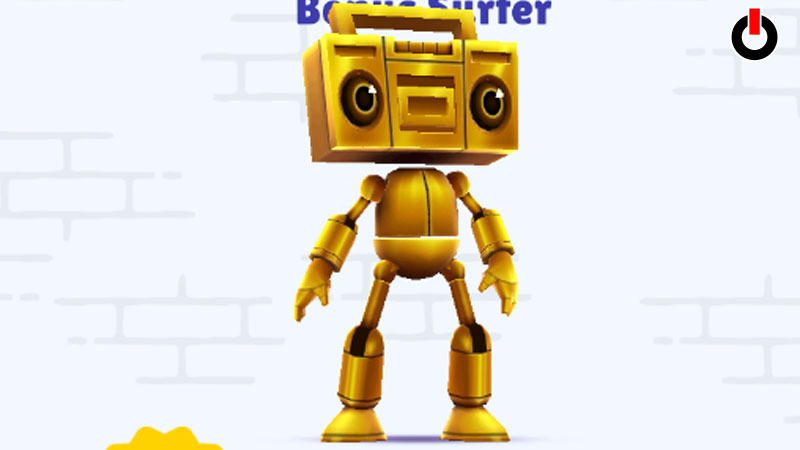
Boombot is a quirky character in the game. However, its dance moves are impressive and it dismantles itself while dancing. There are two ways in which you can Unlock Boombot in Subway Surfers. Read along further to know more.
You can find Boombot in the Me tab on the main screen of the game. It is free to get but there is a condition. You have to first make an in-game purchase with real money. The moment you click on the Get Now button, you will be redirected to the Store tab and you can choose any deal you’re comfortable with.
Once you have made the payment, you will receive the character and you can play with it. But, if you do not wish to invest any real money in the game, you might want to check out the second method. If you want to get this character for free, you need two things.
- Android device
- Third-Party File Manager App
If you’re playing this game on an iOS device, you might have to buy something from the store to get the character. But if you meet the above criteria, you can easily get it for free. All you have to do is follow the steps mentioned below and acquire Boombot in the game.
- Install a Third-Party File Manager App on your device
- Run it and find the Main Storage tab
- Now, click on Android and find the Data tab
- Look for com.kiloo.subwaysurf and click on Files
- Go to Profile and tap on Characters
- Erase Jake and insert Boombot
- Hit Save
And you will Unlock Boombot in Subway Surfers. This is all you need to know about getting the bonus character in the game. Hopefully, this guide was helpful to you. While you’re here, you can go ahead and browse through other similar articles such as How to Add Friends in Subway Surfers? and How to Get Frank?