
DayZ Standalone is a popular open-world survival game with only one rule to stay alive, no matter what! The game is launched using a third-party unofficial mod called DZSA that helps players to connect to servers by following a few easy steps.
There are many players who have recently been reporting about DZSA Launcher not working issue while trying to launch the game. The launcher DZSA suddenly stops working and takes you out of the game out of now where. If you are also facing the same issue on your PC then here is a fix for you!
DZSA Launcher Not Working Fix:
1. Re-install the DZSA launcher
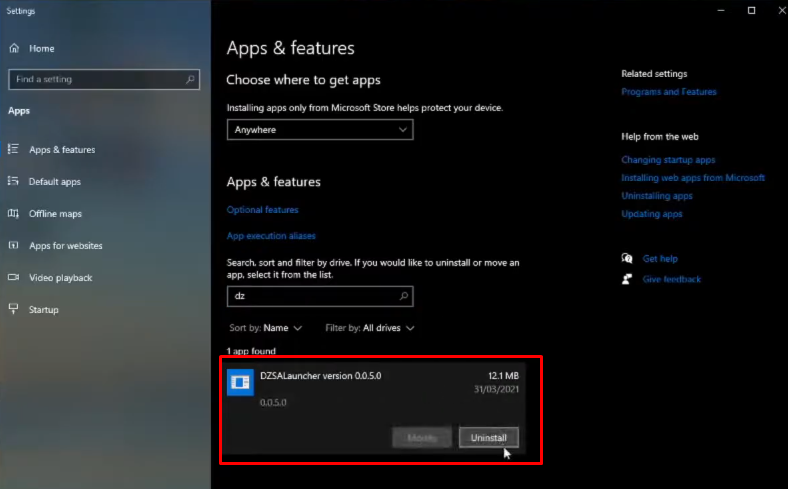
As we all know that DZSA is an unofficial launcher to play DayZ Standalone. Hence it is pretty obvious for players or users to face bugs and glitches while using it. If you ever come across DZSA Not Working Issue on PC then uninstall the launcher and download it again to enjoy Dayz Standalone uninterrupted. Read further to know the steps to uninstall the launcher from your PC.
- Close the launcher by hitting the ‘X‘ button on the top right corner.
- Go to Settings and click on ‘Add Or Remove Programms‘
- Click on the search window and search for DZSA Launcher and click on the ‘Uninstall‘ button below it.
Once you uninstall the launcher successfully, head back to your browser and search for DZSA Launcher and download it from the reliable site. Once the download is complete, install it again and launch DayZ Standalone and see if the error remains.
2. Launch It From Steam
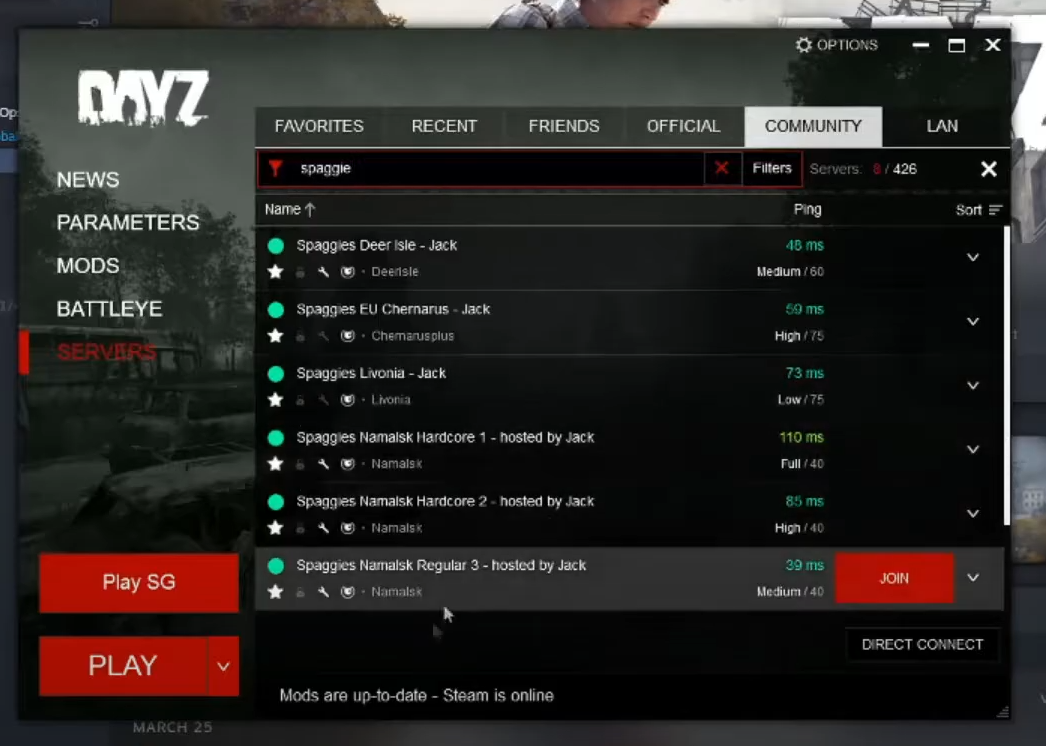
Rather than going for an unofficial mod version, we suggest you stick to Steam and launch the game from there to avoid any issues or bugs. Check out the steps given below to launch DayZ Standalone from Steam without facing any issues.
- Open Steam on your Pc.
- Search for DayZ Standalone in your Library.
- Once you find it click on the Play button to launch the game.
- When you click on the Play button a new window will pop up. Click on the Servers from the left side menu and click on the Community tab.
- Next, search for your preferred server and hit the Join button next to it to launch the game without facing any issues.
This is all you need to know about how to fix DZSA Launcher Not Working issue on your PC. For more guides to fix errors in different games click on the link and stick around GamesAdda.in.