
Close Menu
    Facebook X (Twitter) Instagram
    • About Us
    • Contact Us
    • Privacy Policy
    • Disclaimer
    Facebook X (Twitter) Instagram Pinterest Vimeo
    Games Adda
    • Gaming
    • Tips and Tricks
    • Tech
    • Best Buy
      • Gaming Mouse
      • Headphones
      • Laptops
      • Smartphones
      • Smartwatches
    Subscribe
    Games Adda
    Home » Valorant » How To Initiate A Remake Vote In Valorant?
    Gaming

    How To Initiate A Remake Vote In Valorant?

    Aanchal SinghBy Aanchal SinghDecember 17, 2021No Comments2 Mins Read
    Share Facebook Twitter Pinterest LinkedIn Tumblr Reddit Telegram Email
    Remake-Valorant
    Share
    Facebook Twitter LinkedIn Pinterest Email

    Riot Games is constantly coming up with new updates and features to improve the gameplay experience for its players. The Remake is one such feature that was introduced to Valorant earlier this year. A Remake allows players to cancel the current game and line up the current team for the next game. It can be put into motion if the teams are uneven. If a Remake is successful, the match will not be counted in the stats and there will not be any MMR or XP change. However, for a Remake to be successful, it needs to be passed by all members of the team before the start of the first round.

    How To Get A Remake in Valorant?

    A Remake vote can be initiated when one or more players quit before the start of the game.  In order to initiate a Remake vote in Valorant, start the voting process by typing “/remake” in chat. This can only be done if players from the team have quit and it is an uneven game. If initiated, all the members from existing teams will have the option to vote on whether to Remake or not. A Remake is only passed if every member of the team agrees to it.
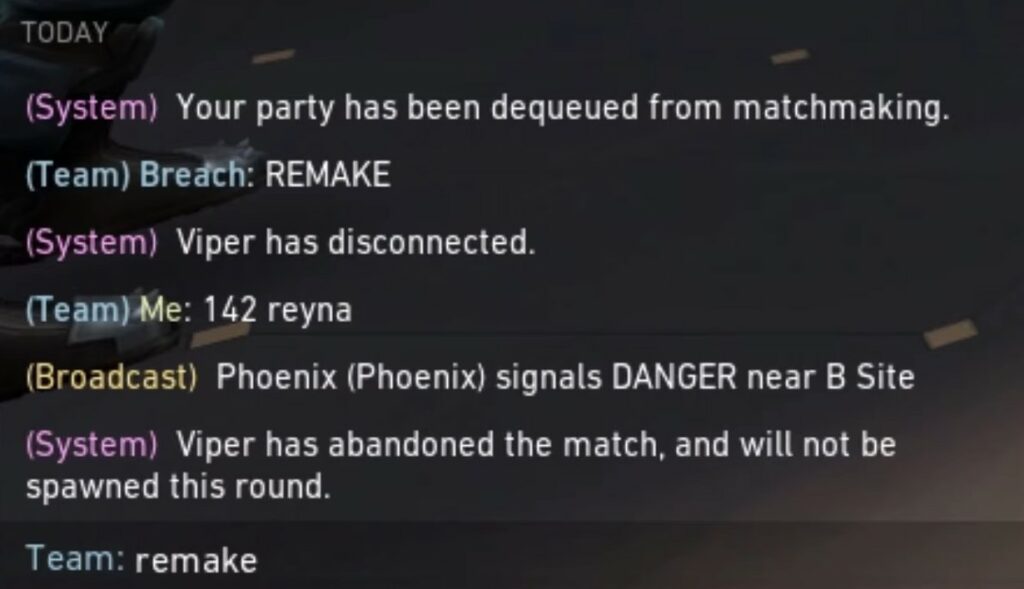
    Remake Valorant

    Meanwhile, the player who quit the match will still take a full MMR loss for the game as well as a leaver penalty. Also, a Remake vote can only be initiated if a player leaves the game before the second round. If a player disconnects after this, the game will still continue and there will be no option for a Remake vote. Once again, players should remember that a successful Remake requires all members to vote Yes. If even a single player doesn’t vote or their vote is skipped, a Remake vote will not be passed in Valorant.

    This is how players can initiate a Remake vote in Valorant. For more Valorant trivia, check out our Valorant Guides.

    Valorant Guides
    Share. Facebook Twitter Pinterest LinkedIn Tumblr Email
    Previous ArticleHow To Fix Call of Duty Modern Warfare Dev Error 6144?
    Next Article How To Activate And Use Google Docs Dark Mode?
    Aanchal Singh

    You know that laid back girl who loves video games, reading, and travelling but avoids crowds like the plague? Hi, that's me.

    Related Posts

    Gaming

    From Lockdown Epiphany to India’s First “Phygital” Arcade: The Claw King Story

    August 19, 2025
    Gaming

    The Biggest Esports Tournaments to Watch in 2025

    March 25, 2025
    Gaming

    Experience Elden Ring Like Never Before: Ranni Demigod Backpack Mod

    July 10, 2024
    Add A Comment

    Comments are closed.

    Facebook X (Twitter) Instagram Pinterest
    • About Us
    • Contact Us
    • Privacy Policy
    • Disclaimer
    © 2026 ThemeSphere. Designed by ThemeSphere.

    Type above and press Enter to search. Press Esc to cancel.