
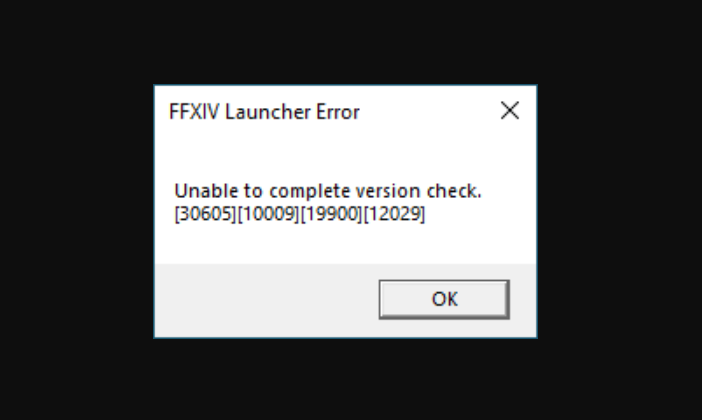
There are many Final Fantasy XIV (FF14) players facing the ‘Unable To Complete Version Check’ error every time they try to launch the game. This error usually occurs after the patch notes are updated in the game. Or sometimes it even pop-ups due to some other reasons like poor connectivity issues or if the server is down.
If you are also facing this issue while playing FF14 then here is a list of all the reasons behind it and solutions to fix them. read this article till the end and fix the ‘Unable To Complete Version Check’ error on your PC or consol now!
Also Read: Final Fantasy XIV Lobby Server Error 2002 Fix
FF14 Unable To Complete Version Check Error Fix
1. Check If FF14 Servers Are Down
This error usually occurs if the main servers are down. Check the official social handles of FF14 and see if there is an announcement or post regarding this. Or else you can simply check it on Downdetector.in. You can simply open any browser on your device and search for Downdetector or click on the link to open it and then search for Final Fantasy 14. This will give you all the updates if the server game’s server is down.
2. Check Your Internet Connection
Make sure your system is connected to a good internet connection. Many times the error occurs if your system fails to communicate with the game servers. Hence make sure you have a proper internet connection on your device.
To check that simply run a speed test or try running any other online game on your system.
3. Re-start Your PC or Console
Restart your PC or Console as it will fix any small bug or glitch in the game that is stopping it from loading. Restart the system and try to open the FF14 again and see if it fixes the issue.
4. Re-install Final Fantasy 14
As we mentioned earlier, this error usually occurs after the game is updated. Sometimes few files do not get downloaded when the game is updated and that can be one of the reasons behind the error. Therefore, you can uninstall the game and install it again properly to fix the unable to complete version check error in FF14.
5. Disable Anti-Virus
If all the above solutions could not work then you can disable the anti-virus on your PC and see if it was stopping you from running your favorite FF14. Open the Antivirus Program on your system and disable it. Also, make sure you disable the firewall settings to not to create any more hurdles in your way.
This is everything you need to know about how to fix FF14 the ‘unable to complete version check’ error on your PC.