
Vudu.com is a popular app or website in America that has an ocean of all the Hollywood movies and series to watch on. There are plenty of moves and series that are available o watch for free and there are a few exclusive ones for which you need to take a paid subscription. To watch movies on Vudu.com or Vudu app on your television you will first have to activate it using a start activation code.
In this article, we will guide you through all the steps that will help you activate your Vudu app on your Tv. Read the article till the end to understand all the steps in detail to not miss out on anything!
What Is Vudu.com Start Activation Code And How To Get It?

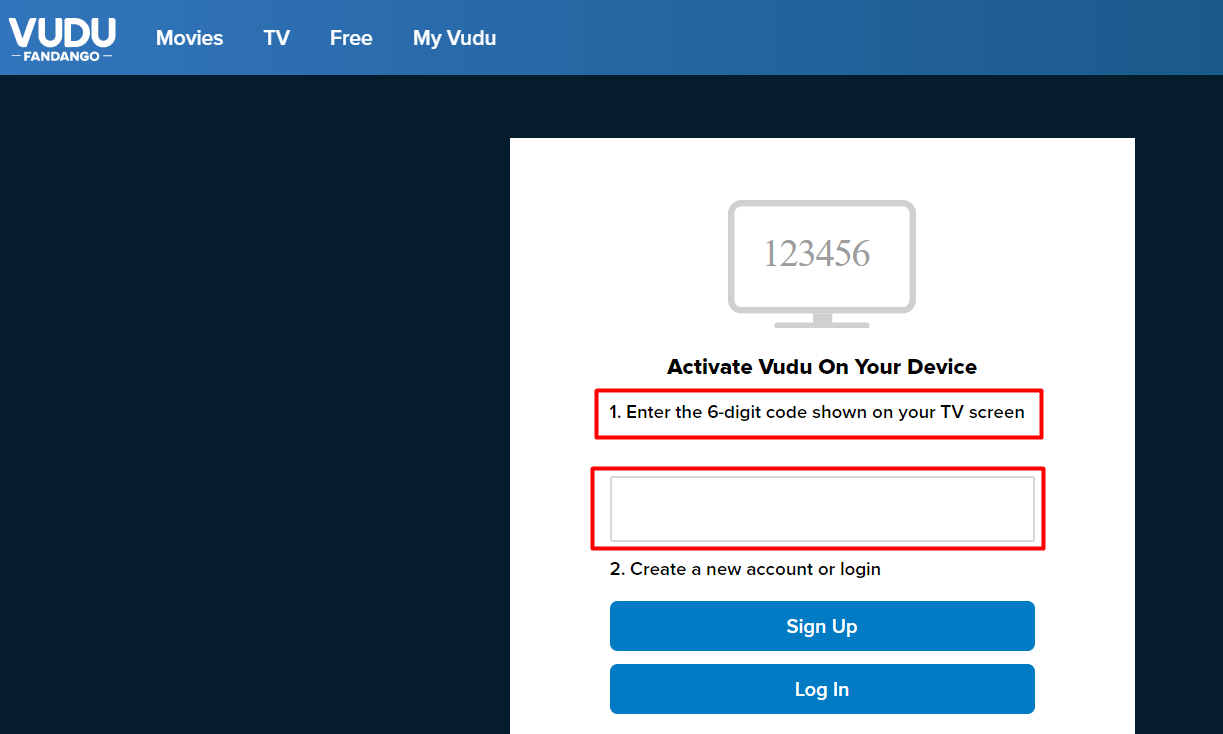
When you try to use the Vudu app or Vudu.com on your Tv you get a 6 digit code called Start Activation code. This code is nothing but a small one-step verification process to check if the same person is using the account. All you have to do is go on Vudu.com/start any browser on your mobile or PC and sign in.
Now open Vudu.com/start on any browser and put this code there and sign in to your account. As soon as you sign in you will be able to watch all you want on Vudu on your Television. Read further to know how to install the Vudu app on your Tv.
How To Get Vudu App On Your Tv?
It is very simple to get the Vudu app on your Tv. Follow the steps given below and get the application on your Tv now and enjoy uninterrupted streaming!
1. Switch your Tv on and press the Main Menu opinion on your remote control.
2. Next go to Apps & More by clicking on the navigation keys and hit the Ok button in the center.
3. Now search for the Vudu app from the options available and again it the Ok button in the center.
4. You will be redirected to the log-in page of the Vudu app. Here you will see one small Vudu Start code written on the left side of your screen.
5. Open any browser on your mobile and go to vudu.com/start. Enter the code on your Tv Screen and then login to your account
6. As soon as you will enter the code on the browser your Tv screen will be updated. Now you can enjoy streaming all the movies and series on the big screen of your Television.
This is everything you need to know about the Vudu.com start code. Click on the link to check out another article to know about another torrent site to watch all your favorite Bollywood movies for free.