
It is really important to have a good crosshair in order to spot your enemy clearly in CSGO or any other game. Setting a proper crosshair is very important in order to get the best kills in the easiest way possible. There is a default crosshair already generated in CSGO but it isn’t necessary that every player will be comfortable using the same one. So if you want to change the shape, size, color, or outline of the crosshair, you can change it by using the CSGO crosshair generator.
Also Read: CSGO: Top 5 Best Case Opening Sites
What Is CSGO Crosshair Generator And How To Use It?
To customize and change your crosshair in CSGO as you want there is a workshop called “Crashz Generator” available for free on Steam.com. Without any further, go let’s get straight to the steps to get this CSGO crosshair generator and generate a crosshair that suits your gaming style.
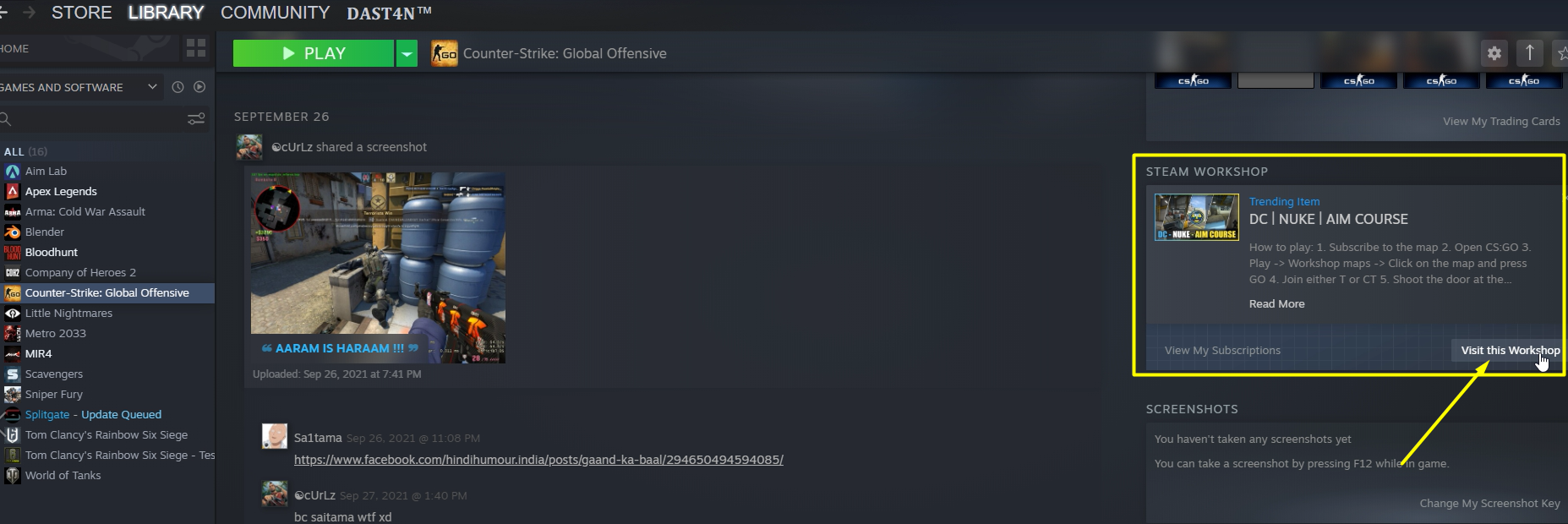
1) Go to your Steam account and open CSGO. Scroll down on the right side menu and find the “Steam Workshop” section and click on “Visit this workshop”.
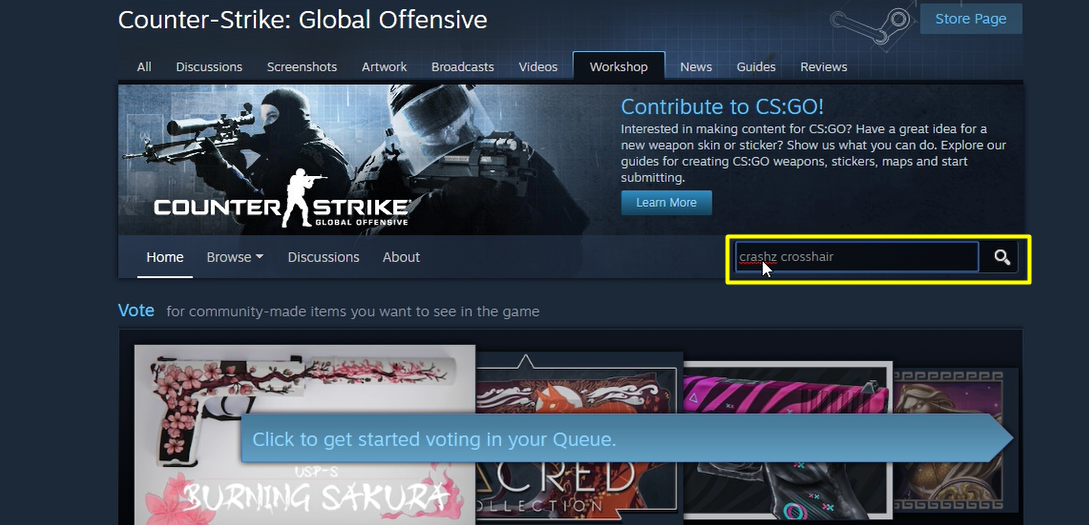
2) Now type “Crashz Generator” into the search bar.
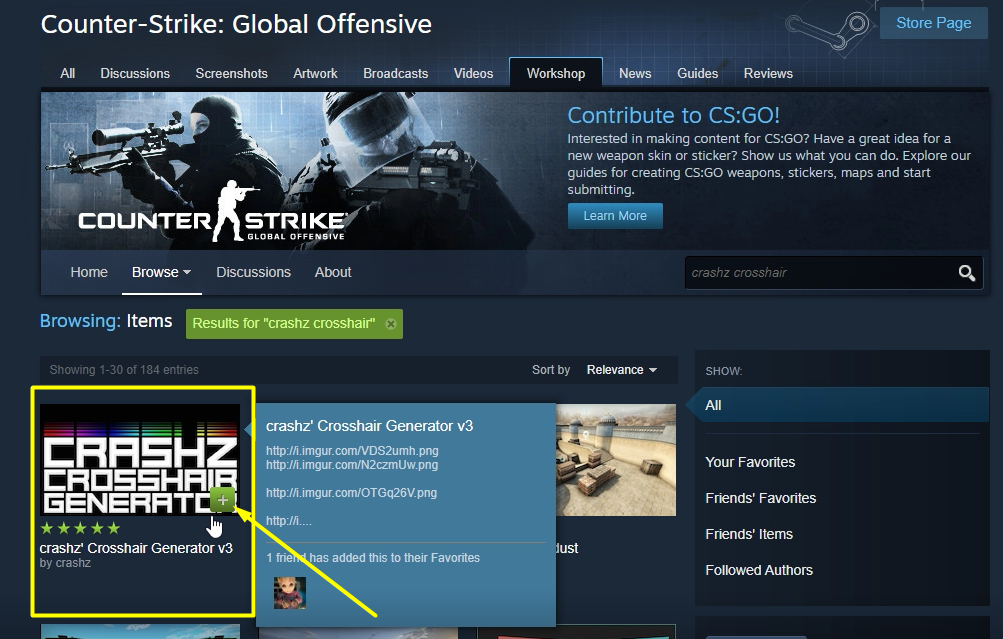
3) Click on the Plus icon on Crashz Crosshair Generator and subscribe to this workshop to use it in CSGO as shown in the below picture.
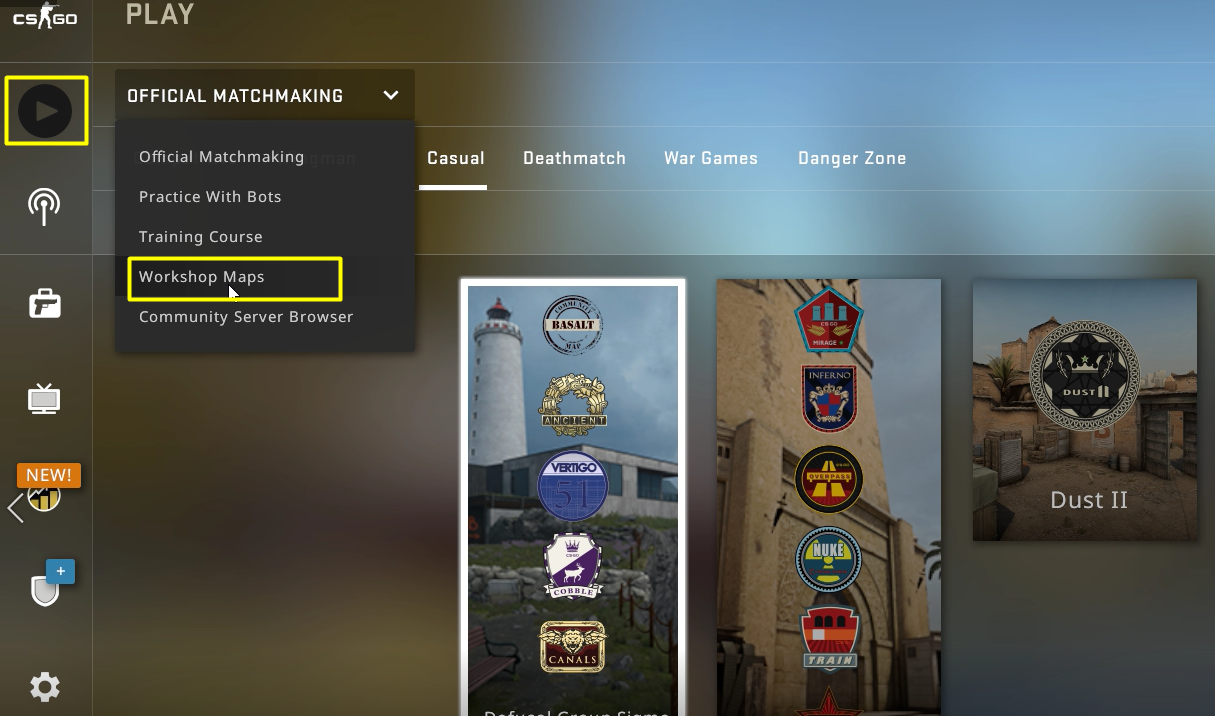
4) Now launch CSGO and click on the ‘Play button and go to ‘Workshop maps’.
5) Next select Crashz Crosshair Generator and hit the ‘Go’ button at the bottom of your screen. Here you will find yourself in a room that has different options on the walls.
6) Aim at your favorite color and shape and shoot. Once you shoot you will find the color or shape of your crosshair has been changed.
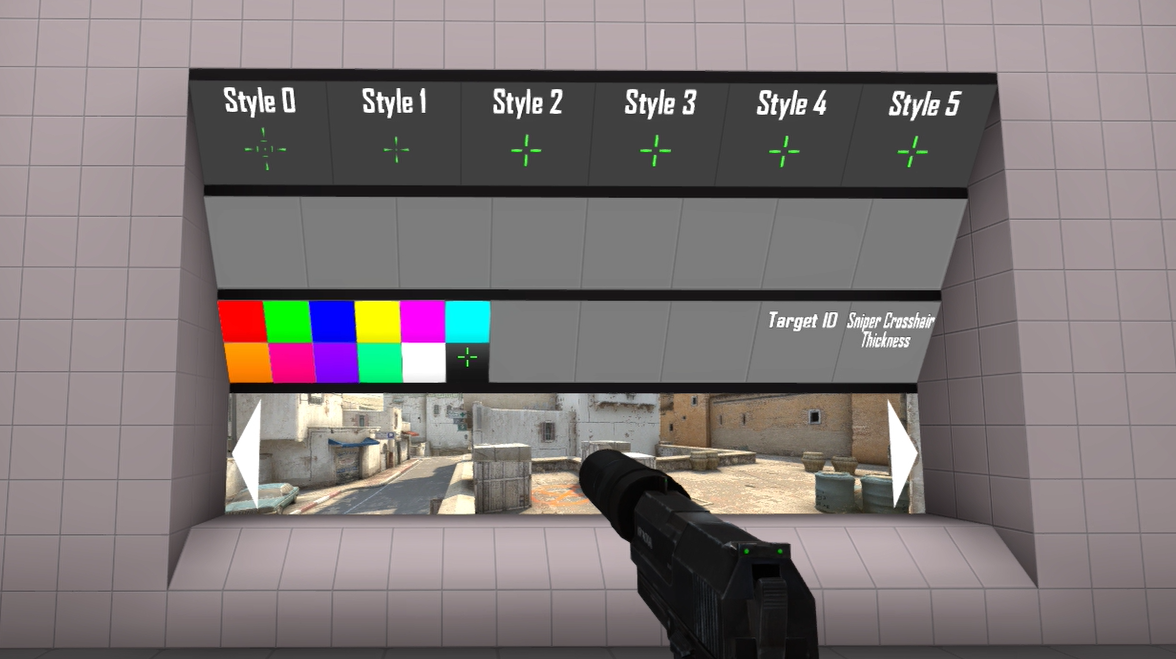
This is everything you need to know about how to use the Crashz Crosshair generator and generate a new CSGO crosshair. Notably, this is not the only site where you can generate new crosshairs for CSGO.
There are many such free cross-hair generators available on the internet like dathost, totalcsgo, csgopedia, globalcsgo, etc who also help you do the same changes and generate crosshair for CSGO. If you did not like this generator, you can check out the remaining sites as well.