
Holowear tickets are one of the currencies in Pokemon Unite Mobile that will help you unlock Holowear skins in the game. You can use these tickets in exchange for AEO tickets. Holowear tickets will unlock after reaching level 6 in Pokemon Unite. There is no way to purchase Holowear tickets with real-world money. If you are looking for ways to obtain Holowear tickets in Pokemon Unite Mobile then let’s get straight to it without any further go.
Table of Contents
Pokemon Unite: How To Get Holowear Tickets?
There are two ways to obtain Holowear tickets in Pokemon Unite Mobile. You can either get these tickets from Energy Conversion Machines or by completing Battle Pass events. Here is a stepwise guide to get Holowear tickets in both ways:
Energy Conversion Machine:
An energy conversion machine is a small machine that allows you to convert the energy that you earned in the game into exciting rewards. One of the rewards is a bundle of Holowear tickets. You get 10 Holowear tickets in one spin using this machine. Here are steps for you to reach the energy conversion machine.
1) Launch Pokemon Unite on your mobile phone.
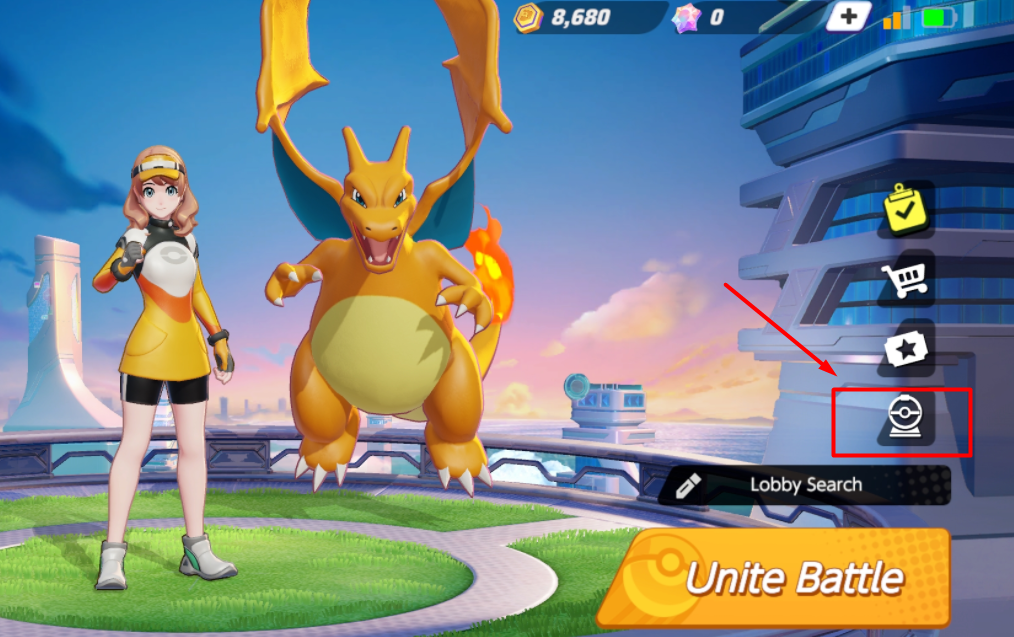
2) Find and click on the Energy Conversion Machine icon on the bottom right corner of your screen. To be more precise it is right above the search lobby on the start screen.
2) Once you open the energy reward system, select the reward that you want from the energy reward option on your screen. Now click the Use button to convert the energy that you earned so far into the rewards.
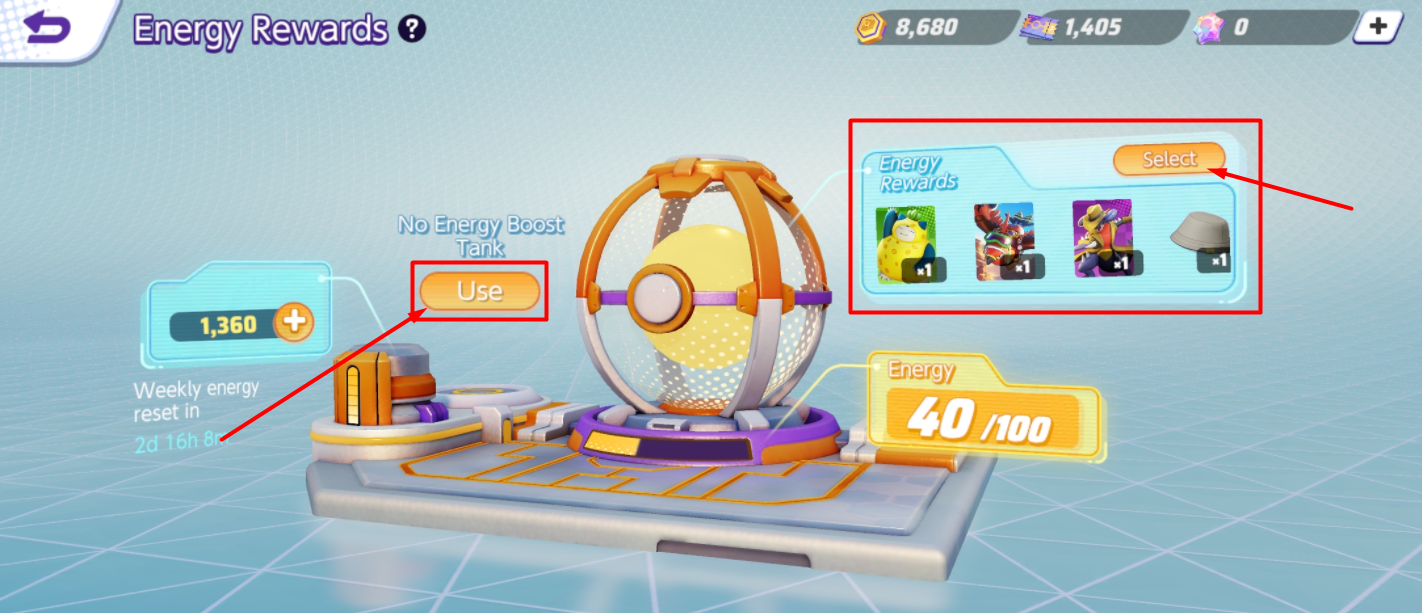
3) If you are lucky enough then you will get an option of Holowear tickets in the energy rewards column or else you can wait till it’s updated. Till then save up all the energy you have earned so far in the battles.
Battle Pass Events:
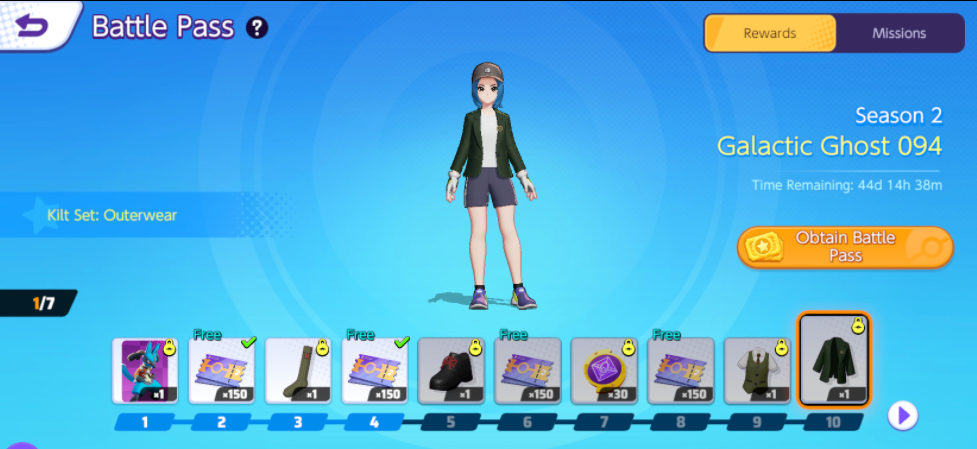
There is a section called Battle Pass Events in Pokemon Unite that has weekly battle pass events. Players can participate in events and earn the price box that has Holotickets in rewards. There are various rewards in the Battle Pass events and there is a thin chance that you receive what you are looking for every time.
Therefore, we suggest you stick to the Energy Conversion Machine to get promising rewards.
How To Use Holotickets In Pokemon Unite?
Holotickets are in-game currencies that help you to buy skins for your pokemon. You can buy new skins for all the pokemon that you have unlocked so far.
1) All you have to do is spend Holowear tickets and for that head to the Zirco Trading by clicking on the Cart icon shown in the below picture.
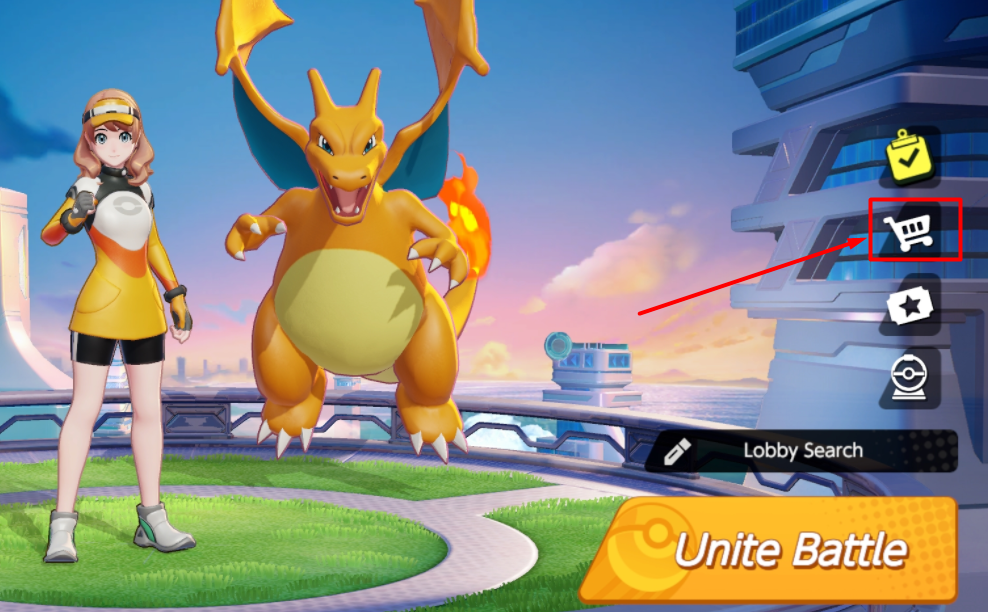
2) Choose the third icon from the left side menu. Hit the Enter button on your screen to enter Zirco trading.
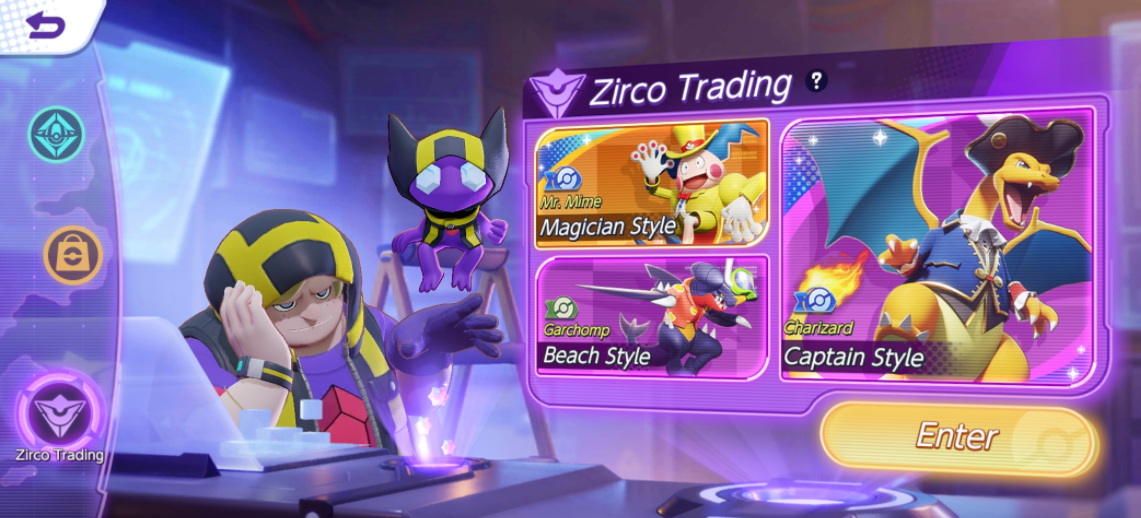
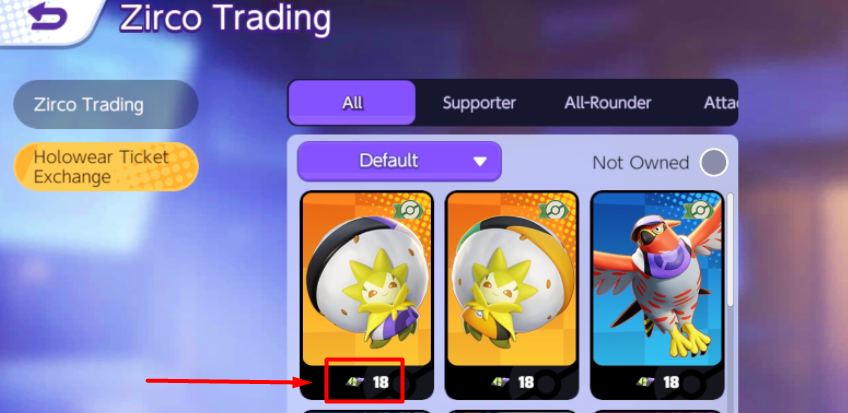
3) Find a list of all the pokemon with the number of Holotickets you need to spend to get it. Click on any one of the pokemon and unlock the Holowear skin for your Pokemon.
This is everything you need to know about how to unlock Holowear tickets in Pokemon Unite Mobile. Check another article on Blastoise build in Pokemon Unite.