
Players can buy a lot of in-game items like skins and weapons in Free Fire by making payments through the Google Play app. That is the only way to buy items in Free fire and many are facing issues while purchasing. Let’s dig deeper and find some fixes you can use to solve the transaction that cannot be completed issue in Free fire.
Google Play Transaction Cannot Be Completed Error In Free Fire
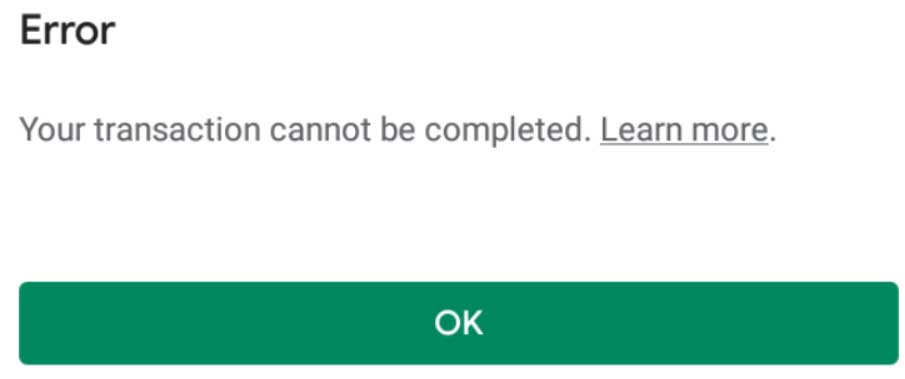
There can be multiple reasons why the transaction couldn’t be completed. Usually, there is no error from Google play’s end. Even if there is they do acknowledge it or you’ll see it all over social media. Let’s see what can be the reasons for the issue.
- Try doing the whole transaction again. If the error still prevails remove and add your card again and then try doing the transaction again.
- Clear the cache data of Google play store and Google Play services. The cache data gets accumulated over time and will fill up your phone’s memory. In case the cache data gets corrupted it can hamper the functioning of the app as well. To clear the cache data go to the “settings” menu and then select “apps”. Click on the “Google Play Store” app and go to the “storage” tab. Press the “clear cache” button and try completing making the payment again.
- If you don’t find any issue in the Google play app maybe the issue is with your card or the bank. Verify the card details again just to be sure. Also check if the card has enough balance to process the payment.
- Check with the bank if there is some issue with their server or not.
The above-mentioned solutions should fix your problem. If the issue is still looming around try uninstalling and re-installing Free fire again.
That’s all for this one, for more news, tips, and tricks around Free fire stick check out our comprehensive Free Fire guide.